 Add to Chrome
 Add to Edge
 Adi Leviim
30+ Best ChatGPT Chrome Extensions in 2026: Complete Guide
ChatGPT Toolbox is a Chrome extension with 18,000+ active users and a 4.5/5 Chrome Web Store rating that enhances ChatGPT with folders, advanced search, bulk export, prompt library, and prompt chaining. This step-by-step guide explains how to choose the best ChatGPT Chrome extensions using ChatGPT Toolbox on Chrome, Edge, and Firefox. The extension offers a free forever plan with premium features at $9.99/month or $99 one-time lifetime.
ChatGPT has revolutionized how we work, write, code, and research, but the vanilla interface still lacks critical features power users need. That's where Chrome extensions come in. In 2026, the ChatGPT extension ecosystem has exploded, offering everything from advanced organization and search to prompt management, real-time web access, voice control, and specialized productivity tools.
If you want to get the most out of OpenAI's chatbot, you need the right toolkit. We've tested over 50 extensions to bring you the 30+ best ChatGPT Chrome extensions that will supercharge your productivity in 2026. Whether you're a developer, marketer, researcher, writer, or student, this comprehensive guide will help you find the perfect extensions for your workflow.

Why You Need ChatGPT Chrome Extensions
ChatGPT Chrome extensions enhance the user interface by adding functionality that OpenAI's ChatGPT UI may not yet provide.
While OpenAI constantly updates ChatGPT with new models like GPT-4o, o1, and o3-mini, the user interface (UI) often lags behind user needs. Extensions bridge this gap by adding functionality that should be native but isn't. They can help you:
- Organize your workspace: Folders, tags, search, and bulk actions keep your chat history clean and accessible.
- Save massive amounts of time: Prompt libraries, shortcuts, and automation reduce repetitive typing.
- Access real-time data: Web browsing extensions ensure your AI isn't stuck with outdated information.
- Integrate with other apps: Use ChatGPT directly in Gmail, Google Docs, LinkedIn, YouTube, and more.
- Enhance productivity: Export conversations, voice control, custom themes, and specialized workflows.
- Collaborate better: Share conversations, create templates, and manage team workflows.
How to Choose the Right ChatGPT Extension
Select ChatGPT extensions based on your needs, like ChatGPT Toolbox for organizing chat history or tools for prompt improvement.
Before diving into our comprehensive list, consider your primary needs and bottlenecks:
- Messy chat history? Look for organization and search tools like ChatGPT Toolbox.
- Need better prompts? Choose prompt library extensions like AIPRM or PromptPerfect.
- Email overload? Pick writing assistants like ChatGPT Writer or Compose AI.
- Research heavy work? Get web access extensions like WebChatGPT or Perplexity integration.
- Prefer voice? Use voice control tools like Talk-to-ChatGPT or Voice Control for ChatGPT.
- Content creation? Try specialized tools for YouTube, social media, or blogging.
Our Testing Methodology
We evaluated over 50 ChatGPT Chrome extensions for functionality and user experience.
We evaluated over 50 ChatGPT Chrome extensions based on these criteria:
- Functionality: Does it solve a real problem effectively?
- User Experience: Is the interface intuitive and well-designed?
- Performance: Does it slow down ChatGPT or cause conflicts?
- Privacy & Security: Does it respect user data and follow best practices?
- Value: Is the pricing fair for the features offered?
- Support & Updates: Is it actively maintained with responsive support?
Best ChatGPT Extensions by Category
ChatGPT extensions are categorized by function, such as writing assistance or research tools, to help users find specific solutions.
We've organized the 30+ best extensions into clear categories so you can quickly find tools that match your specific needs. Each category addresses different productivity challenges and use cases.
Category 1: Organization & Productivity Tools
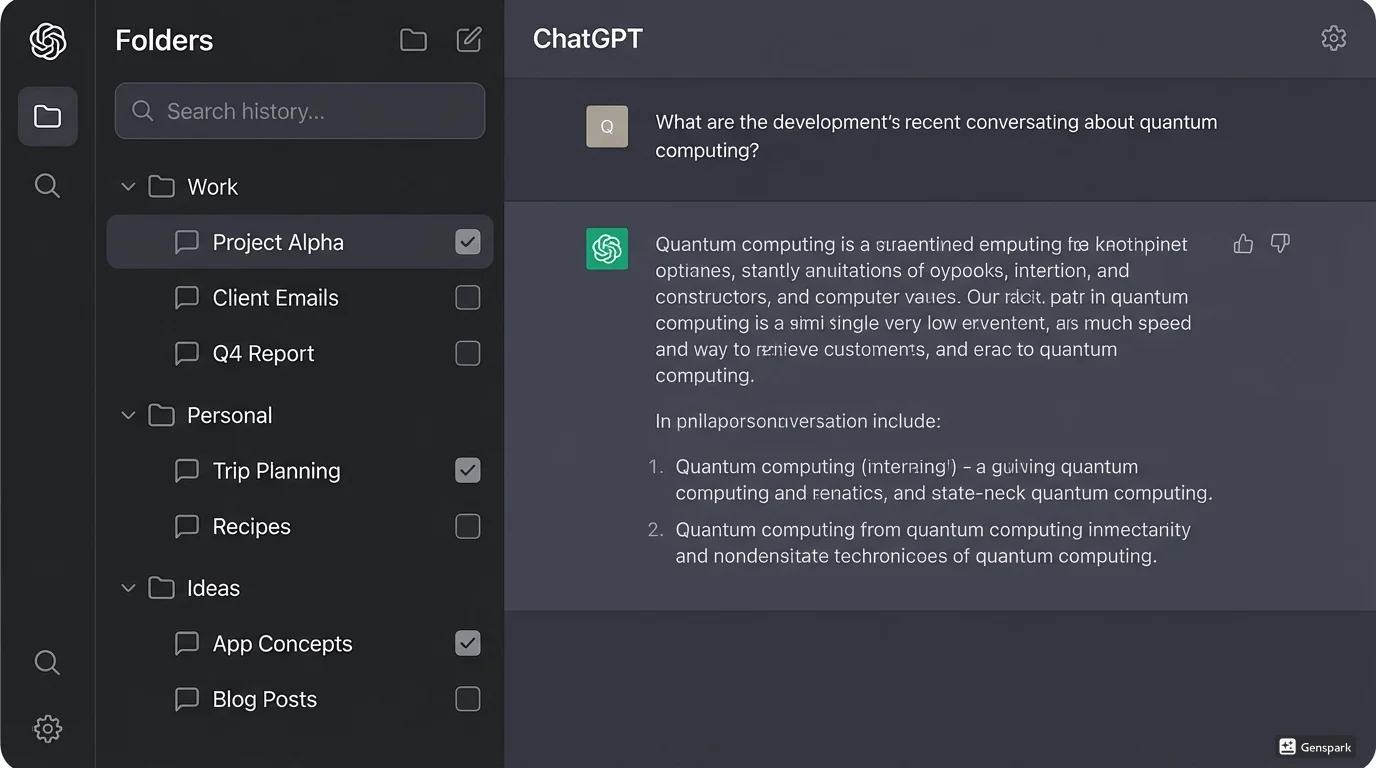
ChatGPT Toolbox helps power users organize and search their ChatGPT conversations efficiently.
These extensions help you manage, organize, and search your ChatGPT conversations. If you have hundreds of chats and can't find anything, these are essential.
1. ChatGPT Toolbox
Best for: Power users who want the ultimate all-in-one organization solution.
ChatGPT Toolbox is the most comprehensive productivity suite for ChatGPT. It fills critical gaps in OpenAI's interface by adding essential features like advanced search, bulk deletePremium/archive, folders and subfolders, and conversation pinning. If you've ever struggled to find an old conversation or felt overwhelmed by a cluttered sidebar, this is the tool for you.
Instead of scrolling endlessly to find that one conversation from three months ago, you can simply search by keywords across your entire history. Need to clean up your workspace? Select multiple chats and archive or delete them in one click.
Want to organize by project or client? Create unlimited folders and subfolders. It's designed to feel like a native part of ChatGPT, enhancing the experience without cluttering it.
Key Features:
- Advanced Search: Search through your entire chat history by keyword, date, or exact phrase with toggle.
- Bulk Actions: Delete, archive, or unarchive multiple chats simultaneously with checkbox selection.
- Folders & Subfolders: Create unlimited nested folders to organize chats by project, client, or topic.
- Pin Conversations: Keep important chats at the top of your sidebar for instant access.
- Prompt Library: Save your favorite prompts with dynamic variables for quick reuse using // shortcut.
- Prompt Chaining: Automate complex workflows with sequences of up to 10 prompts using .. shortcut.
- Bulk Export: Export multiple conversations to JSON, TXT, or Markdown for backup or documentation.
- Media Gallery: View, organize, and download all ChatGPT-generated images (GPT-4o, GPT Image 1.5, and DALL-E) with metadata.
- Custom Themes: Switch between light mode, dark mode, and high contrast themes.
- RTL Language Support: Perfect experience for Arabic, Hebrew, Persian, and Urdu users.
- Sync Across Devices: Keep organization consistent across all browsers and devices (Pro plan).
Pricing: Free version with core features; Personal plan $9.99/month; Pro plan $99 one-time (lifetime access).
Rating: 4.5/5 stars (18,000+ active users)
2. Superpower ChatGPT
Best for: Users who want extensive customization and visual personalization.
Superpower ChatGPT is a feature-rich extension offering customization, chat management, and productivity tools. It allows deep personalization of the ChatGPT interface, including fonts, colors, layouts, and sidebar modifications.
Key Features:
- Local history sync and backup
- Custom prompt library with categories
- Newsletter generation from chats
- Interface customization (fonts, colors, spacing)
- Chat export to multiple formats
- Keyboard shortcuts for common actions
Pricing: Free version available; Premium plans for advanced features.
3. ChatHub
Best for: Comparing responses from multiple AI models side-by-side.
ChatHub lets you use ChatGPT, Claude, Gemini, and other AI chatbots simultaneously in one interface. Perfect for users who want to compare answers, verify information, or leverage different AI strengths for the same query.
Key Features:
- Multi-bot comparison (ChatGPT, Claude, Gemini, Perplexity)
- Side-by-side response display
- Chat history across all models
- Export and share comparisons
4. ChatGPT History
Best for: Users who need advanced filtering and search capabilities.
ChatGPT History adds powerful filtering options to your conversation list, including date ranges, search operators, and tag management. Great for researchers and professionals managing large conversation archives.
Key Features:
- Advanced date and time filters
- Tag-based organization
- Search with operators (AND, OR, NOT)
- Export filtered results
5. SaveGPT
Best for: Quick conversation saving and bookmarking.
SaveGPT provides one-click saving of ChatGPT conversations to your browser's local storage, with easy retrieval and organization by tags and categories.
Key Features:
- One-click save to local storage
- Tag and category management
- Quick search across saved conversations
- Export to various formats
Category 2: Prompt Libraries & Enhancement Tools
Prompt libraries and enhancement tools offer pre-made prompts and optimization to improve ChatGPT results, like AIPRM for ChatGPT.
These extensions provide pre-made prompts, templates, and prompt optimization to help you get better results from ChatGPT without being a prompt engineering expert.
6. AIPRM for ChatGPT
Best for: SEOs, marketers, and content creators needing a massive prompt library.
AIPRM is famous for its enormous community-driven prompt library with thousands of curated prompts. If you need ready-made prompts for SEO, marketing, copywriting, or specialized tasks, this is your go-to tool. The community voting system ensures the most effective prompts rise to the top.
Key Features:
- 5,000+ community-curated prompts
- "Human-like" rewriting styles
- SEO topic clusters and keyword research
- Prompt voting and rating system
- Custom prompt variables
- Tone and writing style presets
Pricing: Freemium model with premium tiers for advanced features.
7. PromptPerfect
Best for: Automatically optimizing your prompts for better results.
PromptPerfect analyzes and rewrites your prompts to be more effective, using AI to optimize clarity, specificity, and context. It helps beginners craft expert-level prompts.
Key Features:
- AI-powered prompt optimization
- Before/after comparison
- Multi-language support
- Prompt templates library
8. GPT Prompt Genius
Best for: Building and sharing custom prompt collections.
GPT Prompt Genius lets you create, save, and organize your own prompt library. You can import community prompts, create folders, and share collections with team members.
Key Features:
- Custom prompt creation and storage
- Folder organization system
- Import/export prompt collections
- Share prompts with teams
9. ChatGPT Prompt Templates
Best for: Industry-specific prompt templates.
Provides professionally crafted prompt templates organized by industry and use case, including legal, medical, education, business, and technical fields.
Key Features:
- Industry-specific templates
- Use case categorization
- Customizable variables
- Template suggestions based on context
Category 3: Writing & Email Assistants
ChatGPT Writer assists with composing emails and messages directly within your workflow.
These extensions integrate ChatGPT into your writing workflow, from email composition to document editing and social media management.
10. ChatGPT Writer
Best for: Writing emails and messages directly in your browser.
ChatGPT Writer integrates seamlessly with Gmail, Outlook, LinkedIn, and other platforms, allowing you to draft replies without switching tabs. It's a huge time-saver for anyone who spends hours in their inbox. Simply paste the email you received and tell it how you want to reply.
Key Features:
- Gmail and Outlook integration
- LinkedIn message drafting
- Email tone adjustment (professional, casual, friendly)
- Multi-language support
- Context-aware responses
Pricing: Free with premium features available.
11. Compose AI
Best for: Autocomplete and writing acceleration across all websites.
Compose AI uses ChatGPT to provide intelligent autocomplete suggestions as you type anywhere on the web. It learns your writing style and suggests full sentences and paragraphs.
Key Features:
- Universal autocomplete across websites
- Writing style adaptation
- Email response generation
- Rephrase and rewrite tools
12. TextCortex
Best for: Content creation and copywriting assistance.
TextCortex provides AI writing assistance with focus on marketing copy, blog posts, product descriptions, and social media content. Works across 30+ platforms.
Key Features:
- Rewrite, expand, and summarize text
- 30+ content templates
- Tone and style customization
- Multi-language content generation
13. Magical
Best for: Text expansion and template automation.
Magical combines text shortcuts with AI to automate repetitive writing tasks. Create shortcuts that expand into full paragraphs, emails, or responses powered by ChatGPT.
Key Features:
- Text expansion shortcuts
- AI-powered template filling
- CRM and email integration
- Team collaboration features
Category 4: Research & Web Access Tools
WebChatGPT connects ChatGPT to the internet for real-time data and current web search results.
These extensions connect ChatGPT to the internet, providing real-time data, web search results, and access to current information beyond the model's training cutoff.
14. WebChatGPT
Best for: Getting real-time web results with every ChatGPT query.
While ChatGPT now has browsing capabilities in Plus, WebChatGPT offers a lightweight alternative that augments every query with relevant web results, ensuring your answers are always up-to-date with the latest internet data. It appends web search context to your prompts automatically.
Key Features:
- Automatic web search integration
- Customizable number of search results
- Time filter (past day, week, month)
- Region-specific search
Pricing: Free and open-source.
15. Perplexity for ChatGPT
Best for: Fact-checked answers with citations.
Integrates Perplexity AI's research capabilities into ChatGPT, providing answers with source citations and fact-checking. Perfect for academic and professional research.
Key Features:
- Source citation for all facts
- Academic and news database access
- Real-time information retrieval
- Fact-checking verification
16. Scholar AI
Best for: Academic research and scientific paper access.
Scholar AI connects ChatGPT to academic databases, allowing you to search scientific papers, get summaries of research, and cite sources properly.
Key Features:
- Scientific paper database search
- Research summarization
- Citation generation (APA, MLA, Chicago)
- Full-text paper access
17. ChatGPT for Google
Best for: Displaying ChatGPT responses alongside Google search results.
Shows ChatGPT's answer next to Google search results, giving you both traditional search and AI-powered insights in one view. Great for quick research and fact verification.
Key Features:
- Side-by-side Google and ChatGPT display
- Supports all major search engines
- Markdown rendering
- Dark mode support
Category 5: Voice & Accessibility Tools
Talk-to-ChatGPT enables hands-free voice interaction with ChatGPT.
These extensions add voice control, text-to-speech, and accessibility features to make ChatGPT more natural and accessible for all users.
18. Talk-to-ChatGPT
Best for: Voice interaction and hands-free ChatGPT usage.
Talk-to-ChatGPT adds voice control and text-to-speech capabilities to the browser interface, making your interactions more natural and accessible. It supports multiple languages and voice speeds, making it excellent for language learners, accessibility needs, or multitasking.
Key Features:
- Voice-to-text input
- Text-to-speech output
- 20+ language support
- Adjustable speaking speed
- Wake word activation
19. Voice Control for ChatGPT
Best for: Advanced voice commands and dictation.
Provides advanced voice control with custom commands, punctuation dictation, and multi-language voice recognition.
Key Features:
- Custom voice commands
- Punctuation and formatting dictation
- Voice shortcuts
- Continuous listening mode
20. Promptheus
Best for: Quick voice commands with spacebar control.
Turn ChatGPT into a voice assistant with simple spacebar control. Hold the spacebar to talk, just like a walkie-talkie. It's a simple but effective way to speed up your workflow if you find typing prompts slow or tedious.
Key Features:
- Spacebar push-to-talk
- Instant voice transcription
- No wake word needed
- Lightweight and fast
Category 6: Content Creation & Media Tools
Content creation and media tools help generate and share ChatGPT content like images, videos, and social media posts.
These extensions help create, edit, and share content from ChatGPT conversations, including images, videos, and social media posts.
21. YouTube Summary with ChatGPT
Best for: Video content summarization and transcript analysis.
Don't have time to watch a 20-minute video? This extension generates concise summaries of YouTube videos using ChatGPT, letting you get the key points in seconds. It extracts the transcript and feeds it to the AI to create bullet points or short paragraph summaries.
Key Features:
- Automatic video transcript extraction
- Customizable summary length
- Bullet point or paragraph format
- Timestamp markers
22. FancyGPT
Best for: Sharing beautiful chat snippets and creating social media content.
FancyGPT allows you to save and share your ChatGPT conversations as beautiful images, PDFs, or text files. Perfect for sharing insights on social media, creating blog content, or documenting conversations professionally.
Key Features:
- Export chats as styled images
- Multiple theme options
- PDF and text export
- Social media optimization
23. ChatGPT to Notion
Best for: Saving ChatGPT conversations directly to Notion.
Seamlessly export ChatGPT conversations to your Notion workspace, organizing them into databases with tags, dates, and custom properties.
Key Features:
- One-click Notion export
- Automatic database creation
- Tag and category support
- Synced blocks for live updates
24. ShareGPT
Best for: Creating shareable links to ChatGPT conversations.
Generate permanent shareable links to ChatGPT conversations with one click. Great for collaboration, support tickets, and sharing insights with colleagues.
Key Features:
- Permanent shareable links
- Privacy controls
- View analytics
- QR code generation
Category 7: Developer & Technical Tools
ChatGPT Chrome extensions for developers can run code and interpret technical data.
These extensions are specifically designed for developers, programmers, and technical users working with code, APIs, and technical documentation.
25. Code Interpreter for ChatGPT
Best for: Running and testing code directly in ChatGPT.
Adds a code execution environment to ChatGPT, allowing you to run Python, JavaScript, and other code snippets directly in the browser with instant results.
Key Features:
- Multi-language code execution
- Syntax highlighting
- Error debugging
- Code snippet library
26. ChatGPT for GitHub
Best for: Code review and repository analysis.
Integrates ChatGPT directly into GitHub, helping with code reviews, pull request descriptions, issue analysis, and documentation generation.
Key Features:
- Automated code review comments
- PR description generation
- Issue summarization
- Documentation auto-generation
27. API Connector for ChatGPT
Best for: Connecting ChatGPT to external APIs and services.
Build custom integrations by connecting ChatGPT to external APIs, databases, and services directly from the chat interface.
Key Features:
- Custom API endpoint configuration
- Authentication support
- Response formatting
- Webhook triggers
Category 8: Specialized & Niche Tools
Merlin AI offers keyboard shortcut assistance for AI on any website.
These extensions serve specific use cases and industries, from language learning to data analysis and creative work.
28. Merlin AI
Best for: Using AI assistance on any website with keyboard shortcuts.
Merlin brings ChatGPT-like capabilities to any webpage. You can summarize articles, reply to social media posts, translate text, or get explanations for complex content just by highlighting it and pressing a shortcut (Cmd+M). It works as an overlay, so you never need to leave your current tab.
Key Features:
- Universal website integration
- Highlight-to-summarize
- Social media reply assistance
- Article summarization
- Translation tool
29. ChatGPT for Sheets
Best for: Bulk data processing and analysis in Google Sheets.
Integrate ChatGPT directly into Google Sheets for bulk text processing, data cleaning, sentiment analysis, and automated content generation at scale.
Key Features:
- Custom formula functions
- Bulk text processing
- Data enrichment
- Automated translations
30. Language Learning with ChatGPT
Best for: Learning new languages with conversation practice.
Specialized extension for language learners featuring conversation practice, grammar correction, vocabulary building, and pronunciation guides.
Key Features:
- Conversation practice mode
- Real-time grammar correction
- Vocabulary flashcards
- Pronunciation phonetics
31. ChatGPT Exporter
Best for: Advanced export options and archiving.
Specialized export tool offering more format options than native ChatGPT, including HTML, CSV, and custom templates for documentation.
Key Features:
- Multiple export formats (HTML, CSV, XML)
- Custom export templates
- Batch export capabilities
- Scheduled automatic backups
Comprehensive Feature Comparison Matrix
A comprehensive feature comparison matrix allows users to directly assess and contrast the capabilities of various ChatGPT Chrome extensions.
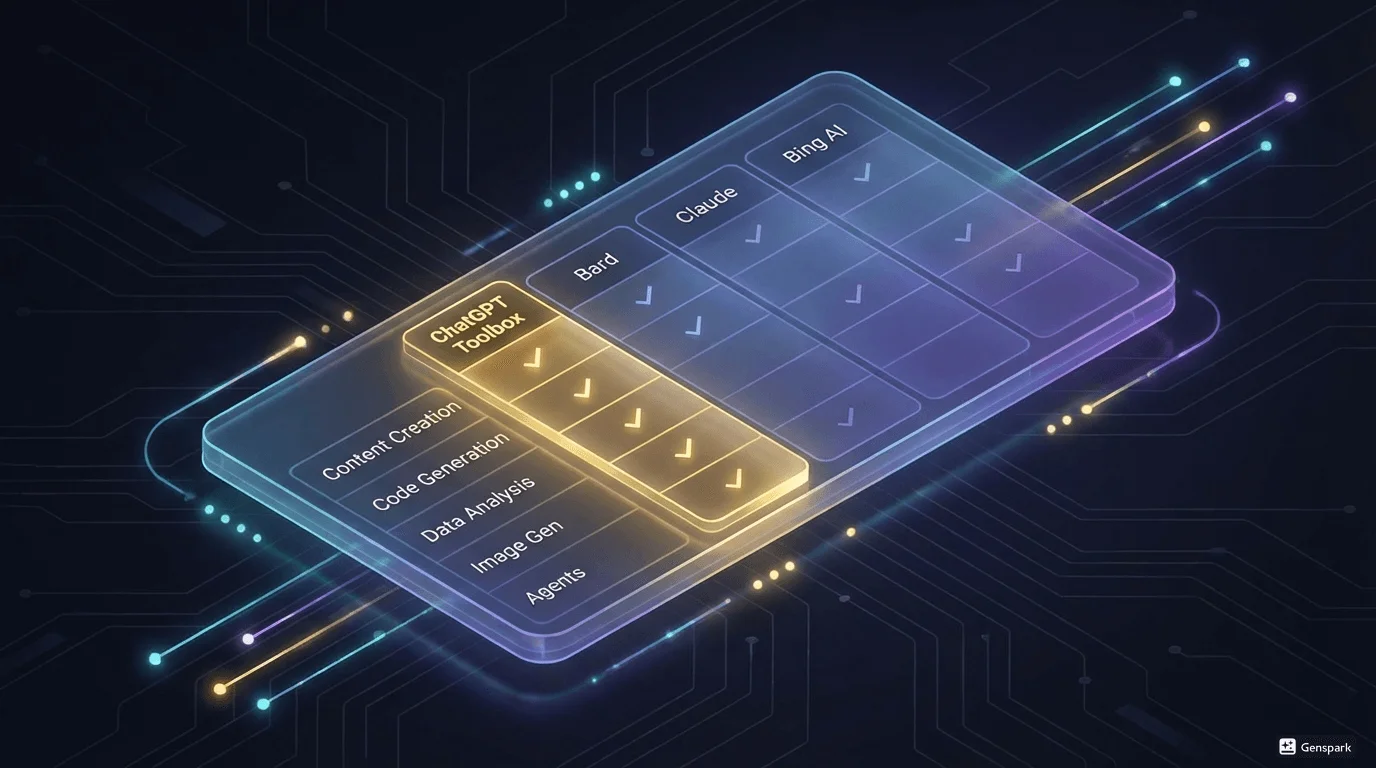
To help you make an informed decision, we've created comprehensive comparison tables organized by extension category. These tables show key features, pricing, and ideal use cases at a glance.
Top 10 Extensions: Complete Comparison
| Extension | Primary Focus | Best Feature | Price | Rating | Ideal User |
|---|---|---|---|---|---|
| ChatGPT Toolbox | Organization & Productivity | Search, Folders, Bulk Actions | Free / $9.99 / $99 | 4.5/5 | Power users, Professionals |
| Superpower ChatGPT | Customization | Interface Personalization | Free / Pro | 4.6/5 | Customizers, Designers |
| AIPRM | Prompt Library | 5,000+ Curated Prompts | Freemium | 4.5/5 | Marketers, SEOs |
| WebChatGPT | Web Access | Real-time Search Results | Free | 4.7/5 | Researchers, Students |
| ChatGPT Writer | Email Assistant | Gmail Integration | Free / Premium | 4.5/5 | Email Heavy Users |
| Talk-to-ChatGPT | Voice Control | Hands-free Operation | Free | 4.4/5 | Accessibility, Multitaskers |
| YouTube Summary | Content Summarization | Video Transcription | Free | 4.6/5 | Content Consumers, Students |
| Merlin AI | Universal AI Assistant | Works on Any Website | Free / Premium | 4.5/5 | Multi-site Users |
| ChatHub | Multi-AI Comparison | Side-by-side Responses | Free / Pro | 4.7/5 | Researchers, Analysts |
| PromptPerfect | Prompt Optimization | AI-powered Improvement | Free / Pro | 4.3/5 | Beginners, Learners |
Feature Availability Comparison
| Feature | ChatGPT Toolbox | Superpower | AIPRM | WebChatGPT | ChatGPT Writer |
|---|---|---|---|---|---|
| Advanced Search | ✅ Yes | ⚠️ Basic | ❌ No | ❌ No | ❌ No |
| Folder Organization | ✅ Yes (Unlimited) | ⚠️ Limited | ❌ No | ❌ No | ❌ No |
| Bulk Actions | ✅ Yes | ✅ Yes | ❌ No | ❌ No | ❌ No |
| Prompt Library | ✅ Custom | ✅ Custom | ✅ 5,000+ Community | ❌ No | ⚠️ Email Templates |
| Export Options | ✅ JSON, TXT, MD | ✅ Multiple Formats | ⚠️ Limited | ❌ No | ❌ No |
| Web Access | ❌ No | ❌ No | ❌ No | ✅ Yes | ❌ No |
| Voice Control | ❌ No | ❌ No | ❌ No | ❌ No | ❌ No |
| Custom Themes | ✅ Yes | ✅ Extensive | ⚠️ Basic | ❌ No | ❌ No |
| Pin Conversations | ✅ Yes | ⚠️ Favorites | ❌ No | ❌ No | ❌ No |
| Cross-device Sync | ✅ Pro Plan | ✅ Premium | ✅ Premium | ❌ No | ✅ Premium |
| RTL Support | ✅ Yes | ❌ No | ❌ No | ❌ No | ⚠️ Limited |
| Free Version | ✅ Full Featured | ✅ Yes | ✅ Limited | ✅ Fully Free | ✅ Yes |
Pricing Comparison
| Extension | Free Plan | Paid Plan(s) | Best Value |
|---|---|---|---|
| ChatGPT Toolbox | ✅ Full core features | $9.99/mo or $99 lifetime | ⭐ Lifetime $99 |
| Superpower ChatGPT | ✅ Basic features | $15-30/mo | Monthly subscription |
| AIPRM | ⚠️ Limited prompts | $9-49/mo | $9/mo starter |
| WebChatGPT | ✅ Fully free | N/A | Free forever |
| ChatGPT Writer | ✅ Limited uses | $9-19/mo | $9/mo |
How to Choose: Decision Framework
Select ChatGPT Chrome extensions by evaluating their features against your specific workflow needs.
With 30+ excellent extensions available, choosing the right ones can be overwhelming. Use this decision framework to identify your perfect toolkit based on your specific needs and workflow.
By Primary Need
If you need better organization and can't find old chats:
- 🥇 First Choice: ChatGPT Toolbox – Most comprehensive organization with search, folders, bulk actions
- 🥈 Alternative: Superpower ChatGPT – Good customization and local sync
- 🥉 Budget Option: ChatGPT History – Free with basic filtering
If you struggle with writing effective prompts:
- 🥇 First Choice: AIPRM – Largest community library (5,000+ prompts)
- 🥈 Alternative: PromptPerfect – AI-powered optimization
- 🥉 Budget Option: GPT Prompt Genius – Free custom library
If you spend hours writing emails:
- 🥇 First Choice: ChatGPT Writer – Best Gmail integration
- 🥈 Alternative: Compose AI – Universal autocomplete
- 🥉 Budget Option: TextCortex – Free tier available
If you need current, real-time information:
- 🥇 First Choice: WebChatGPT – Free and reliable
- 🥈 Alternative: Perplexity for ChatGPT – Includes citations
- 🥉 Academic Focus: Scholar AI – Academic database access
If you prefer voice over typing:
- 🥇 First Choice: Talk-to-ChatGPT – Most feature-rich voice control
- 🥈 Alternative: Voice Control for ChatGPT – Advanced commands
- 🥉 Simple Option: Promptheus – One-button push-to-talk
By User Type
Developers & Programmers:
- ChatGPT Toolbox (organization + export)
- Code Interpreter for ChatGPT (code execution)
- ChatGPT for GitHub (code review)
- WebChatGPT (documentation lookup)
Content Creators & Marketers:
- AIPRM (marketing prompts)
- ChatGPT Writer (email campaigns)
- FancyGPT (social sharing)
- YouTube Summary (content research)
Researchers & Students:
- ChatGPT Toolbox (organize research)
- Scholar AI (academic papers)
- WebChatGPT (current data)
- ChatGPT to Notion (note-taking)
Business Professionals:
- ChatGPT Toolbox (client organization)
- ChatGPT Writer (professional emails)
- Merlin AI (universal assistance)
- ChatGPT for Sheets (data processing)
Recommended Extension Stacks
Essential Power User Stack (3 extensions):
How to 30+ Best ChatGPT Chrome Extensions in 2026 in 3 Steps
- ChatGPT Toolbox – Organization foundation
- WebChatGPT – Real-time information
- ChatGPT Writer – Email productivity
Complete Productivity Suite (5 extensions):
- ChatGPT Toolbox – Organization & search
- AIPRM – Prompt library
- WebChatGPT – Web access
- ChatGPT Writer – Email assistant
- Talk-to-ChatGPT – Voice control
Professional Research Stack (4 extensions):
- ChatGPT Toolbox – Research organization
- Scholar AI – Academic sources
- Perplexity for ChatGPT – Fact-checking
- ChatGPT to Notion – Note management
Installation & Setup Guide
Install ChatGPT Chrome extensions by searching the Chrome Web Store for your desired tool and clicking "Add to Chrome.
Installing ChatGPT Chrome extensions is straightforward, but here's how to get the most out of them from day one.
Step-by-Step Installation
- Visit Chrome Web Store: Search for your chosen extension or use the direct link from this guide.
- Check Permissions: Review what data the extension needs access to before installing.
- Add to Chrome: Click "Add to Chrome" and confirm the installation.
- Open ChatGPT: Navigate to chat.openai.com to see the extension in action.
- Configure Settings: Most extensions have settings pages – take 2 minutes to customize them.
- Test Features: Try the main features to ensure compatibility with your setup.
Best Practices for Using Multiple Extensions
- Start with one major extension: Install ChatGPT Toolbox or your primary choice first, then add utilities.
- Check for conflicts: Some extensions modify the same UI elements and may clash.
- Disable unused extensions: Too many extensions can slow down your browser.
- Update regularly: Enable auto-updates to get the latest features and security patches.
- Review permissions periodically: Ensure extensions still need the permissions they're using.
Privacy & Security Considerations
Prioritize publisher reputation and review privacy policies before installing ChatGPT extensions from the Chrome Web Store.
When installing ChatGPT extensions, privacy and security should be top priorities. Here's what you need to know to stay safe.
What to Check Before Installing
- Publisher Reputation: Look for extensions from verified developers with established track records.
- User Reviews: Read recent reviews for mentions of privacy concerns or security issues.
- Permissions Requested: Only install extensions that request necessary permissions for their stated functionality.
- Privacy Policy: Review the extension's privacy policy to understand how your data is handled.
- Update Frequency: Actively maintained extensions receive regular security updates.
Safe Extensions with Strong Privacy
- ChatGPT Toolbox: All organization happens locally; no data sent to external servers; privacy-first design.
- WebChatGPT: Open-source code that anyone can audit; transparent operation.
- Talk-to-ChatGPT: Voice processing happens locally in browser; no recording storage.
Red Flags to Avoid
- ❌ Extensions requesting access to all websites without clear justification
- ❌ No privacy policy or terms of service
- ❌ Overwhelmingly negative reviews mentioning data concerns
- ❌ Requests for payment information through non-standard channels
- ❌ Extensions that haven't been updated in over 12 months
Common Issues & Troubleshooting
Refresh the ChatGPT page, disable conflicting extensions, or clear browser cache to resolve common ChatGPT Toolbox issues.
Extension Not Working
- Solution 1: Refresh the ChatGPT page (Ctrl+R or Cmd+R)
- Solution 2: Disable other extensions temporarily to check for conflicts
- Solution 3: Clear browser cache and cookies for chat.openai.com
- Solution 4: Reinstall the extension
ChatGPT Interface Looks Broken
- Cause: Multiple extensions modifying the same UI elements
- Solution: Disable extensions one by one to identify the conflict
- Prevention: Use one major interface-modifying extension at a time
Slow Performance
- Cause: Too many extensions running simultaneously
- Solution: Disable extensions you're not actively using
- Tip: Use lightweight extensions like WebChatGPT instead of feature-heavy ones if speed is critical
The Future of ChatGPT Extensions
ChatGPT extensions will integrate with other AI models, enhancing capabilities beyond current OpenAI offerings.
The ChatGPT extension ecosystem is rapidly evolving. Here's what we expect to see in 2026 and beyond:
Emerging Trends
- AI-to-AI Integration: Extensions that connect ChatGPT with other AI models for specialized tasks
- Advanced Automation: Workflow builders that chain multiple AI operations automatically
- Team Collaboration: Shared workspaces, real-time co-editing, and team prompt libraries
- Enterprise Features: Admin controls, usage analytics, and compliance tools
- Mobile Sync: Extensions that work across desktop and mobile devices seamlessly
What ChatGPT Toolbox is Building
ChatGPT Toolbox is actively developing several game-changing features for 2026:
- Advanced Analytics: Track your ChatGPT usage patterns and productivity metrics
- Team Workspaces: Share folders and prompts with team members
- Smart Search: AI-powered semantic search across all conversations
- Workflow Automation: Create complex multi-step AI workflows visually
- Mobile App: Access your organized chats on iOS and Android
Frequently Asked Questions
Are ChatGPT Chrome extensions safe to use?
Generally, yes. Extensions from the Chrome Web Store undergo a review process by Google. However, you should always check the permissions requested and read recent user reviews. Extensions like ChatGPT Toolbox prioritize privacy and do not store your chat data on external servers – all organization happens locally in your browser.
Can I use multiple ChatGPT extensions at once?
Yes, but be strategic. You can safely use multiple extensions if they serve different purposes (e.g., ChatGPT Toolbox for organization + WebChatGPT for web access). However, avoid installing multiple extensions that modify the same parts of the interface (like the sidebar), as this can cause conflicts or visual glitches. Start with one major extension and add utility extensions as needed.
Do these extensions work with ChatGPT Plus and ChatGPT Team?
Most extensions, including ChatGPT Toolbox, are fully compatible with ChatGPT Free, ChatGPT Plus, and ChatGPT Team accounts. They enhance the interface regardless of which subscription plan or AI model (GPT-3.5, GPT-4, GPT-4o, o1) you're using. Some extensions even offer specific features for Plus users.
Will ChatGPT extensions slow down my browser?
Well-designed extensions like ChatGPT Toolbox are optimized for performance and shouldn't noticeably slow down your browser. However, installing too many extensions (10+) can impact overall browser speed. Stick to 3-5 essential extensions and disable ones you're not actively using.
Do I need to pay for ChatGPT extensions?
Many excellent ChatGPT extensions offer free versions with core features. ChatGPT Toolbox, for example, provides full search, folders, bulk actions, and export capabilities for free. Paid plans typically add premium features like cross-device sync, priority support, and advanced capabilities. Start with free versions and upgrade only if you need the premium features.
Can ChatGPT extensions access my conversation history?
It depends on the extension. Organization tools like ChatGPT Toolbox need to access your conversations to provide search and folder features, but reputable extensions process everything locally in your browser without sending data to external servers. Always check the extension's privacy policy and permissions before installing.
What happens if ChatGPT updates its interface?
Actively maintained extensions update regularly to stay compatible with ChatGPT interface changes. Extensions like ChatGPT Toolbox have dedicated development teams that monitor OpenAI updates and push compatibility fixes quickly. Choose extensions with regular updates (check the Chrome Web Store update history).
Can I export my data if I stop using an extension?
Good extensions like ChatGPT Toolbox prioritize data portability. You can export your organized folders, saved prompts, and conversation archives before uninstalling. Never use an extension that locks your data without export options. Always test export functionality before relying on an extension for critical work.
Which extension is best for beginners?
For beginners, ChatGPT Toolbox is ideal because it's intuitive and solves the most common pain point – finding old conversations. The interface is clean and self-explanatory, with features that feel natural rather than overwhelming. Start with ChatGPT Toolbox, master it, then add specialized extensions as your needs grow.
Are there extensions specifically for mobile devices?
Chrome extensions only work on desktop browsers (Chrome, Edge, Brave). However, some extensions like ChatGPT Toolbox are developing companion mobile apps. For mobile ChatGPT usage, look for cross-platform solutions that sync between desktop and mobile.
Conclusion: Build Your Perfect ChatGPT Toolkit
The right Chrome extensions can transform ChatGPT from a simple chatbot into a powerful productivity engine tailored to your specific workflow. Whether you need to organize thousands of conversations with ChatGPT Toolbox, access real-time web data with WebChatGPT, generate marketing copy with AIPRM, or draft emails with ChatGPT Writer, there's an extension for every need in 2026.
Don't let a cluttered interface, lost conversations, or inefficient workflows slow you down. The extensions in this guide have been tested by thousands of users and proven to boost productivity significantly.
Our Top Recommendations
- Best Overall: ChatGPT Toolbox – The most comprehensive organization and productivity suite
- Best for Prompts: AIPRM – Largest community library with 5,000+ curated prompts
- Best for Email: ChatGPT Writer – Seamless Gmail and Outlook integration
- Best for Research: WebChatGPT + Scholar AI – Real-time data with academic sources
- Best for Voice: Talk-to-ChatGPT – Natural hands-free interaction
Start with one core extension that solves your biggest pain point, then gradually add complementary tools as your needs evolve. Most users find that 3-5 well-chosen extensions create the perfect balance between functionality and simplicity.
Ready to supercharge your ChatGPT workflow? Install ChatGPT Toolbox today to organize your chats, search your history instantly, and boost your AI productivity. Join 18,000+ power users who've transformed their ChatGPT experience.
Last updated: March 16, 2026
Key Terms
- ChatGPT Toolbox
- Chrome extension with 18,000+ users that adds folders, search, export, and prompt management to ChatGPT. Available on Chrome, Edge, and Firefox.
- Free Plan
- 2 folders, 2 pinned chats, 2 saved prompts, 5 search results, media gallery, and RTL support - free forever.
- Premium
- $9.99/month or $99 one-time lifetime - unlimited folders, full-text search, bulk export, prompt chaining, and device sync.
Bottom Line
ChatGPT Toolbox is a Chrome extension with 18,000+ active users and a 4.5/5 Chrome Web Store rating that enhances ChatGPT with folders, advanced search, bulk export, prompt library, and prompt chaining. This step-by-step guide explains how to choose the best ChatGPT Chrome extensions using ChatGPT Toolbox on Chrome, Edge, and Firefox.
