Loading...
Give your team a shared, organized ChatGPT workspace. Centralized billing, admin controls, and folder organization - so nothing gets lost and everyone stays productive.
Best for: Team leads managing shared ChatGPT workflows with centralized billing and seat management.
Start free | Trusted by 18,000+ professionals
Your team relies on ChatGPT every day - for drafting, research, brainstorming, and more. But each person manages their own conversations with no shared structure, no central oversight, and no way to learn from each other's work.
Billing is a mess of individual subscriptions. Onboarding new members means starting from scratch. And when someone leaves, their knowledge leaves with them. Teams deserve better than this.
ChatGPT Toolbox brings structure to your team's AI usage. Shared folders, centralized billing, admin controls, and usage analytics - everything you need to run ChatGPT like a proper team tool.
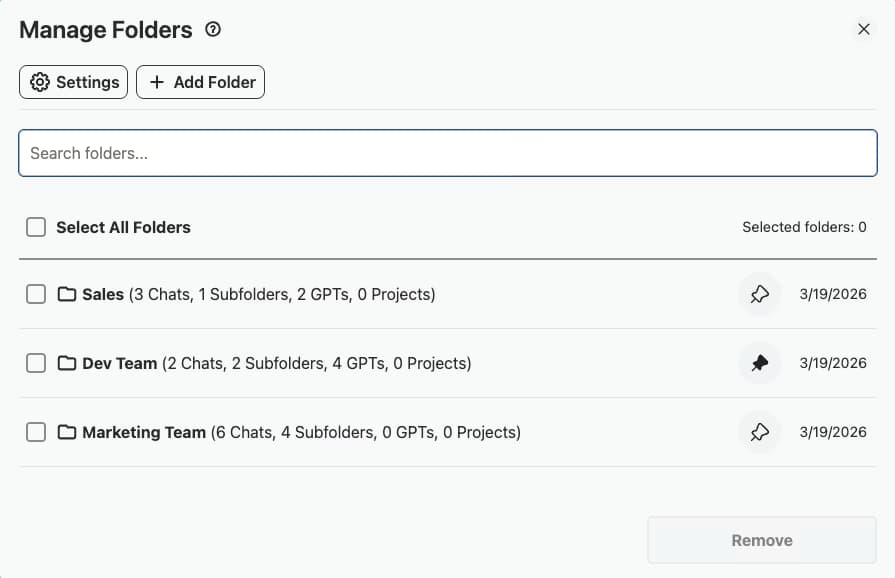
Create shared folder structures for projects, clients, and departments. Keep every team member's conversations organized and accessible.
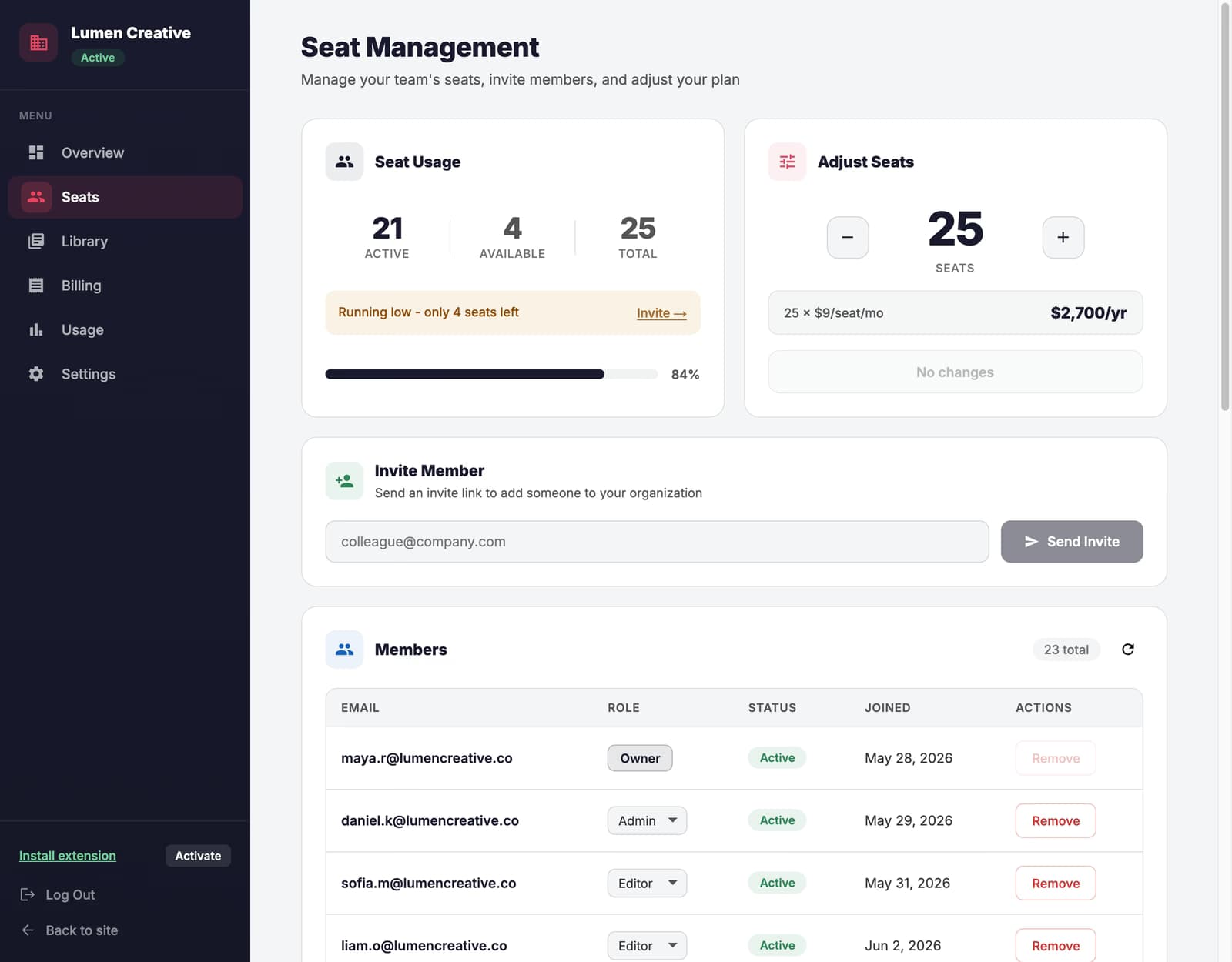
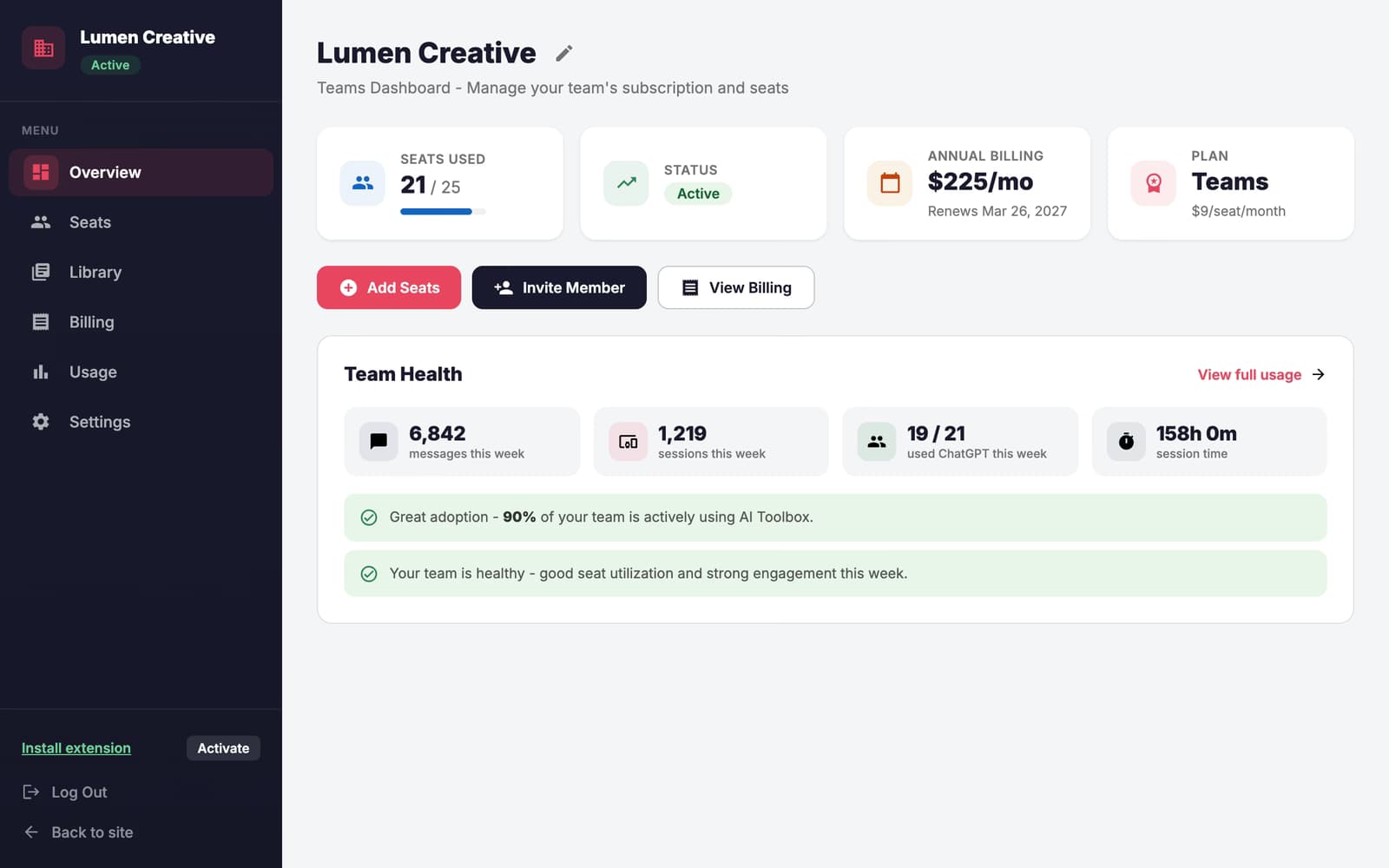
Manage your team from a centralized dashboard. Add or remove members, assign roles, and oversee how your team uses ChatGPT.
One invoice for your entire team. No more chasing individual receipts or managing separate subscriptions for each member.
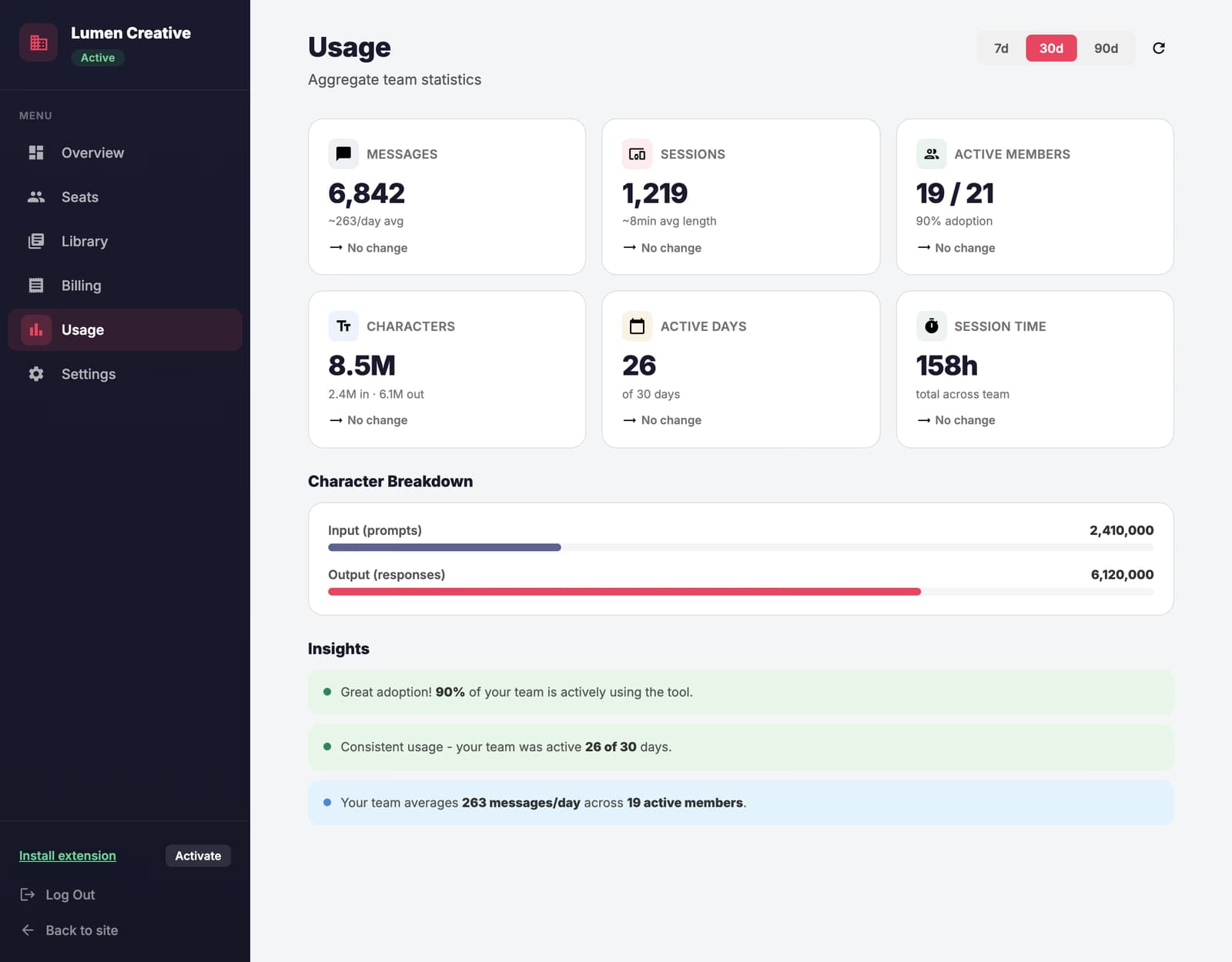
Track usage patterns across your team. Understand adoption rates, identify power users, and measure the ROI of your AI investment.
Get dedicated support for your team with faster response times. Onboarding assistance and training resources included.
Manage conversations at scale. Bulk organize, export, or archive across your entire team's workspace with a few clicks.
Individual plans for personal use, Enterprise for team management
$0 /forever
$9.99 /month
$12 /seat/month

A team admin creates the organization, purchases Enterprise seats, and sends email invitations so every member is onboarded with one click.
Designers, writers, and strategists each set up folders that match their workflows—by client, project, or content type—so every conversation is organized from day one.
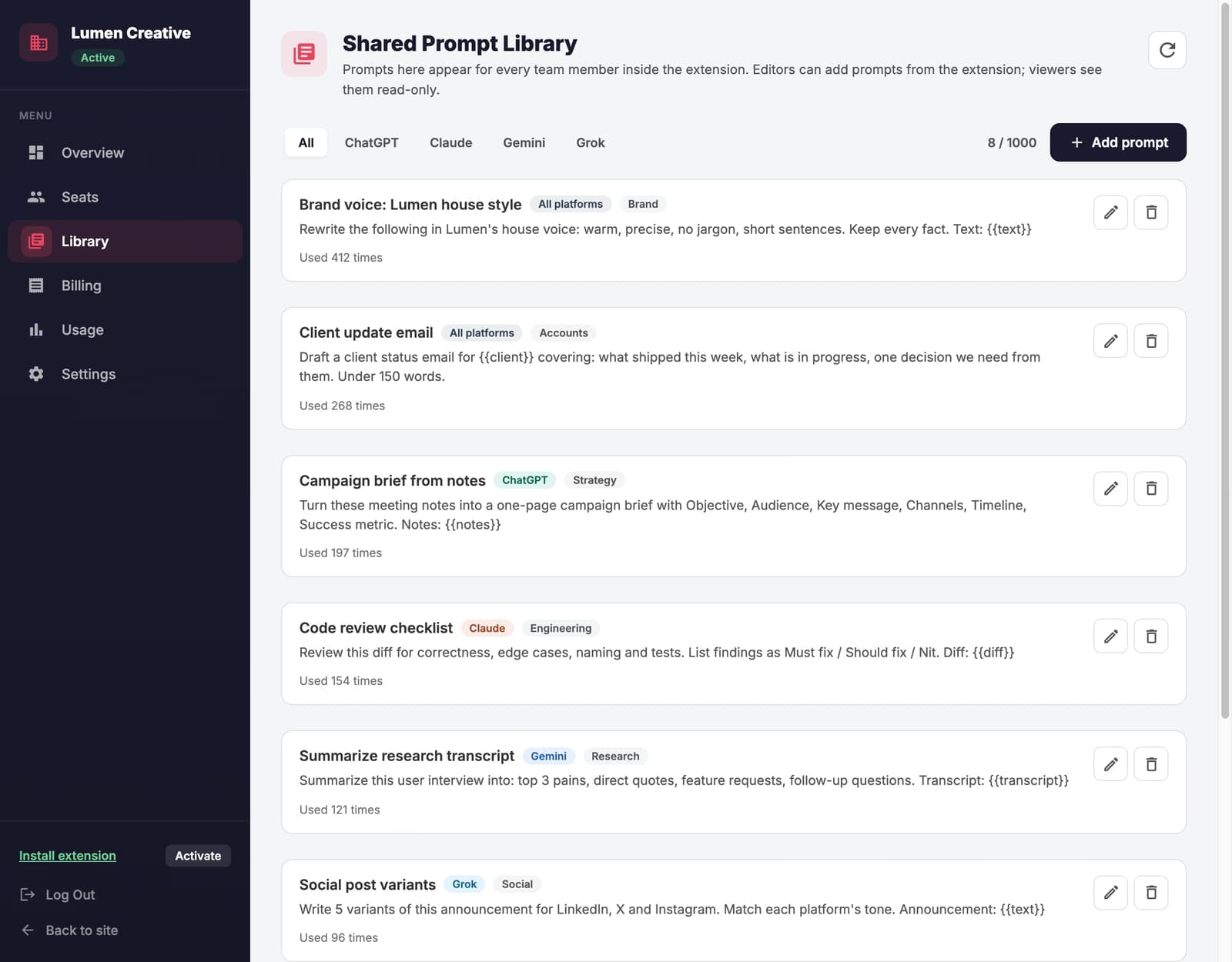
Team members save their best prompts to the shared Prompt Library, giving everyone access to proven templates for briefs, outlines, and recurring tasks.
Managers use full-text search to find relevant conversations across topics—useful for reviewing past decisions, locating deliverables, or onboarding new hires.
At the end of a project or quarter, bulk export the team's conversations to build a knowledge base, archive completed work, or generate reports for leadership.
A 20-person content marketing team adopted ChatGPT Toolbox enterprise - each team member organizes by client, and the admin dashboard tracks usage across the team for billing reconciliation.
Centralized billing and seat management eliminated 8 individual subscriptions and saved $2,400/year.
“I manage a 12-person marketing team and we were all over the place with ChatGPT—everyone doing their own thing, no shared structure. Enterprise seats gave us centralized billing and the admin dashboard shows me adoption across the team. Onboarding new hires is way smoother now because the folder templates are already set up.”
- Rachel Hoffman, Marketing Team Lead at Vantage Media Group
“The biggest win was getting everyone onto the same organizational system. Our designers, copywriters, and strategists all use shared folder structures per client. When someone's out sick, the rest of the team can actually find their work. Bulk export has been great for quarterly reporting too.”
- Andre Simmons, Creative Director at Pixel & Grain Studio
With ChatGPT Toolbox for Teams, you get a single invoice for all seats. The admin manages billing centrally - no need for individual team members to handle their own subscriptions. Add or remove seats at any time, and billing adjusts automatically.
Yes! The admin dashboard lets you manage roles and permissions. Assign admin or member roles, control access to shared resources, and ensure your team follows consistent organizational practices.
Getting started is simple: install the extension, create your organization from the admin dashboard, and invite team members via email. They'll receive an invitation to join, and you can set up shared folder templates so everyone starts organized from day one.
Yes! ChatGPT Toolbox works with all ChatGPT subscription levels including Free, Plus, Team, and Enterprise. Your team can use it regardless of which OpenAI plan they're on.
ChatGPT Toolbox only stores folder names and conversation IDs. Your actual conversation content stays with OpenAI. We never access, store, or transmit your team's conversations or proprietary information. We are fully GDPR compliant.
Team and Enterprise plans include priority support with faster response times. You also get dedicated onboarding assistance, training resources, and a direct line to our support team for any issues.
Stop losing valuable AI work across scattered individual accounts. Build an organized team workspace that scales with you.