
 Grok
Grok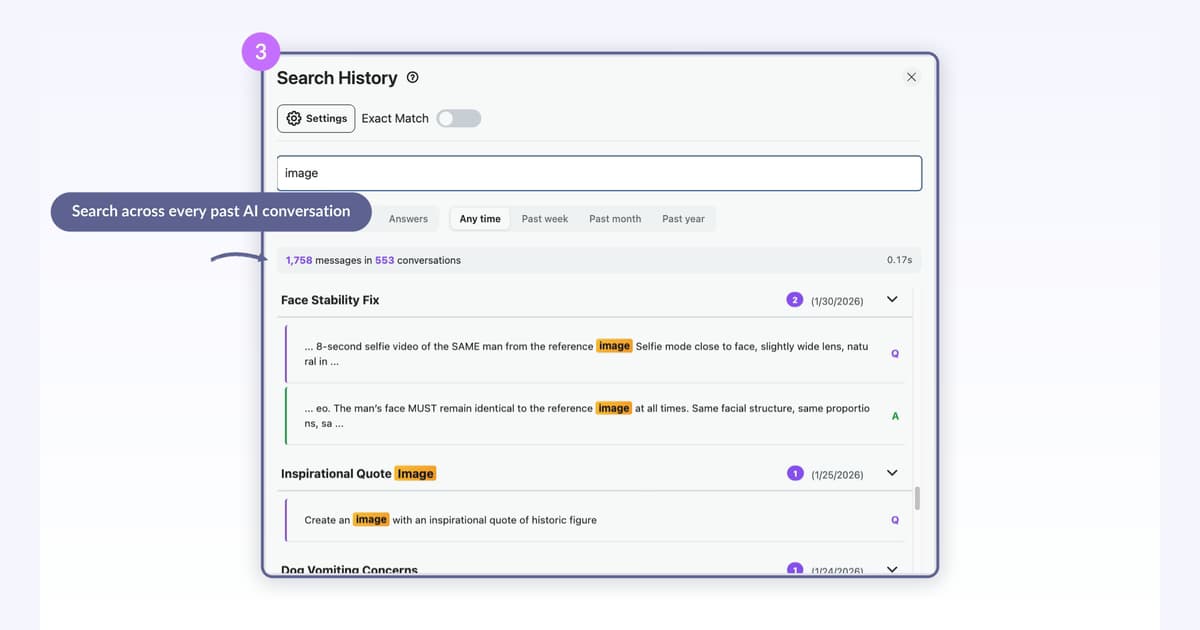 How to Find a Specific Grok Message Across All Chats (2026)xAI documents no way to search inside Grok messages. AI Toolbox adds full-text search across every Grok chat on both surfaces, with exact-match, role and date filters on Premium, and click-to-scroll. 40,000+ users, 4.7/5 Chrome Web Store rating.8 min read
Grok
Every AI Toolbox Feature for Grok, Explained
Every feature the Grok module of AI Toolbox (formerly ChatGPT Toolbox) adds on grok.com and inside X at x.com/i/grok, explained one guide at a time: full-text history search, folders and subfolders, color-coded reply bookmarks, Smart Tags, a prompt library with chains, @@ Context Mentions, the Context Window Meter, the floating toolbox, cross-device sync and export: TXT of any single chat for free, and Markdown, JSON or PDF on Premium.
Free plan with 2 root folders, 5 search results per query and 2 bookmarked messages. Each guide states which plan the feature needs.
Start here
The four features people install it for
Full-text search, folders, four-format export and reply bookmarks: the guides most Grok questions end at.
How to Find a Specific Grok Message Across All Chats (2026)xAI documents no way to search inside Grok messages. AI Toolbox adds full-text search across every Grok chat on both surfaces, with exact-match, role and date filters on Premium, and click-to-scroll. 40,000+ users, 4.7/5 Chrome Web Store rating.8 min read How to Organize Grok Chats into Folders (2026)Organize Grok conversations into folders and subfolders with AI Toolbox. Search-to-add filing, nesting, and cross-device sync on x.com/i/grok and grok.com. Free plan included.8 min read
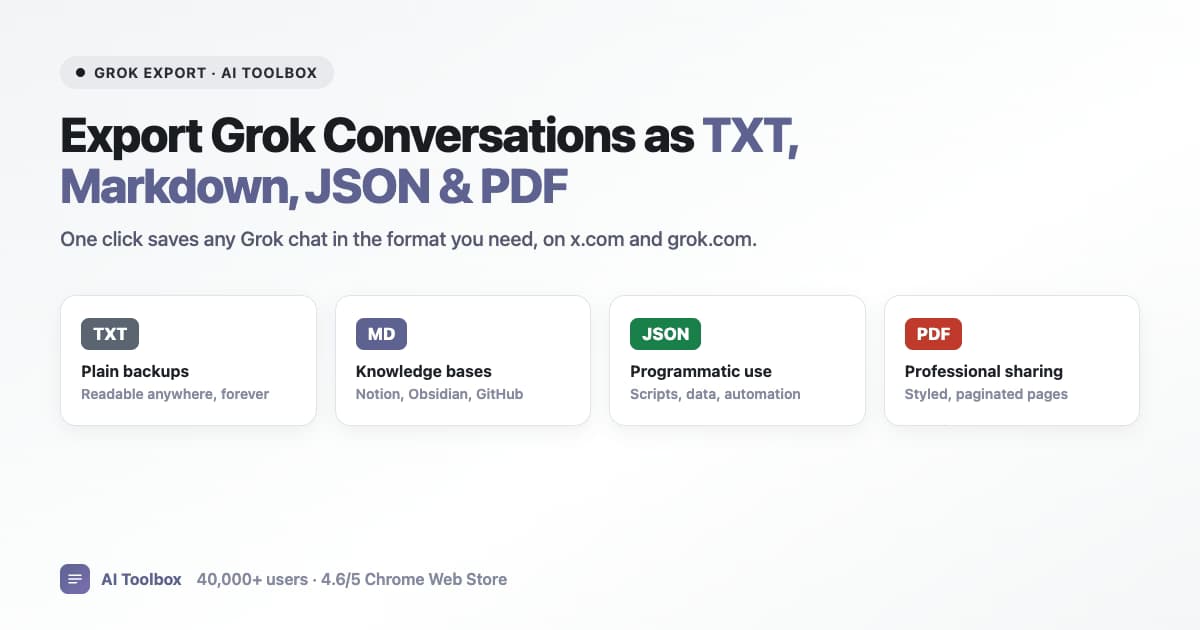 How to Export Grok Conversations as TXT, Markdown, JSON, or PDF (2026)Grok has no per-chat export, only an account-wide data download. AI Toolbox exports any single Grok conversation as TXT for free, and on Premium as Markdown, JSON, or PDF, including bulk and folder ZIP export, on x.com/i/grok and grok.com. 40,000+ users, 4.7/5 Chrome Web Store rating.11 min read
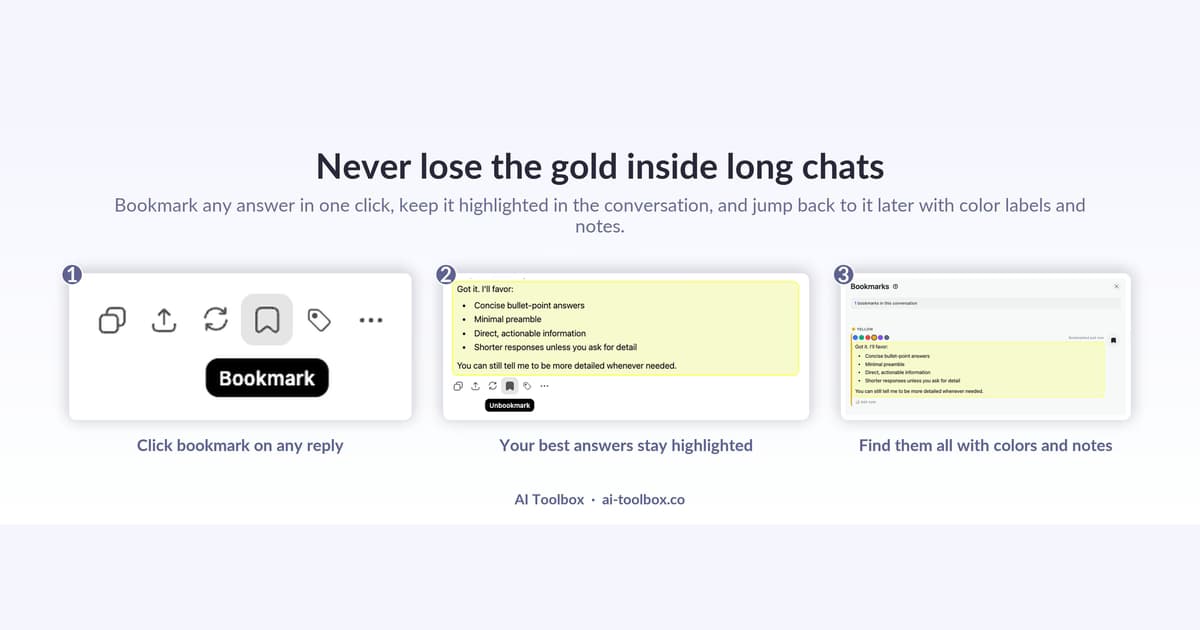 How to Bookmark and Color-Code Grok Messages (2026)Grok cannot bookmark a single reply. AI Toolbox lets you bookmark any Grok message, give it one of six colors, and jump straight back to it from one viewer, on x.com/i/grok and grok.com. 40,000+ users, 4.7/5 Chrome Web Store rating.11 min read
All 14 guides
Every Grok guide, grouped by what you are trying to do
Each group opens with the native Grok answer, then the guides that go deeper. Newest first inside a group.
Search, bookmarks and the floating toolbox
Find a message by what it said on either surface, keep the one reply that mattered, and open every tool from one corner button.
How to Find a Specific Grok Message Across All Chats (2026)xAI documents no way to search inside Grok messages. AI Toolbox adds full-text search across every Grok chat on both surfaces, with exact-match, role and date filters on Premium, and click-to-scroll. 40,000+ users, 4.7/5 Chrome Web Store rating.8 min readHow to Bookmark and Color-Code Grok Messages (2026)Grok cannot bookmark a single reply. AI Toolbox lets you bookmark any Grok message, give it one of six colors, and jump straight back to it from one viewer, on x.com/i/grok and grok.com. 40,000+ users, 4.7/5 Chrome Web Store rating.11 min read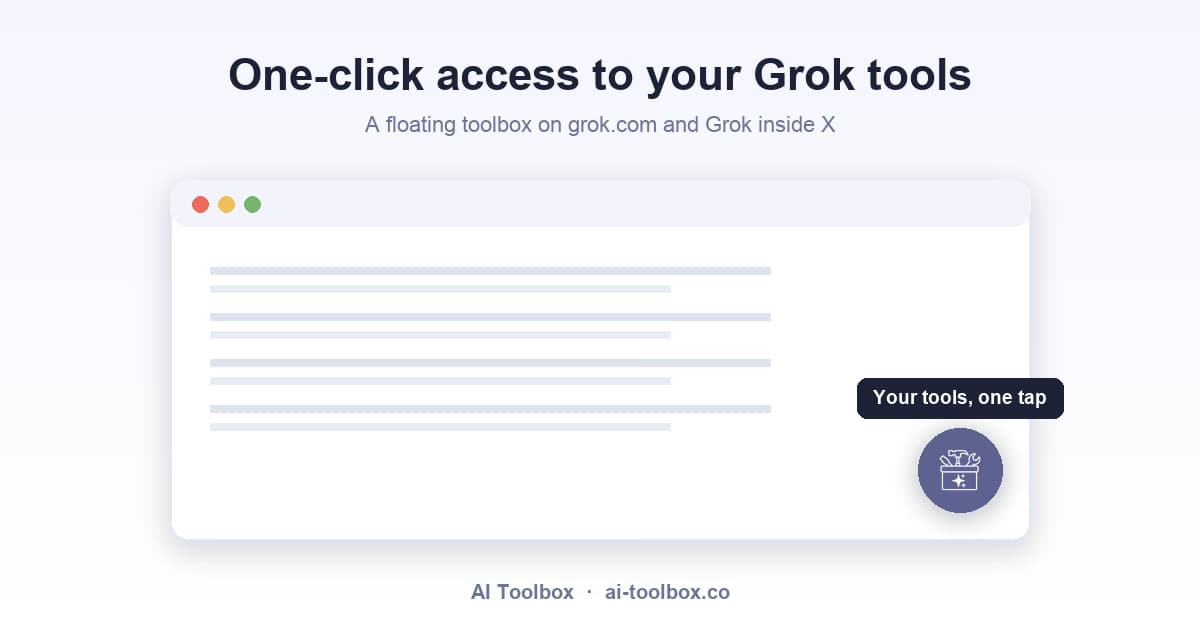 Grok Floating Toolbox: One-Click Access to Your Tools (2026)The AI Toolbox floating toolbox adds a corner button on Grok that opens one-click quick actions for search, folders, prompts, bookmarks, export, and settings, on grok.com and Grok inside X. 40,000+ users, 4.7/5 Chrome Web Store rating.5 min read
Folders, tags and sync
A folder tree for both surfaces, automatic topic tags, and what follows you across devices.
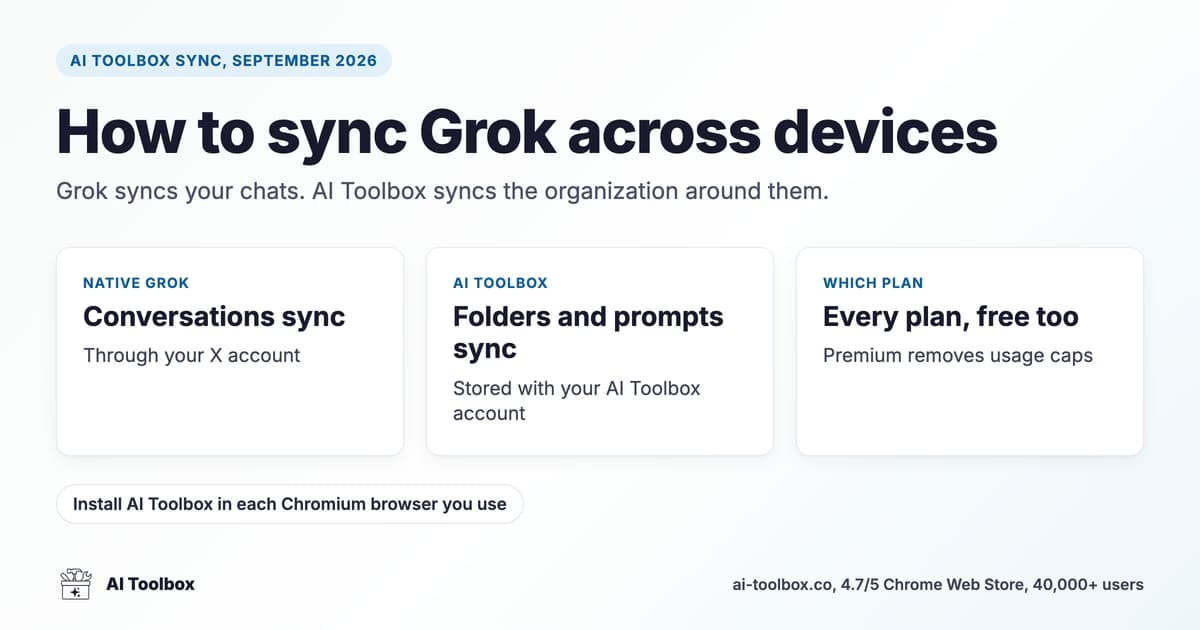 How to Sync Grok Across Devices (2026)Grok ties conversations to your X account, but not folders, tags, prompts, or bookmarks. AI Toolbox syncs that organization layer across devices and both grok.com and Grok inside X. 40,000+ users, 4.7/5 Chrome Web Store rating.8 min readHow to Organize Grok Chats into Folders (2026)Organize Grok conversations into folders and subfolders with AI Toolbox. Search-to-add filing, nesting, and cross-device sync on x.com/i/grok and grok.com. Free plan included.8 min read
 Grok Smart Tags: Auto-Organize Your Chats by Keyword (2026)Smart Tags auto-labels Grok conversations by keyword into color-coded categories. Custom rules, filterable history, no manual filing on Grok. Free plan included.7 min read
Export and bulk actions
Getting conversations out as TXT, Markdown, JSON or PDF, into Docs, Notion or Obsidian, one at a time or in bulk. One chat as TXT is free; other formats and bulk export are Premium.
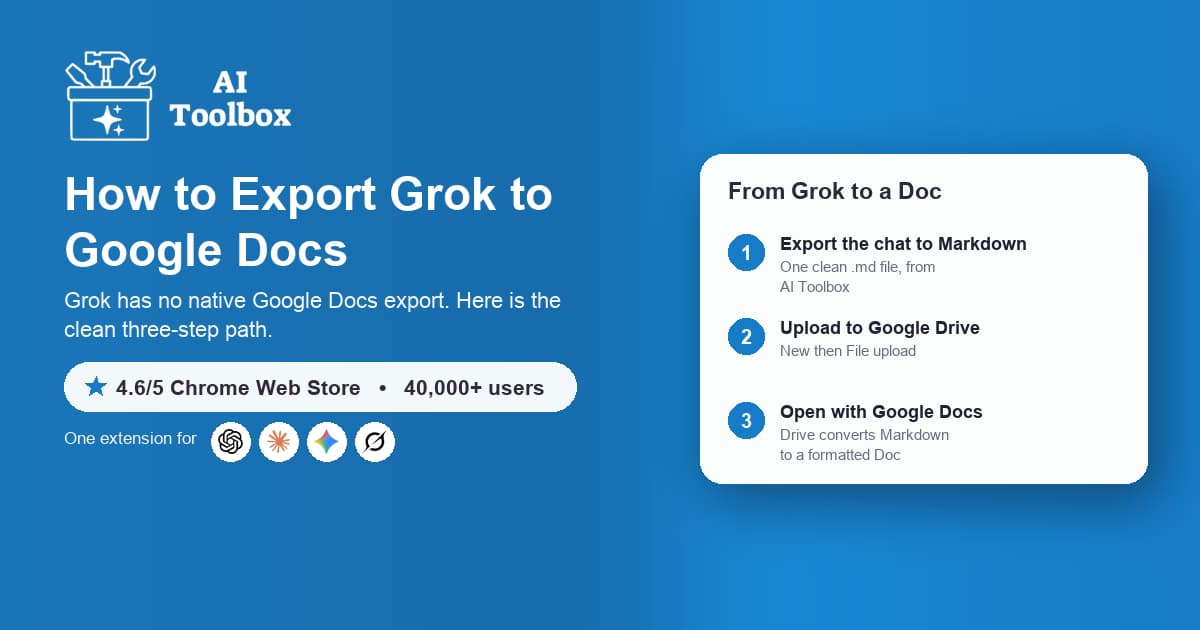 How to Export Grok to Google Docs (2026)Grok has no native per-chat or Google Docs export. Export Grok chats to Markdown with AI Toolbox Premium, upload to Google Drive, and open with Google Docs, in three steps.7 min readHow to Export Grok Conversations as TXT, Markdown, JSON, or PDF (2026)Grok has no per-chat export, only an account-wide data download. AI Toolbox exports any single Grok conversation as TXT for free, and on Premium as Markdown, JSON, or PDF, including bulk and folder ZIP export, on x.com/i/grok and grok.com. 40,000+ users, 4.7/5 Chrome Web Store rating.11 min read
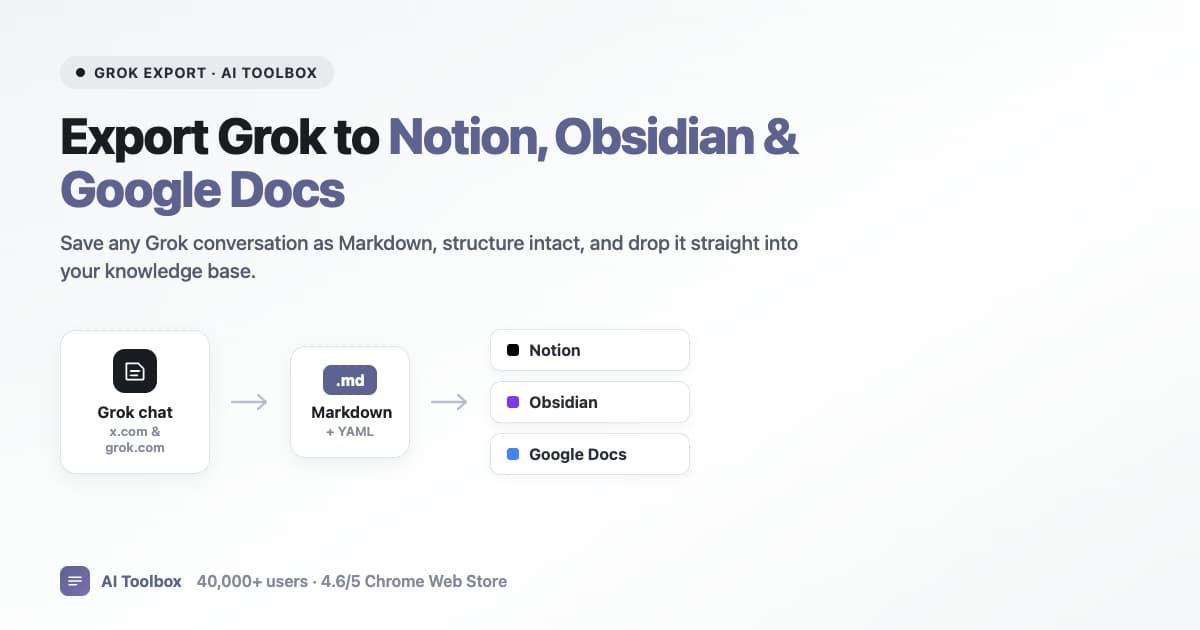 How to Export Grok to Notion, Obsidian & Google Docs (2026 Guide)Grok has no per-chat export, only an account-wide data download. With Premium, AI Toolbox exports any Grok conversation as Markdown with YAML frontmatter, so it drops straight into Notion, Obsidian, Logseq, or Google Docs. Works on x.com/i/grok and grok.com. 40,000+ users, 4.7/5 Chrome Web Store rating.11 min read
 How to Bulk Export and Delete Grok Conversations (2026)Grok cannot bulk export or delete chats. AI Toolbox adds a Manage Chats panel to select many Grok conversations and export (TXT, Markdown, JSON, PDF) or delete them at once.8 min read
Prompts and context
A prompt library with chains and variables, @@ references to past chats, and a live context window meter.
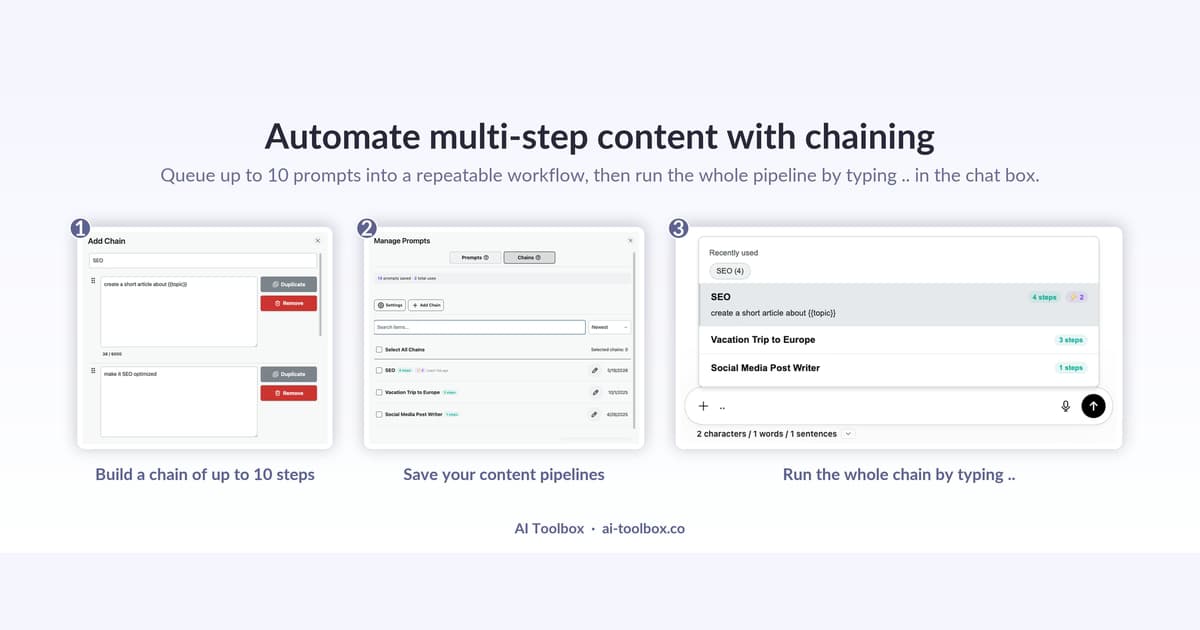 Grok Prompt Chaining: Automate Multi-Step AI Workflows (2026)Grok has no native prompt chaining. AI Toolbox lets you save a sequence of prompts with {{variables}} and run them in order inside Grok, on x.com/i/grok and grok.com, with no Zapier needed. 40,000+ users, 4.7/5 Chrome Web Store rating.10 min read
 Grok Prompt Library: Save and Reuse Your Best Prompts (2026)Grok has no prompt library. AI Toolbox adds a searchable, categorized catalog of expert prompts plus your own saved prompts, inserted with one click or the // shortcut on Grok.7 min read
 Grok Context Window Meter: See How Full Your Chat Is (2026)See how full your Grok conversation is with the AI Toolbox context window meter. Live tokens used, model window size, and messages remaining on x.com/i/grok and grok.com. Free.6 min read
 Grok Context Mentions: Reference a Past Chat with @@ (2026)Type @@ in the Grok prompt box to pull any past conversation into your message. AI Toolbox adds on-demand cross-chat context to Grok. Free plan included.7 min read
Same workflows, every AI
Guides for the other AI Toolbox modules
One extension, four modules, each with its own guide collection shaped by what that platform lacks.
- ChatGPT guidesFolders, full-text search, bulk actions, prompt chains and export.
- Gemini guidesFull-text search (role and date filters on Premium), folders and four export formats.
- Claude guidesSearch, folders, bookmarks, artifact library and PDF export.
- Grok guidesYou are hereSearch, folders, Smart Tags and export on grok.com and X.
FAQ
Quick answers before you read
Which AI Toolbox features are free on Grok?
Full-text search (5 results per query, both surfaces), 2 root folders with unlimited subfolders, 2 bookmarked messages, Smart Tags on your 50 most recent chats, 2 saved prompts and 2 chains, 5 of the 12 Prompt Library categories with the first 5 prompts in each, 3 Context Mentions a day, the Context Window Meter, the floating toolbox and cross-device sync. Every guide here states the plan its feature needs.
What does Premium add on Grok?
Unlimited search results plus the Advanced filters (Exact Match, a role filter, date presets, include and exclude chips), unlimited folders, bookmarks, tags and prompts, the full Prompt Library, export in Markdown, JSON and PDF plus bulk export, bulk delete from Manage Chats, and the Context Meter's continue-in-a-fresh-chat handoff. Premium unlocks on the X handle you enter at checkout.
Is there a keyboard shortcut for Grok search?
Not out of the box. Search History opens from the AI Toolbox menu on grok.com and inside X, and you can bind your own key to the extension's search command at chrome://extensions/shortcuts. Cmd/Ctrl+Shift+Period, which opens Search all platforms, ships bound by default.
Do these features work on both x.com/i/grok and grok.com?
Yes, from one install. Search, Smart Tags, bookmarks, prompts, Context Mentions and the Context Meter run on both surfaces, and the index covers conversations from either. Two things are grok.com only because Grok inside X has no persistent chat sidebar: the Folders tree shown in the sidebar and the Carry this chat forward menu item.
Do folders and bookmarks sync between my devices?
Yes. Folders, tags and saved prompts are backed up to your AI Toolbox account, and Grok bookmarks are keyed to your X identity, so all of them follow you across Chromium browsers and across grok.com and x.com/i/grok. Conversation content itself stays in your browser's local database.
Does AI Toolbox work in Edge, Brave or Firefox?
It installs from the Chrome Web Store into any Chromium browser: Chrome, Edge, Brave, Opera and Arc. There is no Firefox version.
Pricing
Free to start, one lifetime price if you stay
Every guide works on the free plan. Premium removes the caps on one platform; All Access covers all four. Not an AI subscription: you keep using your own Grok account.
Free
$0forever
- 2 root folders, 5 search results per query, unlimited TXT export
- All four modules, no account needed
Grok Premium
$9.99/ month, or $99 once
- Unlimited folders, search results, bookmarks and exports
- Lifetime pays for itself in under 10 months
All Access LifetimeBest value
$199once, all four modules
- ChatGPT, Gemini, Claude and Grok, every Premium feature
- Saves $197 against four separate lifetimes
- 14-day money-back on a first purchase
- Conversations stay in your browser
- Chrome Web Store listing, 4.7/5
Put the guides to work
Add AI Toolbox and try the first guide in two minutes
Install once, then folders, full-text search and export appear inside Grok. The free plan has no time limit.