Can I search inside my Gemini research conversations?
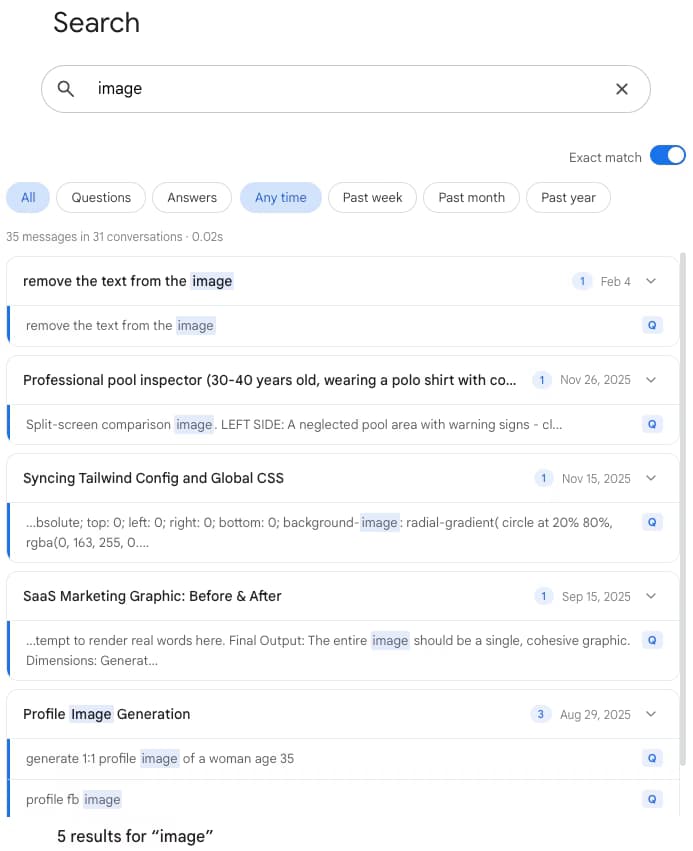
Yes. Gemini's own search page returns a flat list of matching chats with no filters. AI Toolbox indexes every message in your history in the browser, so a construct, an author name or a methodology returns each reply that mentions it, highlighted, with a link into the chat and a count per conversation. Press Cmd+Shift+F on Mac or Ctrl+Shift+F on Windows anywhere on gemini.google.com. The free plan returns 5 results per query; Premium returns all of them.
How do I find an exact quote I know Gemini gave me?
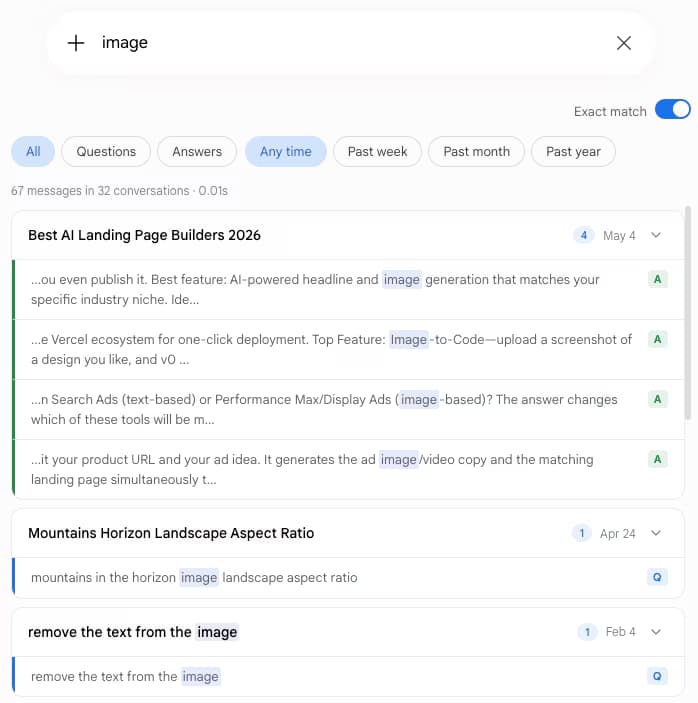
Turn on Exact match in the Advanced panel and paste the phrase. Without it a search is token-based and a distinctive sentence gets lost among near matches, which is the usual reason a quotation feels unfindable. Advanced also adds Questions or Answers pills, past week, month and year plus a custom date range, Must include and Exclude chips, and a Titles only switch. The Advanced panel is a Premium feature; a plain full-text query is free.
Can I separate my own prompts from Gemini's answers?
Yes, with the role filter in the Advanced panel. Questions keeps only what you asked, which is what an audit trail for qualitative work needs, and Answers keeps only Gemini's replies, which gives a clean record of the analysis without your scaffolding. Each result is labelled Q or A so the split stays visible in a mixed result set.
How should I organise a literature review in Gemini?
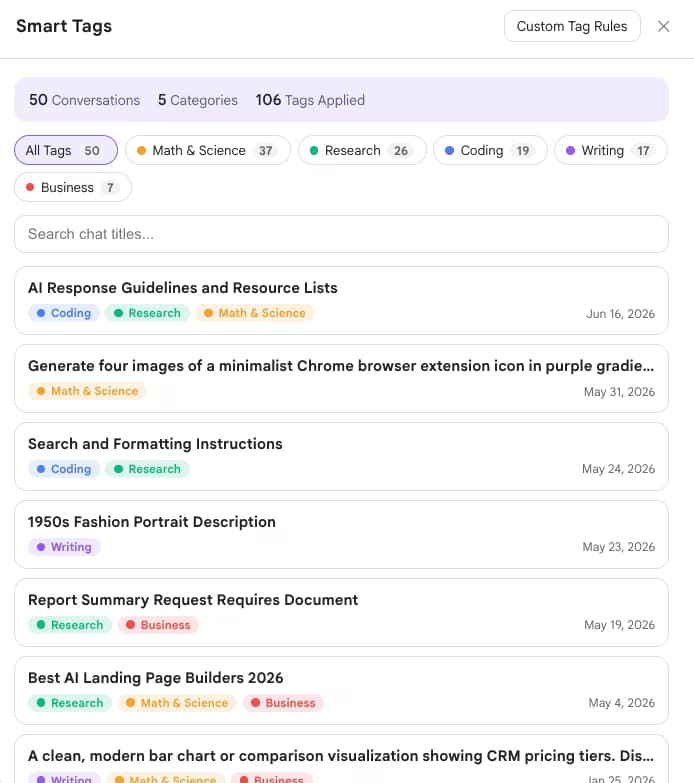
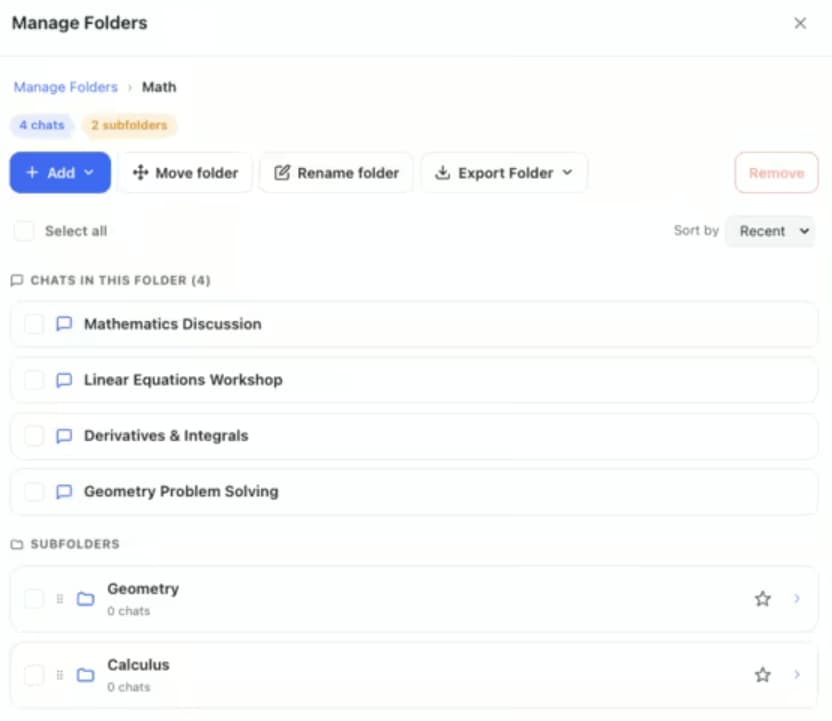
Create a root folder for the project and subfolders per phase: Literature, Methods, Interviews, Drafts. File a conversation by opening the folder, clicking Add and typing part of its title. Smart Tags runs alongside and labels conversations by topic automatically, so you can see the shape of the corpus before you file anything. The free plan includes 2 root folders with unlimited subfolders and tags your 50 most recent chats; Premium removes both caps.
Can I export only the passages that matched my search?
Yes, on Premium. After a search, select the conversations and tick the option to save only the matching parts. You get each matching passage with the reply to it, as Markdown or plain text, with a link back to its Gemini conversation, rather than a folder of whole transcripts you then have to reread. It turns a research question into a quote list.
Which export format is best for academic work?
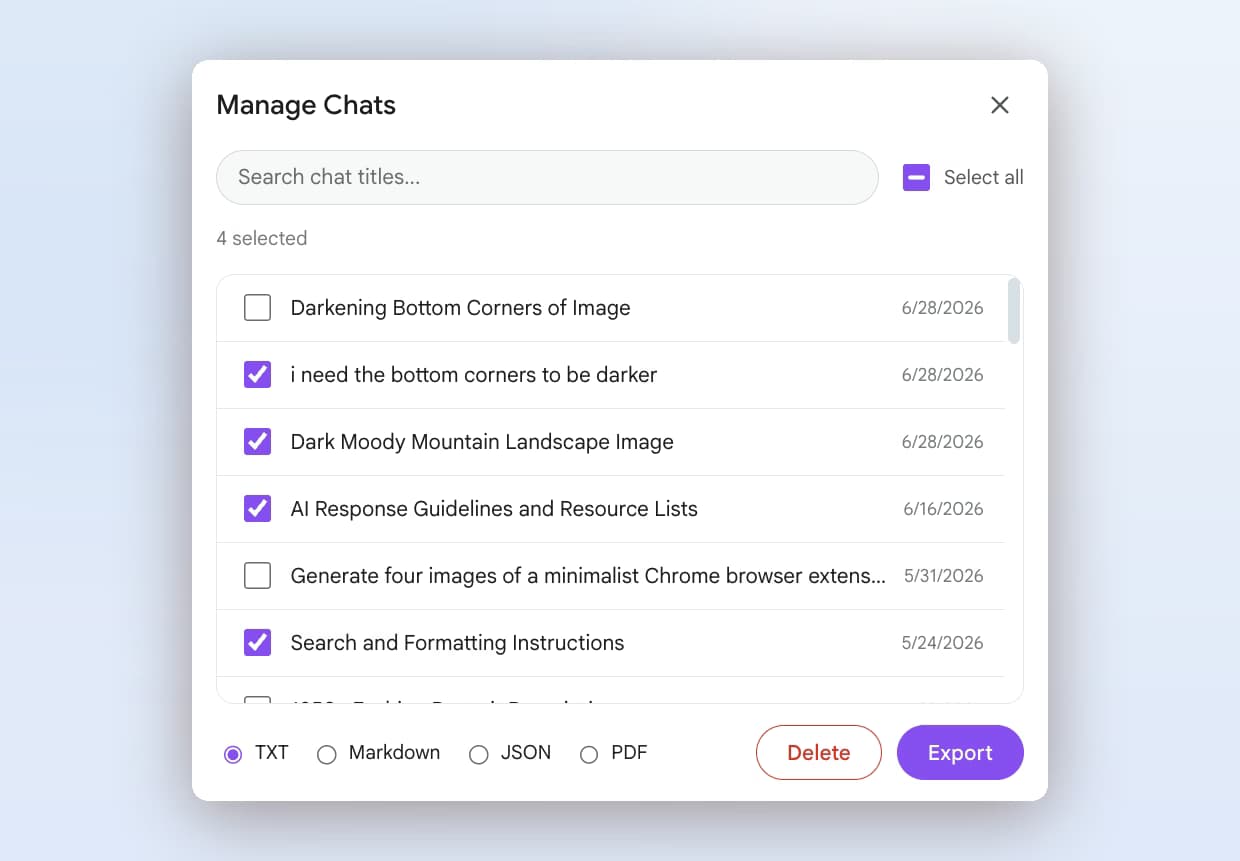
PDF for anything you hand to a supervisor, a co-author or an ethics file, since it is a fixed record. Markdown for your own notes: the file carries YAML frontmatter with title, dates and source URL, which imports cleanly into Obsidian, Logseq or a Zotero note. JSON when a qualitative coding tool needs the raw messages and metadata. The free plan exports as TXT; Markdown, JSON, PDF and bulk export are Premium.
Does it work with Gemini Deep Research?
Yes. A Deep Research run is a conversation like any other, so its report and citations are indexed and searchable afterwards, and it exports to PDF or Markdown with the rest. AI Toolbox does not change how Deep Research works; it makes the output retrievable once you have run twenty of them.
Is my research data sent anywhere?
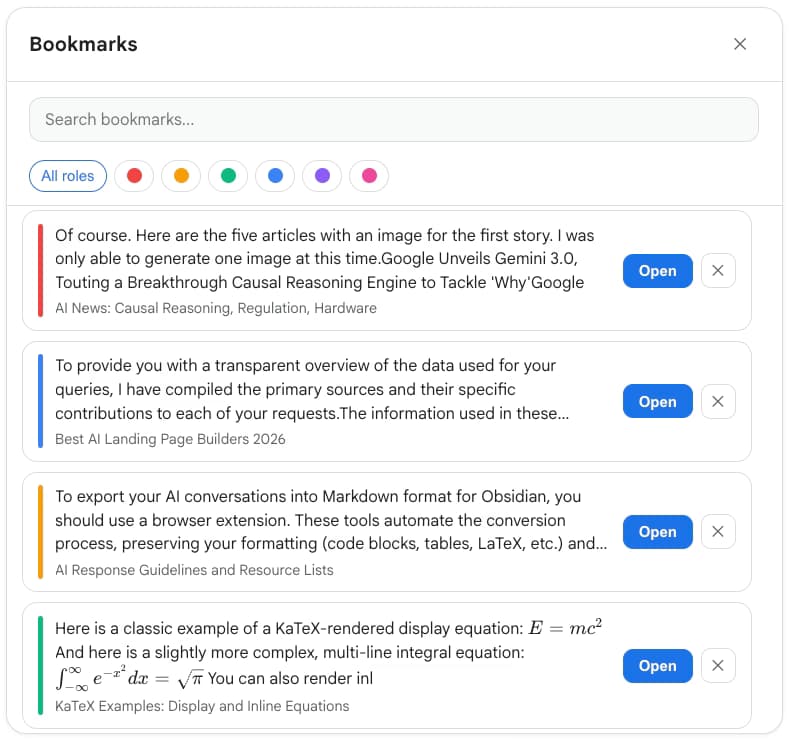
No. The search index lives in your browser and every query runs locally, so conversation content is never stored on our servers. What you build in the extension, such as folders, tags, bookmarks and saved prompts, syncs to your account, encrypted at rest. PDF export, Context Mentions on a long chat and Carry this chat forward send the text of the chat you pick to our servers for processing, and nothing is kept afterwards. If you sign in to a second Google account the extension clears the previous account's local caches. AI Toolbox is GDPR compliant.
Does the 1 million token context window change anything?
In the Gemini app, Google AI Pro and Ultra give Gemini 3.1 Pro, 3 Flash and 3.1 Flash-Lite up to 1 million tokens (the free plan is 32K), so a long paper or a full transcript fits in one conversation. AI Toolbox does not change that limit. It makes those long sessions searchable afterwards, and its Context Meter shows how much of the window the current chat has used before you hit it.
Which browsers does it support?
Any Chromium browser installed from the Chrome Web Store: Chrome, Edge, Brave, Opera and Arc. There is no Firefox version.

 ChatGPT
 Gemini
 Claude
 Grok
Grok