Loading...
Turn ChatGPT into a structured consulting assistant. Organize by client, save proven frameworks, and export deliverables into slides and memos in one click.
Best for: Consultants managing ChatGPT client research, strategy frameworks, and deliverables across multiple engagements.
Start free | Trusted by 20,000+ users
You use ChatGPT for market sizing, competitive benchmarks, storyline development, executive summaries, and operating model design. Across three or four active clients, valuable conversations get lost in a single flat chat list with no client context.
That five forces analysis on the energy client? The CFO storyline that landed last quarter? The benchmarking prompt that finally produced clean output? Buried somewhere you cannot find when the partner walks in and asks for it.
AI Toolbox (formerly ChatGPT Toolbox) helps you organize every consulting conversation. Create client folders, save framework prompts, search past engagements, and export deliverables for slides and memos.
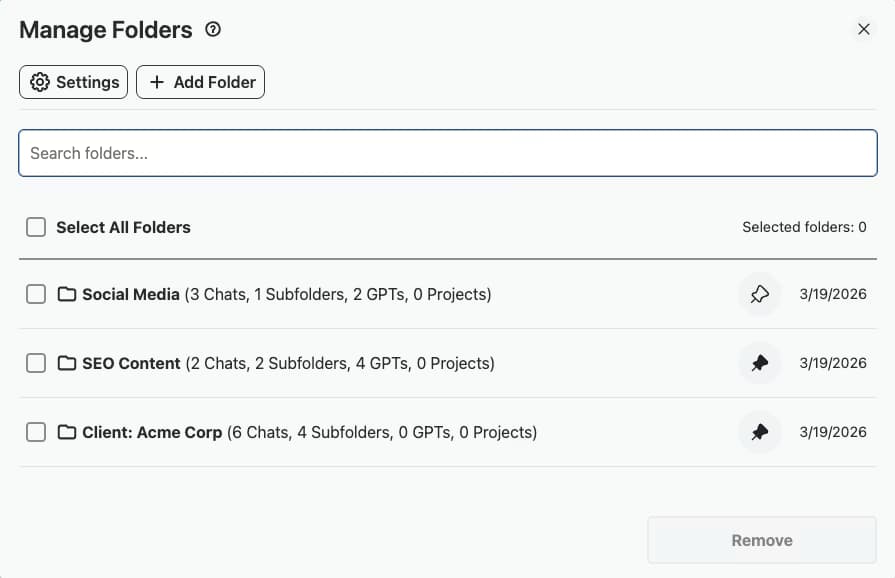
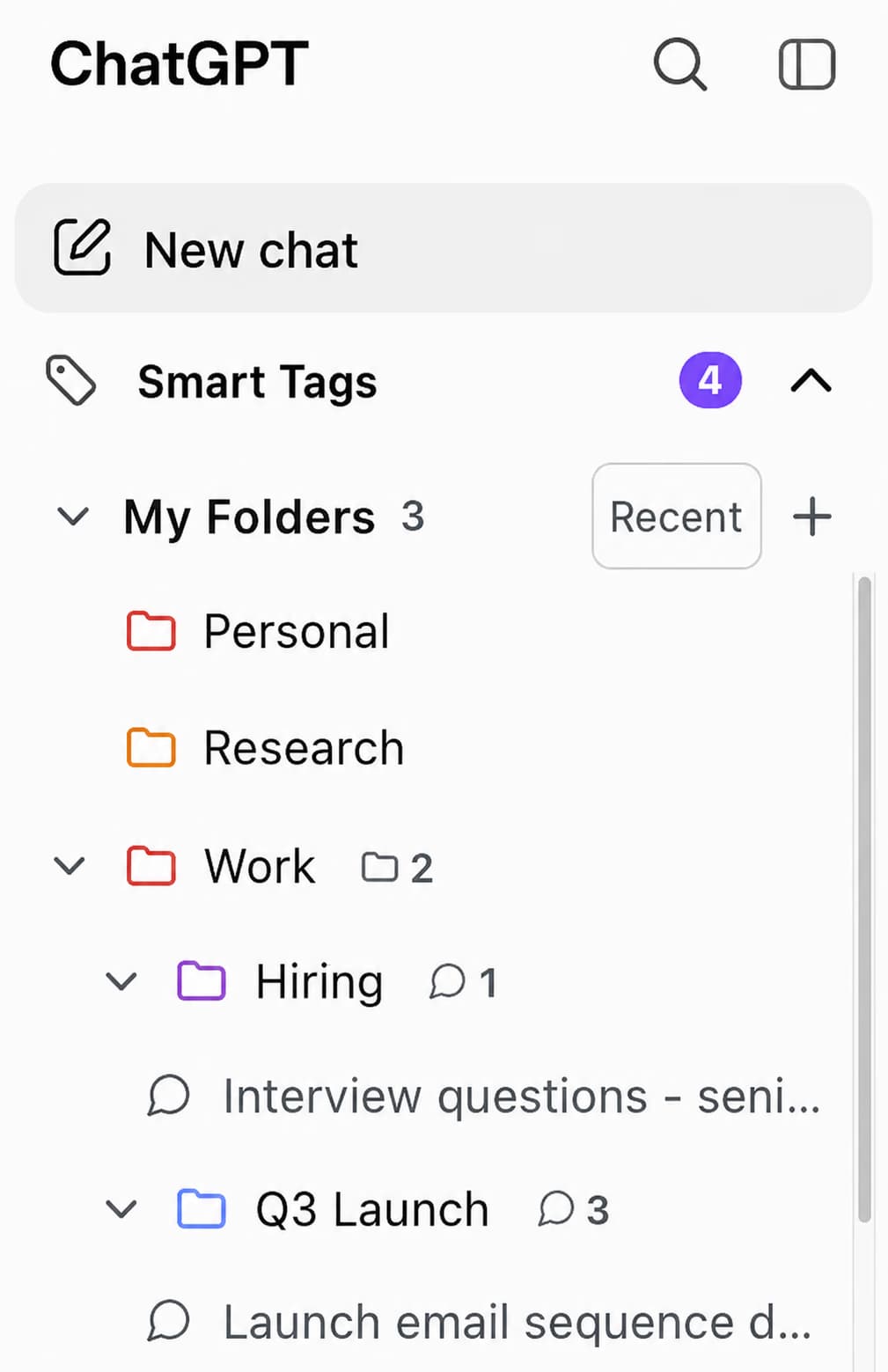
Create folders for each client, project, or workstream. Keep market sizing separate from due diligence, strategy memos separate from operating model work.
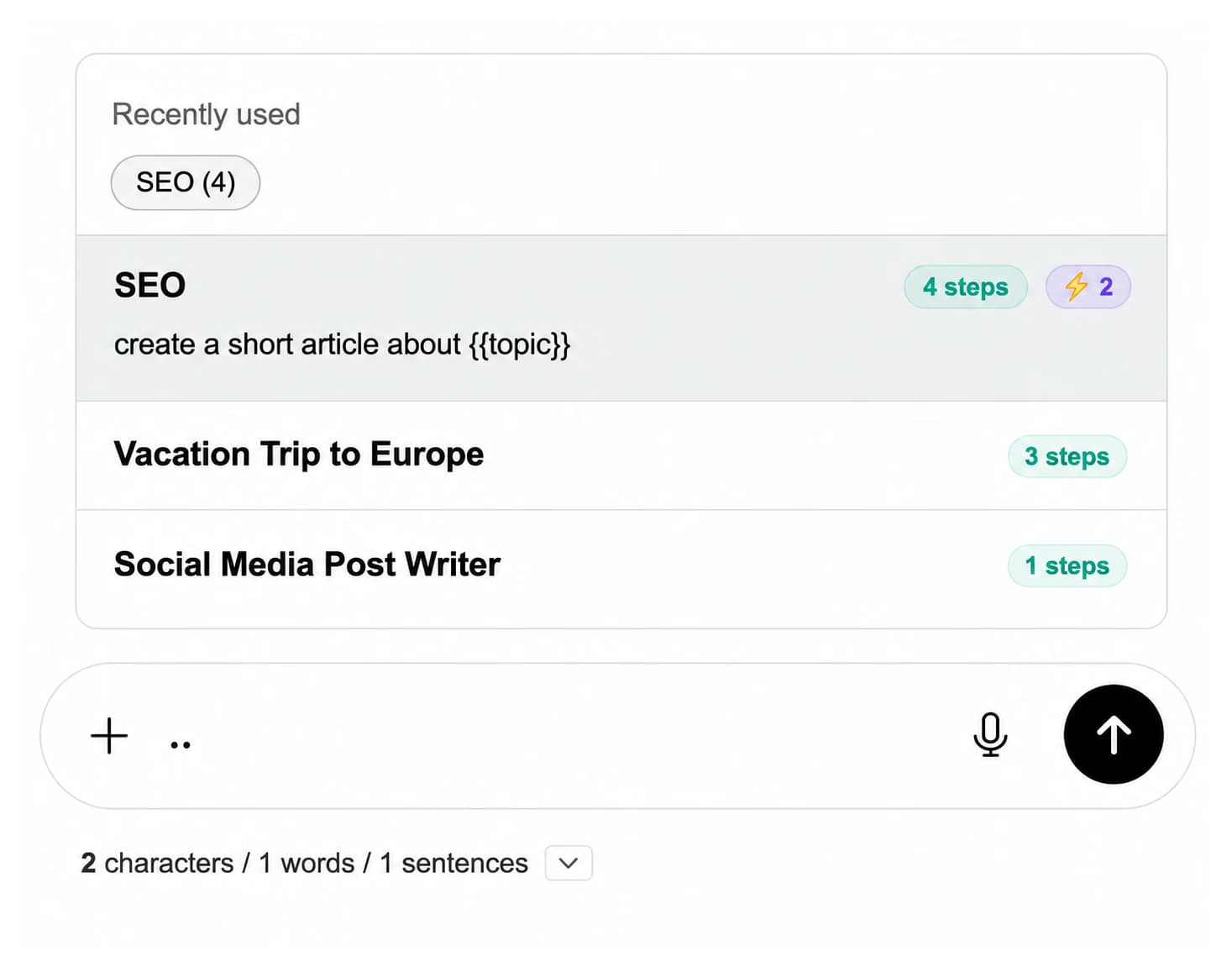
That Porter five forces prompt that nailed the analysis? Save it. Pin your best diagnostic, benchmarking, and storyline prompts for the next engagement.
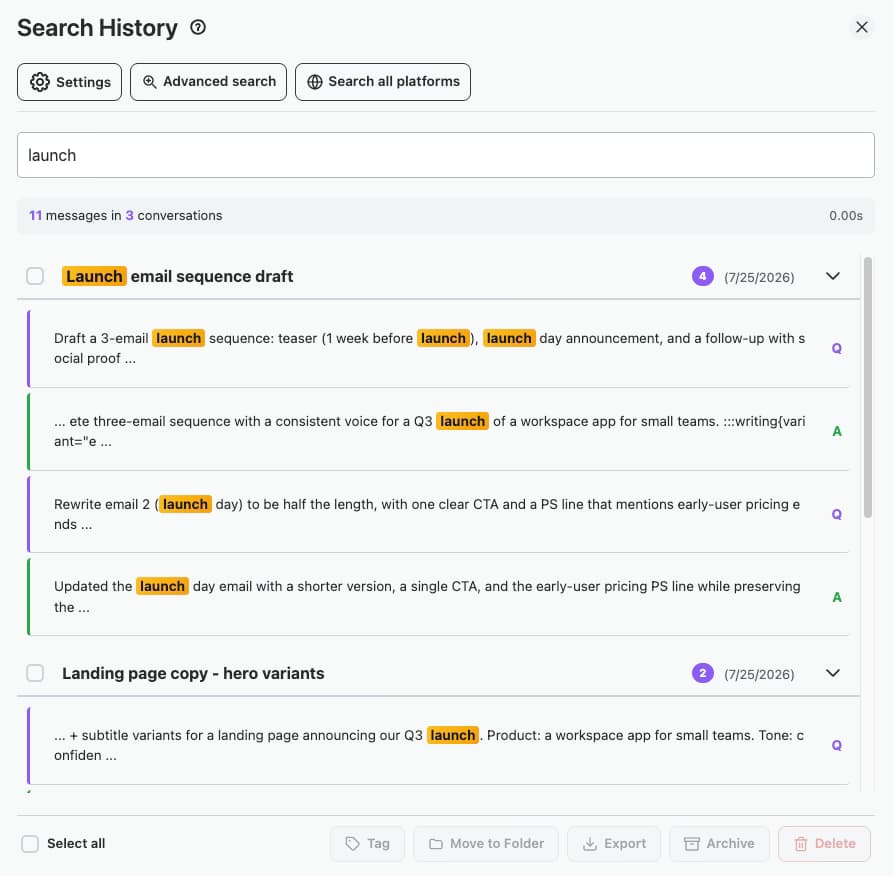
Client asks for a benchmark you ran six months ago. Search across every consulting conversation to find prior analyses, frameworks, and structured arguments instantly.
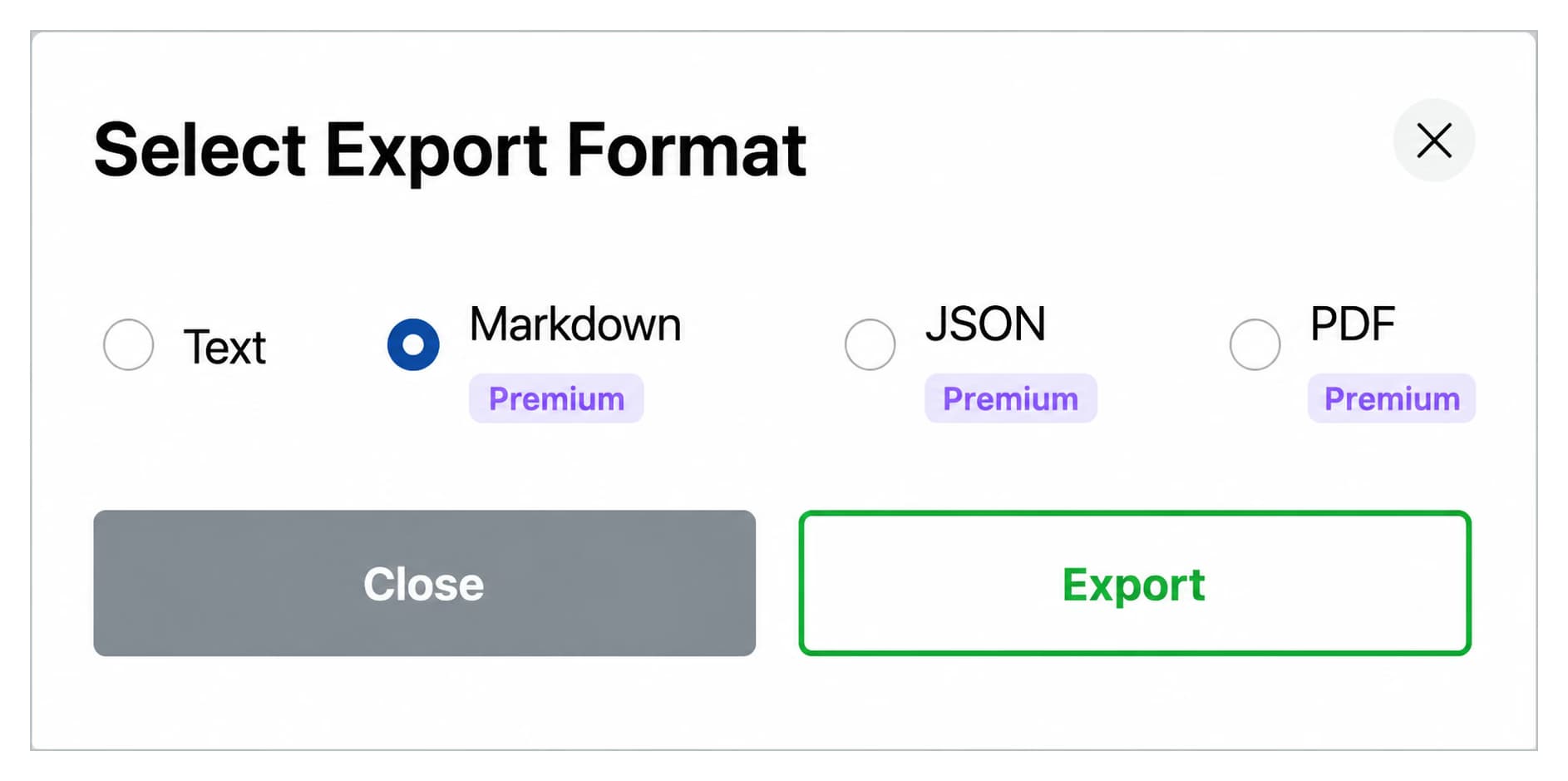
Export ChatGPT outputs as Markdown with YAML frontmatter, PDF, or JSON. Paste structured insights into PowerPoint, Google Slides, Notion, or your firm's deliverable template.
Start free, upgrade when you need more
$0 /forever
$9.99 /month
$123$99 /one-time

Set up a folder for each active engagement. Inside each, add subfolders for research, frameworks, deliverables, and follow-up notes so the partner can find anything in seconds.
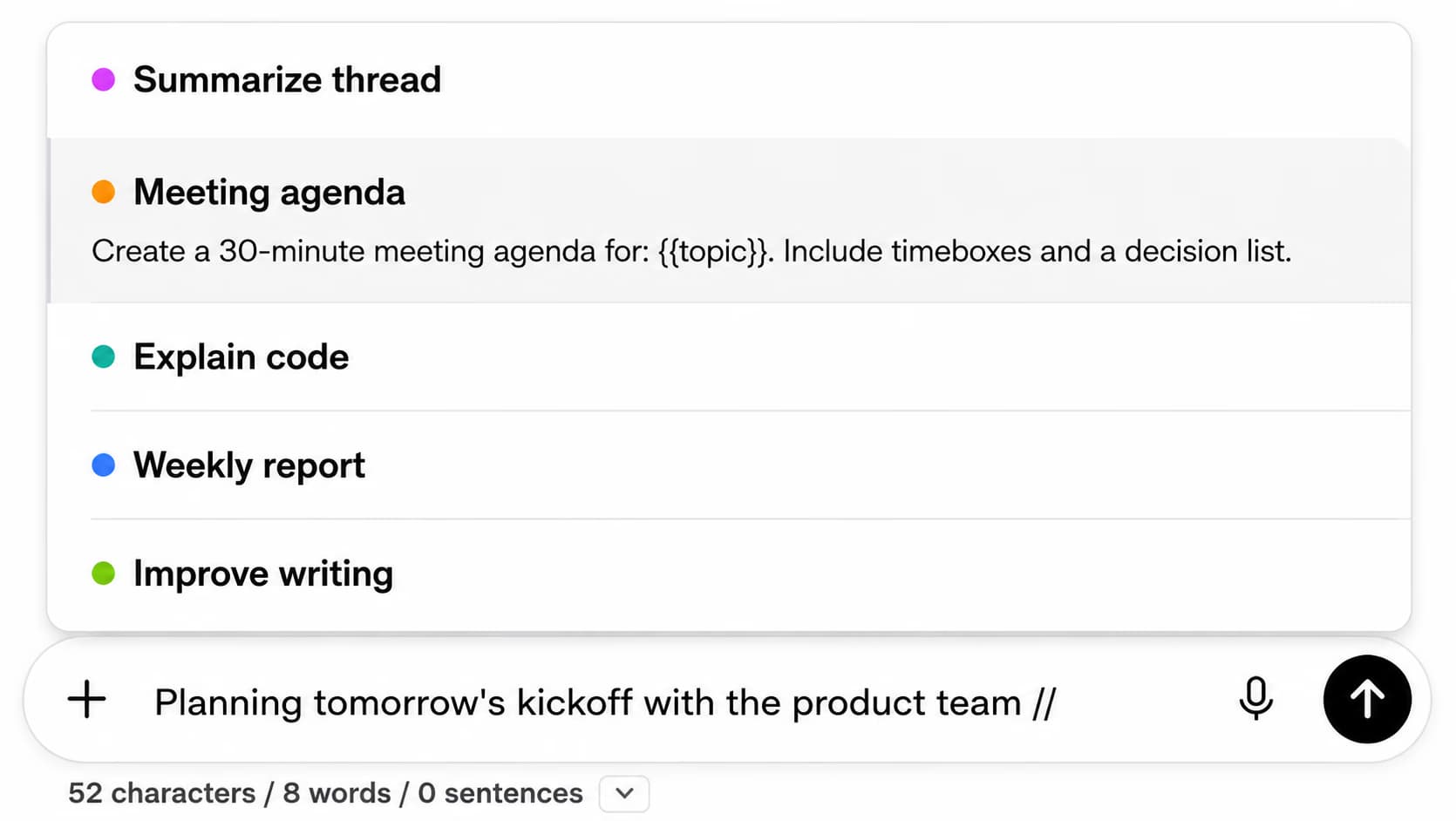
Store your proven prompts for market sizing, Porter five forces, SWOT, jobs-to-be-done, and executive storylines. Use {{variable}} placeholders for client name and industry so the same prompt adapts to every new engagement.
Use the .. shortcut to chain prompts: hypothesis, support, counter-argument, refinement. The chain runs end-to-end so you arrive at a defensible structured answer without juggling separate chats.
Full-text search finds that benchmark you ran on the energy client six months ago, or the CFO storyline that landed last quarter, without opening a single old chat manually.
Export structured outputs as Markdown with YAML frontmatter for Notion or Obsidian, as PDF for the deliverable folder, or as JSON for a data pipeline. Bulk export an entire engagement folder as a ZIP at the close of the project.
An independent strategy consultant juggling four retainer clients, organized 80+ ChatGPT conversations into client folders with subfolders per workstream. She saved her best Porter five forces and storyline prompts to the library and reused them across every new engagement.
The prompt library and full-text search cut her engagement ramp-up time roughly in half, since the structured prompts produce a defensible first draft she edits instead of building from scratch.
“I run engagements across three industries at once. Each client gets a folder with subfolders for market sizing, competitive landscape, and deliverable drafts. The prompt library is what changed the workflow, my benchmarking prompt with {{industry}} and {{geography}} placeholders works for any new client. I open a fresh chat, fire the prompt, and have a first cut of the analysis in five minutes.”
, Marcus Halberg, Independent Strategy Consultant at Halberg Advisory
“Partner asked me last week to pull a benchmark I ran for a healthcare client back in February. I typed two keywords into the toolbox search and the exact conversation came up in seconds. Before this, I would have lost an afternoon scrolling through chat history. The Markdown export with YAML frontmatter also drops cleanly into our Notion deliverable template.”
, Priya Chandrasekaran, Senior Associate at Northcrest Strategy Partners
Organization turns ChatGPT into a structured consulting assistant. Create folders for each client or engagement. Save proven prompts for diagnostics, market sizing, and storyline development. Build a searchable archive of frameworks and analyses you can reuse across engagements without retyping or losing prior work.
Yes. Create a folder for each client with subfolders for research, frameworks, deliverables, and follow-up notes. Your entire engagement stays organized and searchable, so when a client asks about a prior analysis you can pull it up in seconds instead of scrolling through hundreds of chats.
AI Toolbox stores folder names and conversation IDs locally in your browser. Conversation content stays with OpenAI under the terms you agreed to on chatgpt.com. The extension never reads, transmits, or stores client material on any external server, and the extension itself is GDPR compliant by design.
Yes. Export any conversation as Markdown (with YAML frontmatter for Notion, Obsidian, or Logseq), PDF, TXT, or JSON. Bulk export an entire engagement folder as a ZIP, then paste structured outputs into PowerPoint, Google Slides, or your firm's deliverable template.
Use the prompt library with the // shortcut to save proven prompts for market sizing, competitor benchmarking, executive summaries, and operating model design. Use {{variable}} placeholders for client name, industry, or geography so the same prompt adapts to every new engagement. Prompt chaining with the .. shortcut runs a multi-step framework, for example, hypothesis, support, counter, refinement, all in one structured flow.
AI Toolbox Premium and Lifetime sync your folders, prompts, and bookmarks across your own devices. Team-wide sharing of a prompt library across multiple consultants on different accounts is handled at the Enterprise tier; contact us for shared workspace and centralized billing.
Stop recreating frameworks. Build a structured library of client work, prompts, and deliverables.