Does Grok have folders for organizing conversations?
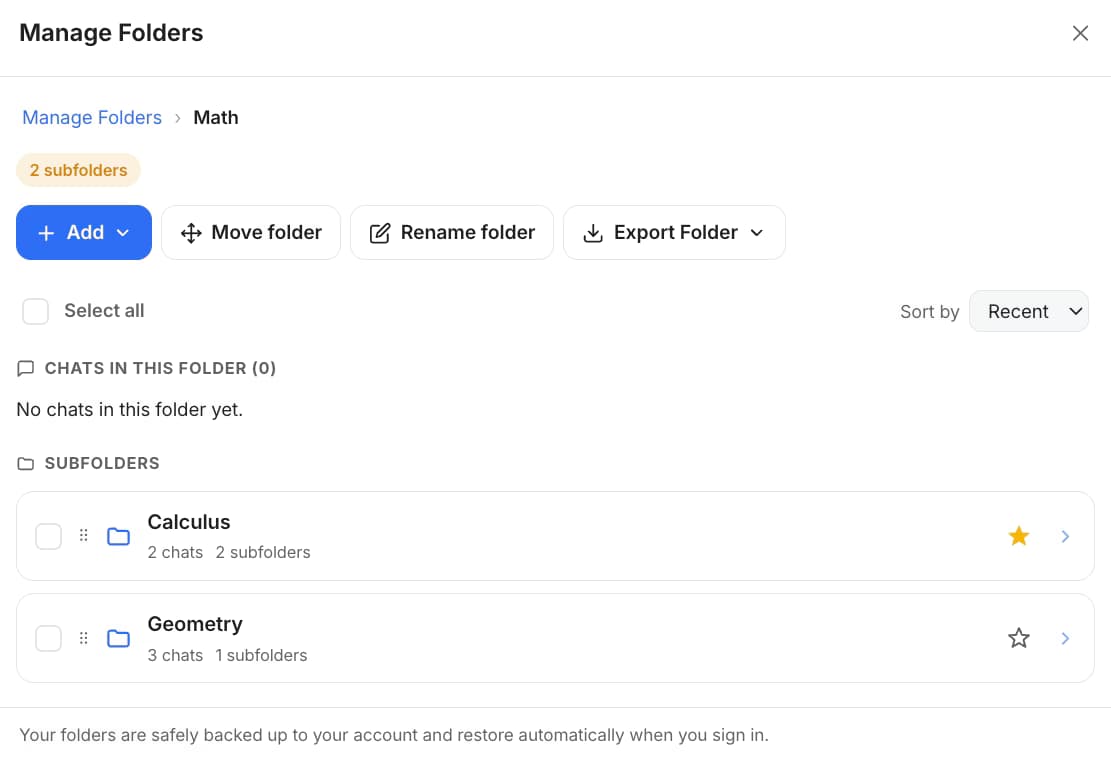
Not the lightweight kind. grok.com has Projects and a flat History list, and Grok inside X at x.com/i/grok has no history sidebar at all; neither has tags or reply bookmarks. AI Toolbox adds a Manage Folders tree on both surfaces plus a Folders section in the grok.com sidebar, and files chats by search rather than dragging. The free plan includes 2 root folders with unlimited subfolders, no credit card.
How many folders do I get on the free plan?
2 root folders, and unlimited subfolders inside them, so a two-folder structure can still be several levels deep. The cap counts root folders only and is separate for each platform, so Grok's 2 are independent of the 2 you get on ChatGPT, Claude and Gemini. Premium removes the cap entirely.
How do I add a chat to a folder in Grok?
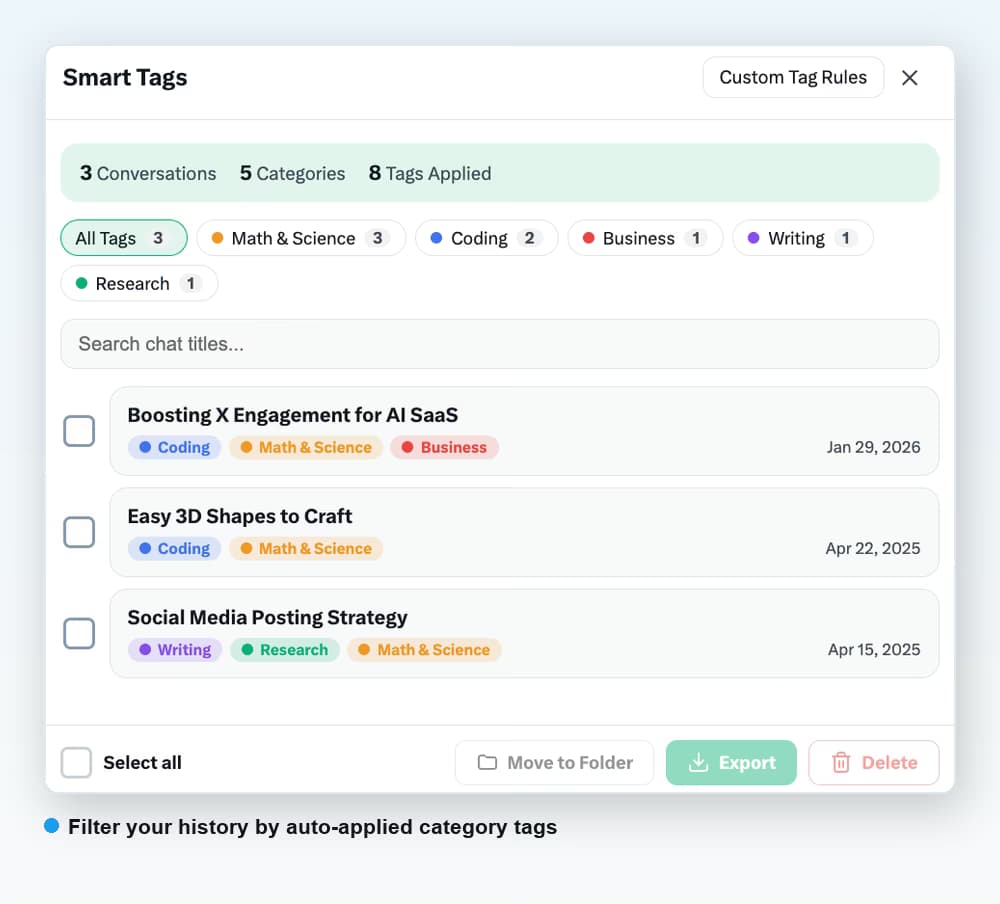
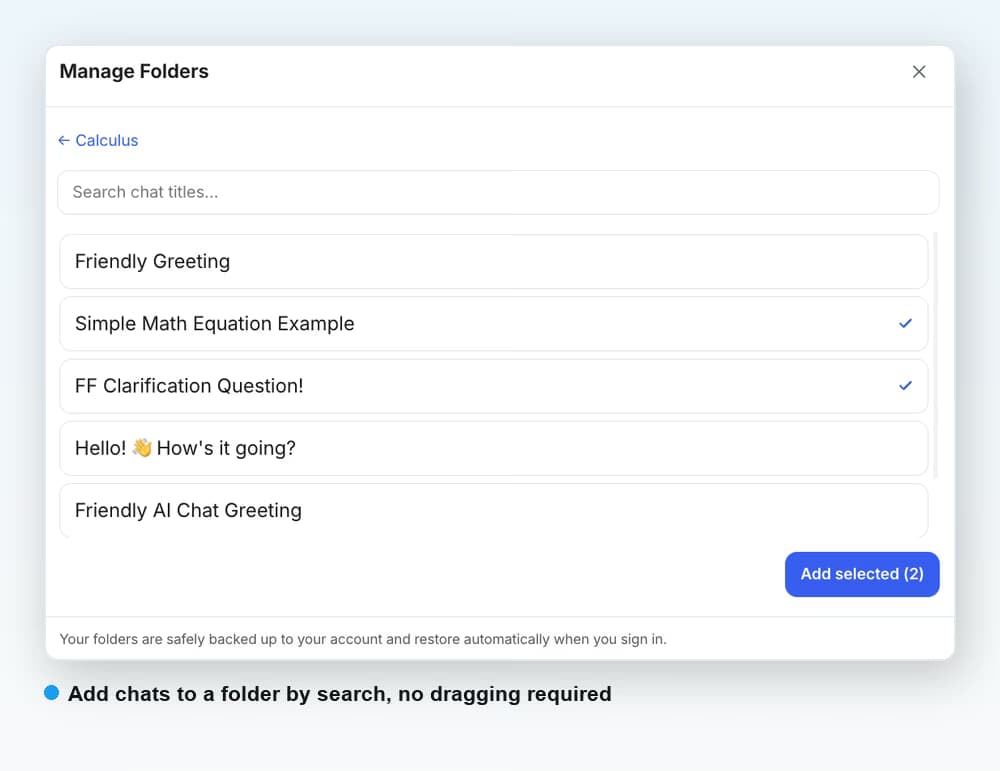
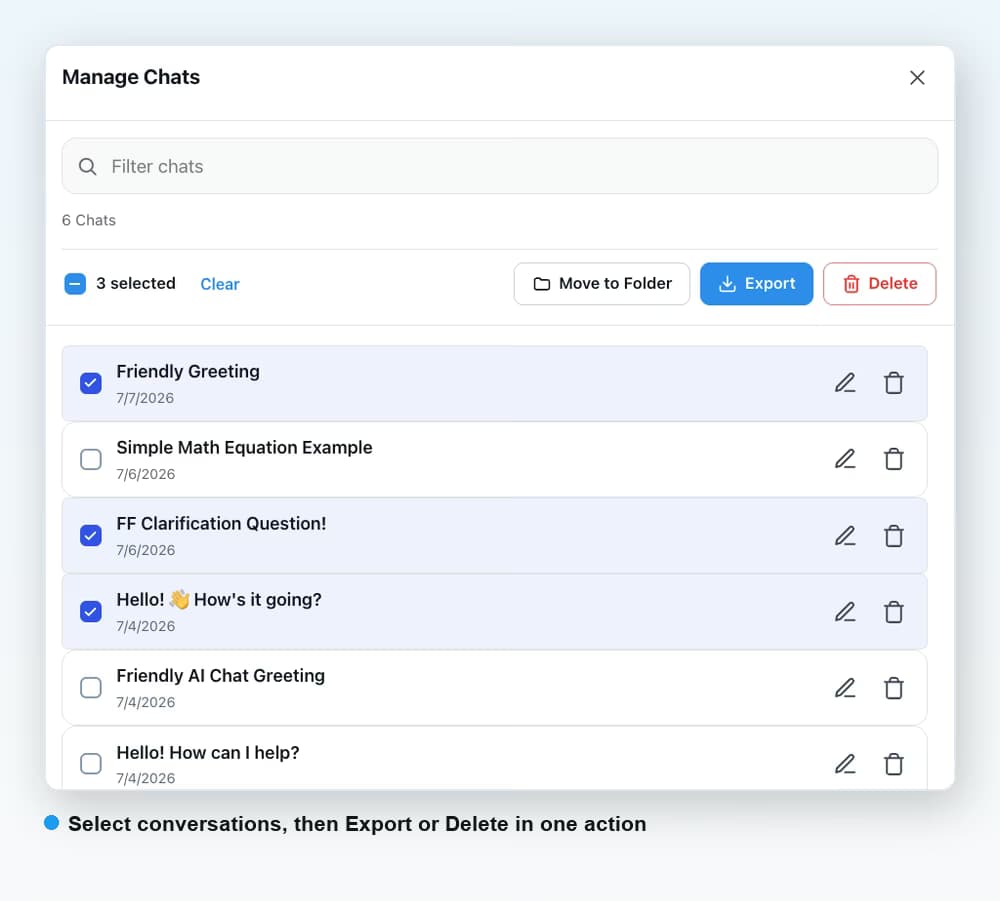
Open Manage Folders, go into the folder and click Add, then type part of the conversation title and tick it in the results. There is no drag and drop. To file many at once, open Manage Chats or Smart Tags, multi-select the conversations and use Move to Folder, which is free on every plan.
Does it work on both x.com/i/grok and grok.com?
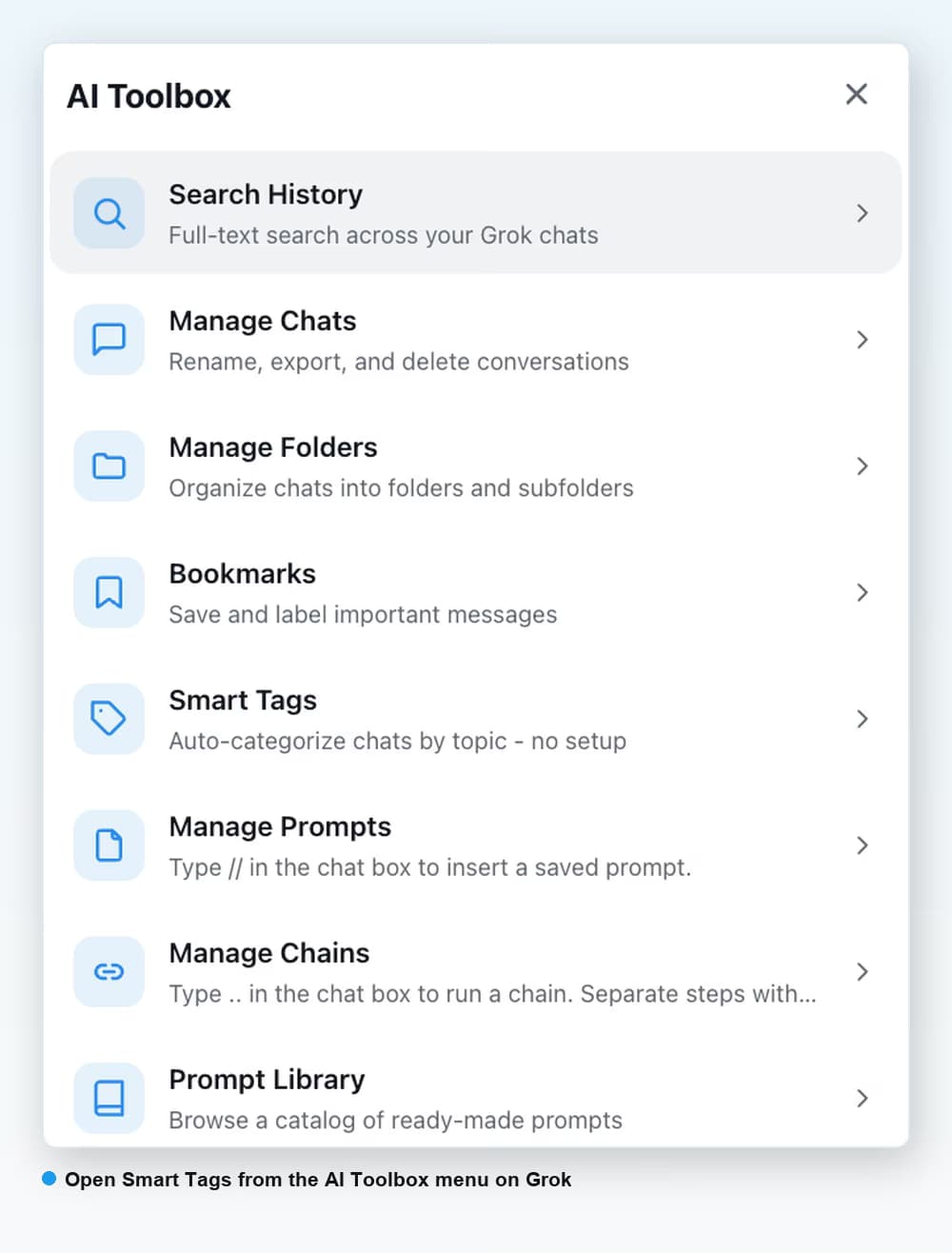
Yes. The Grok module is a single install that runs on both surfaces. Manage Folders, Manage Chats, Smart Tags, Search History and the Bookmarks viewer all open on either one, and Smart Tags and search cover conversations from both. Two things are grok.com only because Grok inside X has no persistent chat sidebar: the Folders tree shown in the sidebar, and the option to hide chats that are already filed.
Can I search inside my Grok conversations?
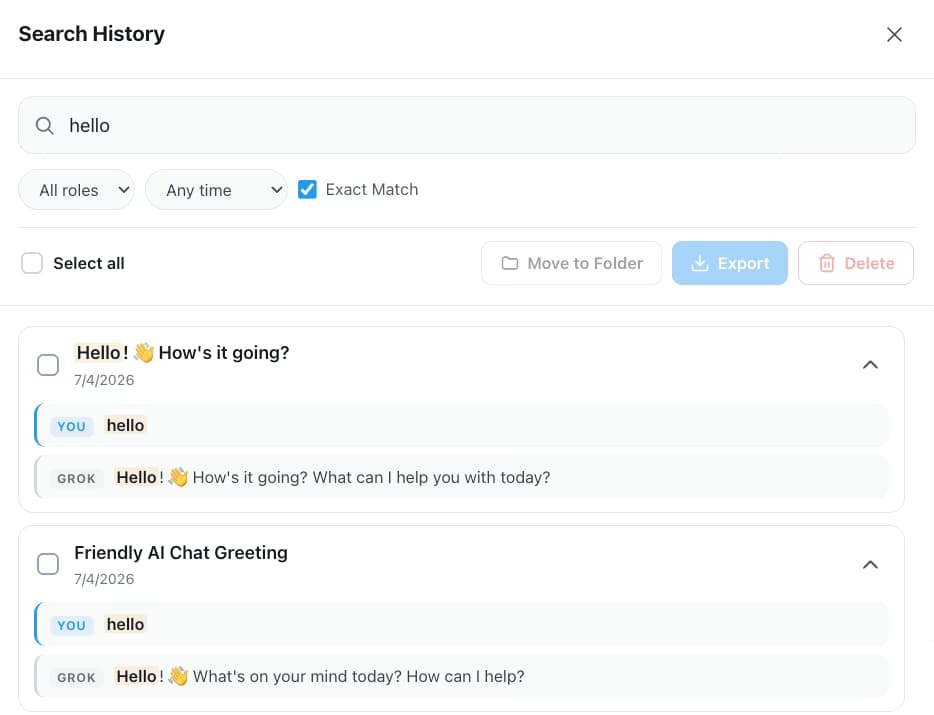
Yes. xAI documents no way to search inside Grok messages, and Grok inside X has no documented history search. AI Toolbox adds Search History, which looks inside the text of every synced message on both surfaces, highlights each match with a YOU or GROK label and opens the conversation at that message. It opens from the AI Toolbox menu; there is no default keyboard shortcut on Grok, though you can assign one at chrome://extensions/shortcuts. The free plan returns 5 results per query; Premium is unlimited.
What are Smart Tags and do I have to set them up?
Smart Tags label your conversations by topic automatically, grouping them under Coding, Math and Science, Research, Writing and Business with a count for each. You do not file anything to get them, and they run on the conversations already cached in your browser, from both surfaces. You can add your own keyword rules on top; the free plan tags your 50 most recent conversations and keeps 2 custom rules, and Premium covers your whole history with up to 50 rules.
Can I delete or export many Grok conversations at once?
Yes, on Premium. Open Manage Chats from the AI Toolbox menu, multi-select conversations or use Select all, then export the batch as TXT, Markdown, JSON or PDF, or delete them. Bulk export and bulk delete are Premium features on the Grok module; moving a selection into a folder is free, and so is exporting any single chat as TXT.
Does AI Toolbox organize Grok conversations created before I installed it?
Yes. On first run the Grok module indexes your existing conversations into a local database in your browser, on whichever surface you open. Folders, search and Smart Tags cover the history you already have, and new conversations are indexed as you create them.
Do my folders sync between grok.com, x.com and other devices?
Folders are backed up to your AI Toolbox account and restore automatically when you sign in, and bookmarks are keyed to your X identity, so both follow you across grok.com, x.com/i/grok and any device. Conversation content itself stays in your browser's local database and is never stored on our servers.
How does AI Toolbox know whether I am on the free or Premium plan for Grok?
Grok signs you in with your X account rather than an email, so Premium unlocks on the X handle you enter at checkout. Use the exact handle you sign in to x.com and grok.com with, and unlimited folders, search results, bookmarks and tags unlock for that handle on both surfaces.
How much does AI Toolbox for Grok cost?
The free plan has no time limit and no credit card: 2 root folders with unlimited subfolders, 5 search results per query, Smart Tags on your 50 most recent chats, 2 bookmarked replies free bulk Move to Folder and unlimited TXT export of any single chat. Markdown, JSON, PDF and bulk export are part of Premium on Grok. Premium is $9.99 per month or $99 once for a Lifetime licence. All Access Lifetime ($199) covers the ChatGPT, Gemini, Claude and Grok modules.
Which browsers does the Grok module support?
Chrome, Edge, Brave, Opera, Arc and any other Chromium-based browser, from a single Chrome Web Store install. Firefox is not supported. After installing, switch the Grok module on in the extension popup.

 ChatGPT
 Gemini
 Claude
 Grok
Grok