Search Every Coding Session
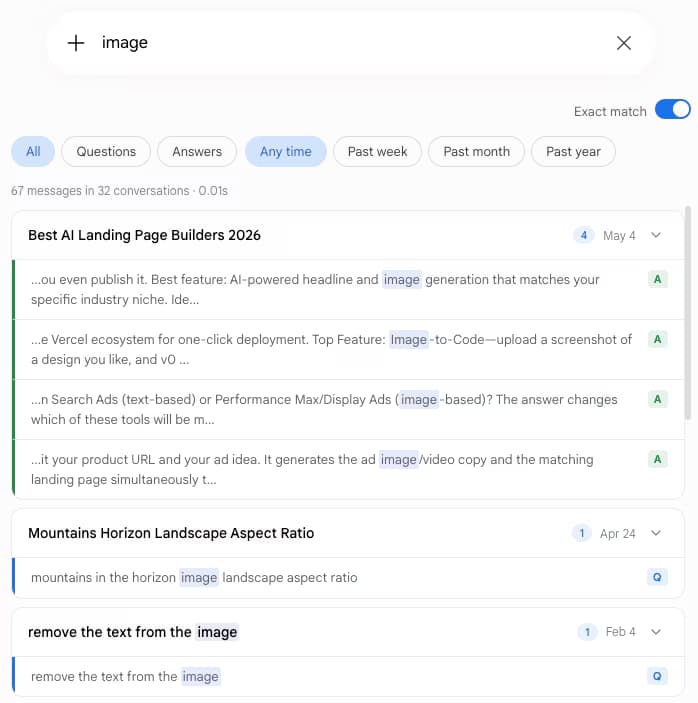
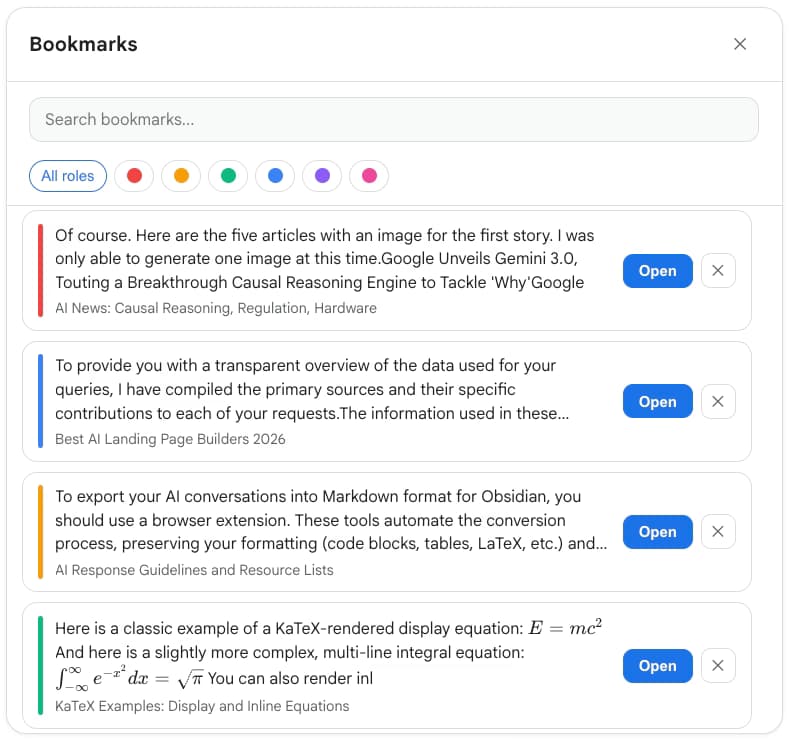
Gemini Toolbox indexes every message in every synced Gemini conversation. Type an error message, function name, or library and surface the exact moment Gemini helped you solve it - across your entire coding history.
Loading...
Google Gemini is a serious coding tool with a 1M token context window on Gemini 3.1 Pro and powerful agentic coding behavior. But its native sidebar search only matches chat titles, so past fixes disappear into scroll. Gemini Toolbox adds full-text search, role and date filters, exact match for stack traces, and four-format export for every coding conversation you have ever had.
From the makers of ChatGPT Toolbox (18,000+ users · 4.5 on Chrome Web Store).
Free plan (5 results) | Premium $5/mo | Lifetime $49
You use Gemini for debugging, code generation, architecture reviews, and explanations. Gemini 3.1 Pro gives you 1M tokens of context, so a single conversation can hold an entire microservice. That is great while you are in the conversation. It is painful the next week when you need that exact regex, that exact nginx config, that exact SQL query - and Gemini's sidebar only searches chat titles.
Google does ship per-response export to Docs, Gmail, Colab, or Replit, plus a full-account dump via Google Takeout. None of those are what you want at 2am when the same PostgreSQL deadlock you fixed three weeks ago has come back.
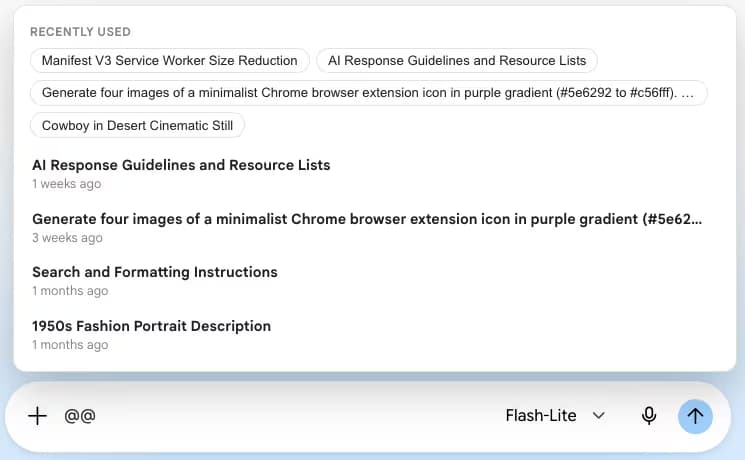
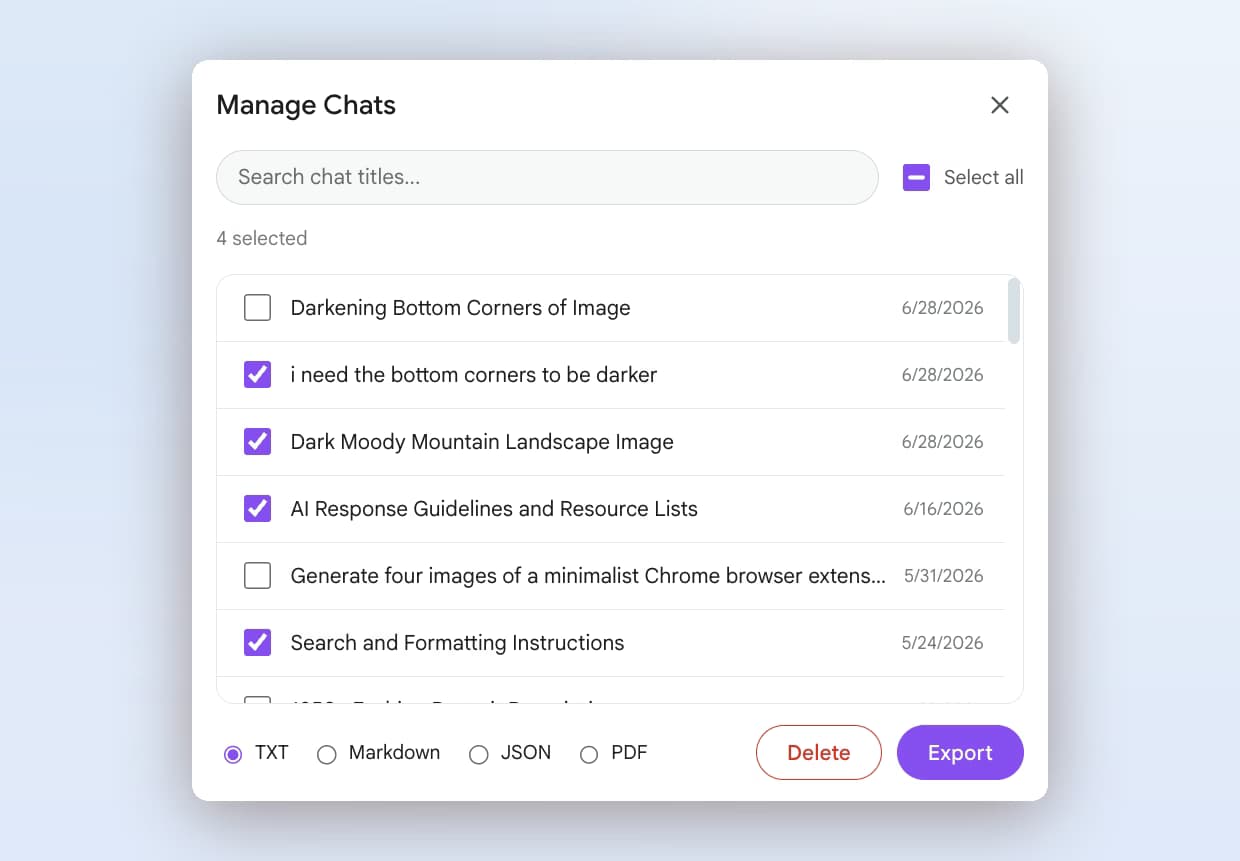
Gemini Toolbox indexes every synced conversation locally and lets you search by any keyword or exact phrase. Role and date filters narrow results fast. Four-format export means working code lands wherever you actually keep your docs.
Gemini Toolbox indexes every message in every synced Gemini conversation. Type an error message, function name, or library and surface the exact moment Gemini helped you solve it - across your entire coding history.
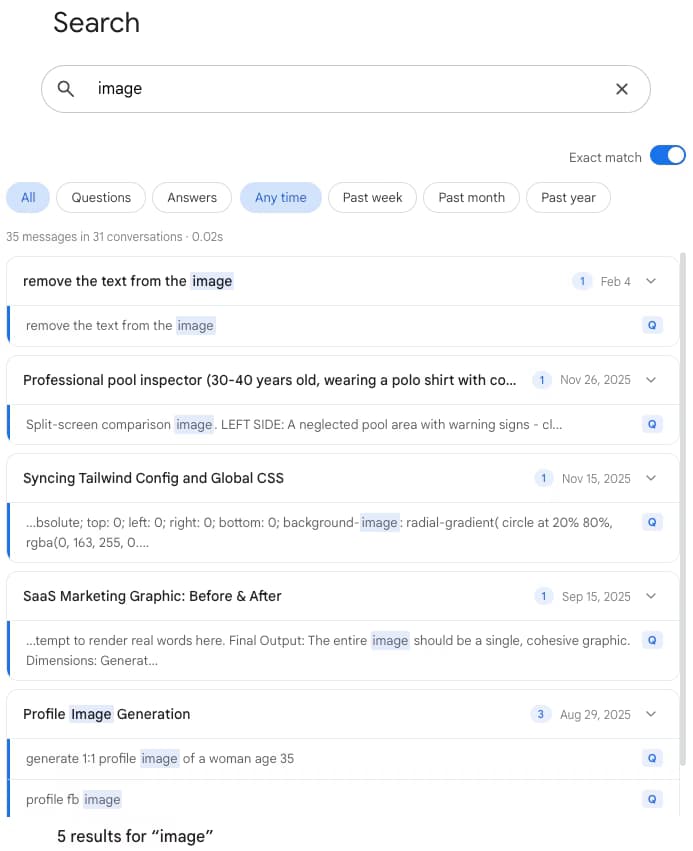
Filter results to just Gemini's answers when you want to pull working code solutions, or to user messages when you want to recall the exact prompt that produced a breakthrough. No more scrolling past your own typos to find the fix.
Toggle exact match to find precise stack traces, regex patterns, or version numbers. Broad fuzzy matching is great for concepts; exact match is essential for debugging.
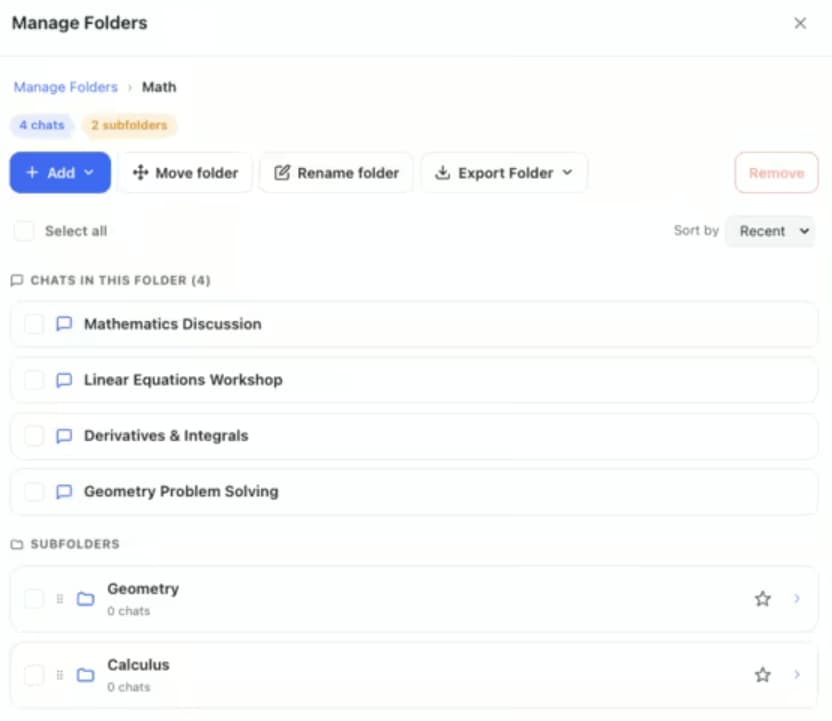
Paste working code into your docs with Markdown export, or pipe conversation data into scripts, knowledge bases, or automation with JSON export. TXT and PDF are there when you need them too.

$0
$5 /month
$49 one-time
| Capability | Gemini Native | Gemini Toolbox |
|---|---|---|
| Search chat titles | Yes (sidebar) | Yes |
| Full-text search across messages | No | Yes - every synced conversation |
| Filter by role (user or Gemini) | No | Yes |
| Exact match for stack traces | No | Yes - toggle on |
| Keyboard shortcut for search | No | Cmd+Shift+F / Ctrl+Shift+F |
| Per-response export | Docs, Gmail, Colab, Replit | - |
| Per-conversation export | Takeout (full account only) | TXT, Markdown, JSON, PDF - one click |
“I switched a lot of my debugging over to Gemini 3.1 Pro for the context window and the agentic coding. The problem was that the thing I solved last Thursday was effectively gone on Monday - the sidebar did not find it. Toolbox fixed that in one install. I search by the error message, filter to Gemini responses, export as Markdown, paste into our runbook. Ten seconds.”
- Daniel Okafor, Senior Site Reliability Engineer at Cartway Logistics
Gemini Toolbox gives developers a full-text search engine across every synced Gemini conversation. You can search by error message, function name, library, or concept. You can filter by date or role (only user messages or only Gemini responses). And you can export any conversation as TXT, Markdown, JSON, or PDF. Gemini's native sidebar search only matches chat titles - not message content - so Toolbox is what makes your Gemini coding history actually searchable.
Yes. Press Cmd+Shift+F on Mac or Ctrl+Shift+F on Windows to open the Gemini Toolbox search panel, toggle exact match on, and paste the error or stack trace. Exact match is useful here because stack traces contain punctuation and version numbers that fuzzy matching can miss. Results appear instantly from your local IndexedDB index.
Markdown export is the best fit for docs. It preserves code blocks, headings, and role labels so you can drop the export directly into your team wiki, README, or Notion page. If you need structured data for an automation or a snippet library, use JSON export. Both are Premium features.
Yes. Gemini 3.1 Pro's 1M token input context window (shared across the Gemini 3 generation) is one of the largest available in production, which means you can paste entire codebases or long log files into a single conversation without losing earlier context. Gemini Toolbox does not change that limit - but it does make those long conversations searchable after the fact, so nothing you worked out inside that 1M window is ever lost to the scroll.
No. Gemini Toolbox is a search and export extension for gemini.google.com - it does not write code inline in your editor. It is a companion to Gemini's web interface, not a replacement for an IDE plugin. Think of it as the layer that turns your ad-hoc Gemini coding sessions into a searchable, exportable knowledge base.
Yes. Gemini Toolbox syncs conversations to IndexedDB, a local database built into your browser. Search queries run locally against that index. No conversation content is sent to a server, and the extension does not transmit your code anywhere.
Gemini Toolbox is free to install. The free plan includes full-text search with up to 5 results per query, date and role filters, exact match, background sync, and the keyboard shortcut. Premium is $5 per month and unlocks unlimited search results plus TXT, Markdown, JSON, and PDF export. Lifetime is a one-time $49 and covers all future updates with a 14-day money-back guarantee.
From the makers of ChatGPT Toolbox (18,000+ users). Install Gemini Toolbox free and stop re-solving bugs you already fixed.
We build productivity extensions for every major AI assistant.