Does Grok have built-in conversation search?
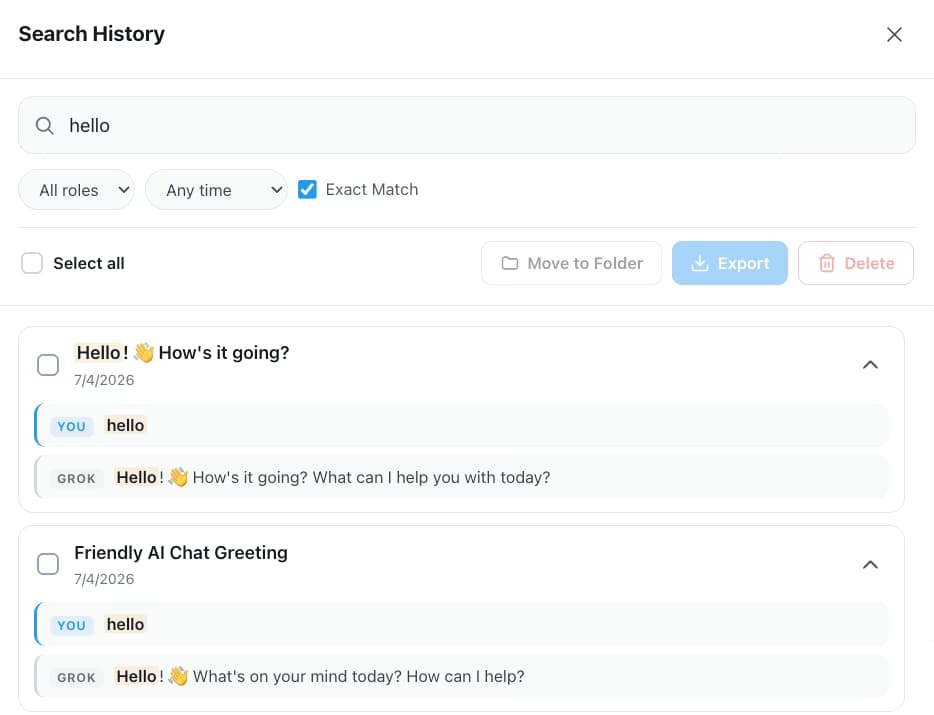
A basic one, on one surface. grok.com has a history view with a search icon that helps you find chats, and Grok inside X has no history sidebar at all. xAI documents no way to search inside messages and no date, role or exact-match filters. AI Toolbox indexes every synced conversation from both surfaces in your browser and searches the full text.
Is Grok conversation search free in AI Toolbox?
Yes. Full-text search of every message, highlighted snippets with YOU/GROK labels and recent searches are on the free plan, with 5 results per query. Premium ($9.99 per month) or Lifetime ($99 one-time) removes the cap and adds the Advanced panel: the Exact Match toggle, role and date filters, include and exclude chips, Titles only, plus bulk export and delete on results.
Does it search Grok inside X as well as grok.com?
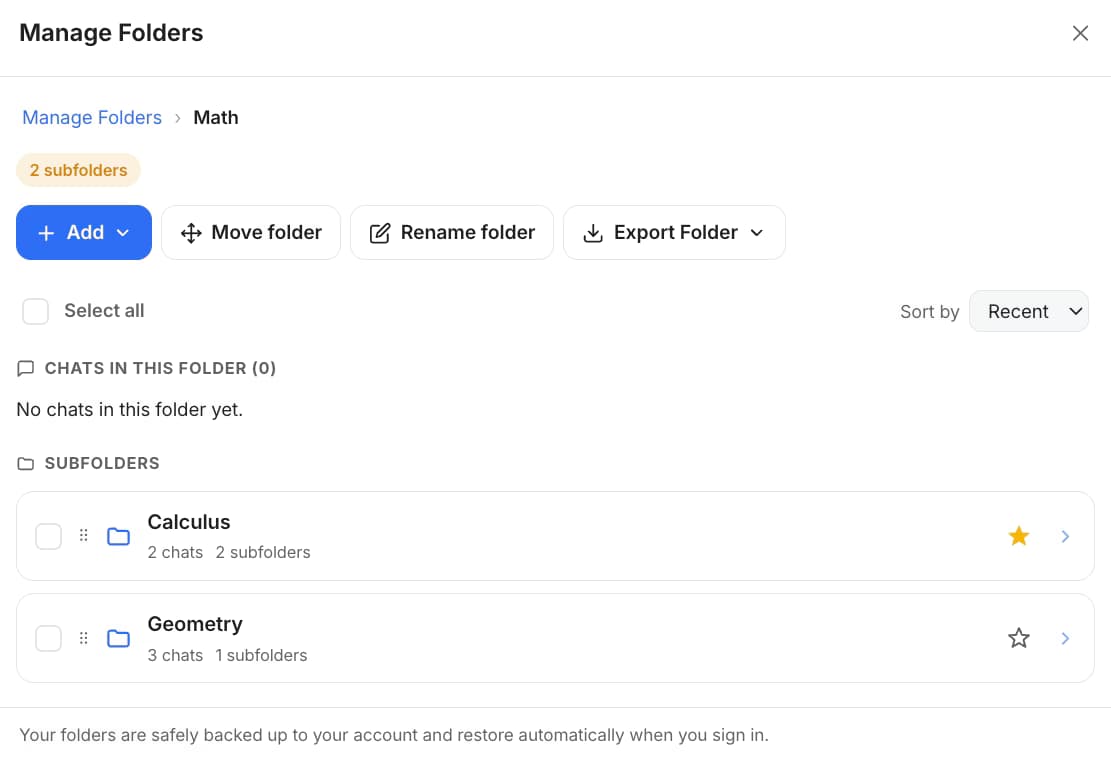
Yes. The Grok module is a single install that runs on both x.com/i/grok and the standalone grok.com, indexing conversations from each into one local database. That matters most on the X side, which has no history sidebar of its own; search and folders are how those chats stay findable at all.
Is there a keyboard shortcut for Grok search?
Not out of the box. Search History opens from the floating AI Toolbox menu, and you can bind your own key to the extension's Open chat history search command at chrome://extensions/shortcuts. The one shortcut that ships bound is Cmd/Ctrl+Shift+Period, which opens Search all platforms from any tab.
Can I filter Grok search results by date or by who said it?
With Premium, yes. The Advanced panel adds an Exact Match toggle, a role select that keeps only your messages or only Grok's, past week, month and year presets, Must include and Exclude chips, and a Titles only switch. On the free plan a plain query searches everything with no filters applied.
What can I do with the conversations a search finds?
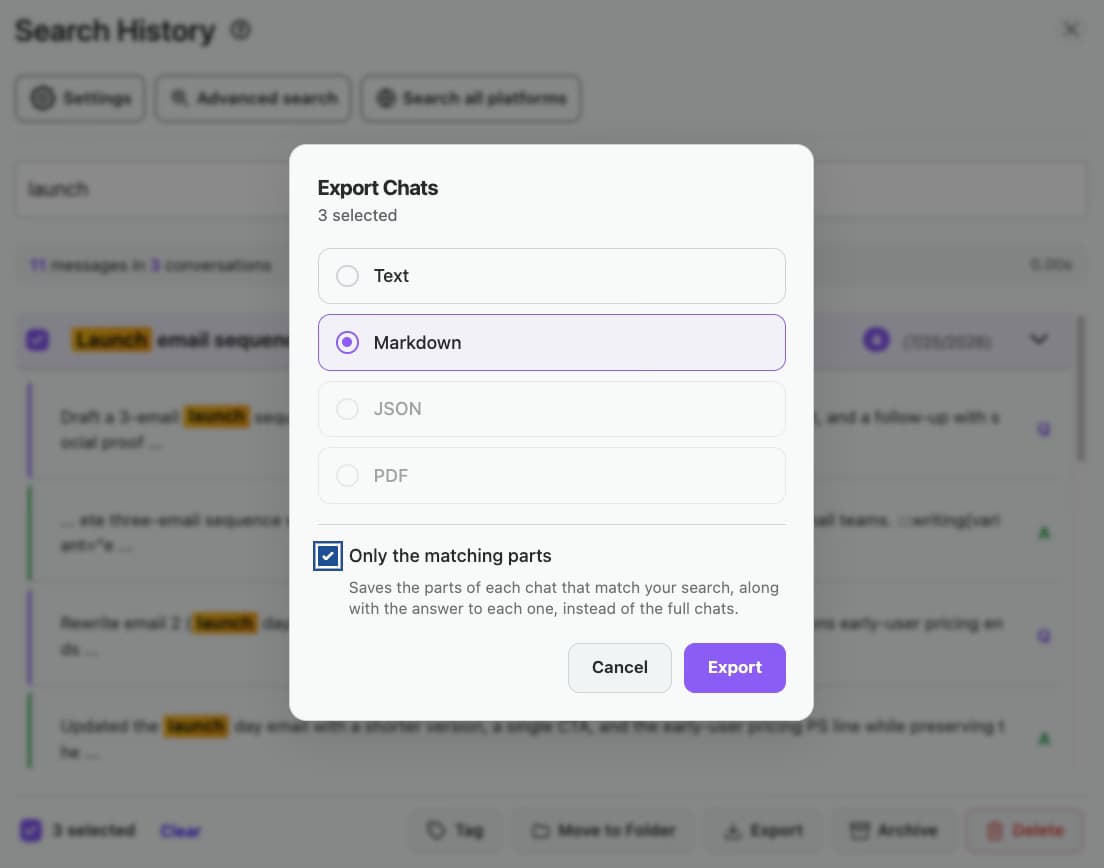
The search modal has its own bulk bar. Select any of the results and move them to a folder on any plan; on Premium you can also export them together as TXT, Markdown, JSON or PDF, delete them in one pass, or use findings export to save only the passages that matched, with a link back to each conversation.
Can I search my ChatGPT, Claude and Gemini history at the same time?
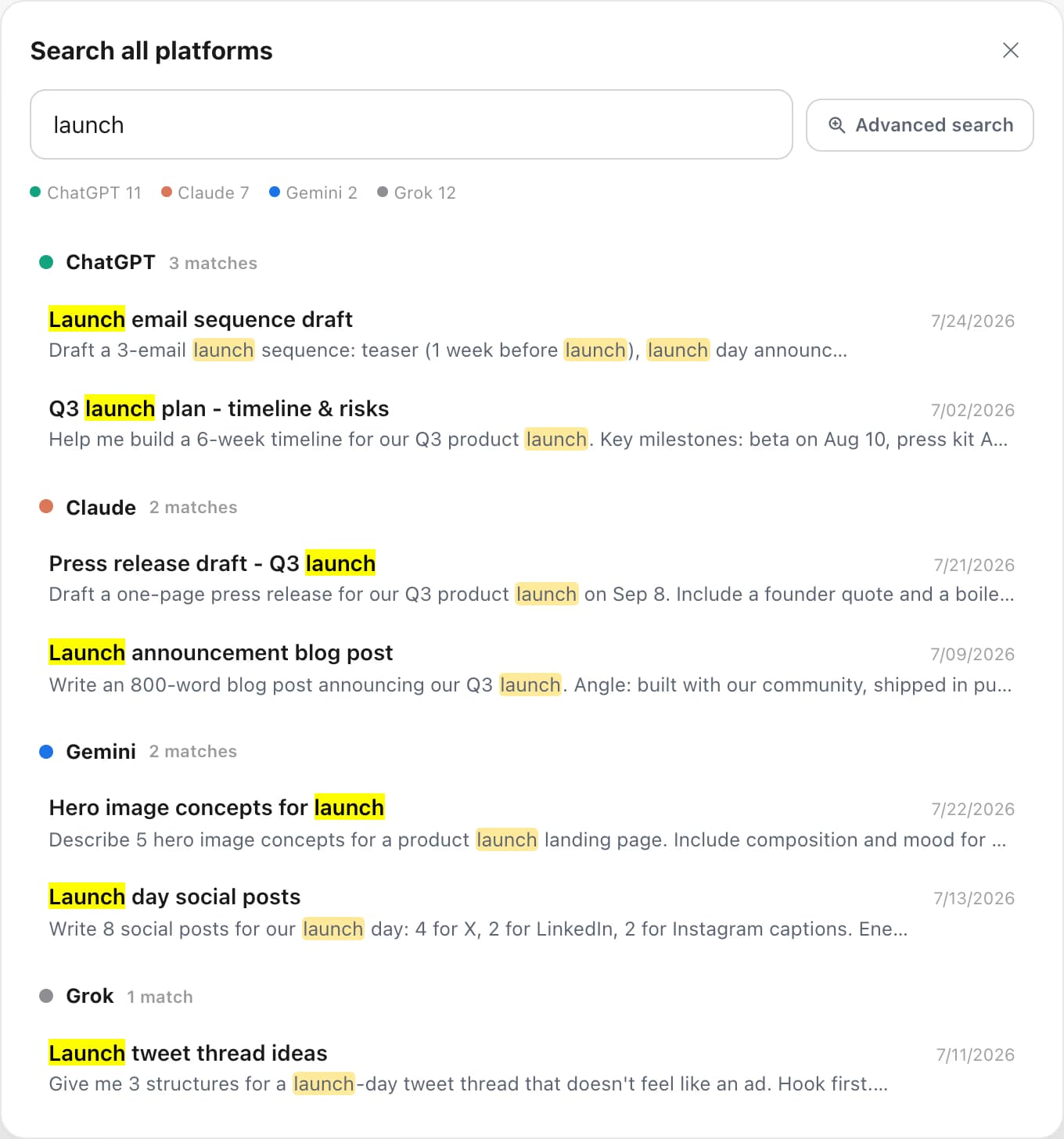
Yes. Search all platforms runs one query across every AI you have switched it on for, groups results by platform and deep-links each match. On the free plan it shows the 5 newest matches across all sites plus how many more each site has; Premium on the modules involved or All Access shows every result and lets you select and export them. The unified index is built on your device, is off by default, and is purged when you turn it off. Cmd/Ctrl+Shift+Period opens it from any tab.
Does my Grok data leave my browser when I search?
No. The index lives in your browser and every query runs locally, so conversation content is never stored on our servers. Grok signs you in with your X account rather than an email, so your X account is what verifies a Premium plan. AI Toolbox is GDPR compliant.
Which browsers does the Grok module support?
AI Toolbox works on Chrome, Edge, Brave, Opera, Arc and any other Chromium-based browser from a single Chrome Web Store install. Firefox is not supported.

 ChatGPT
 Gemini
 Claude
 Grok
Grok