How does AI Toolbox Teams pricing work?
$15/seat/month or $12/seat/month billed annually, minimum 2 seats. Teams covers all four modules (ChatGPT, Claude, Gemini and Grok) and includes the shared prompt library, admin dashboard, seat management, centralized billing, usage analytics, and dedicated priority support. Larger teams pay less per seat, and the volume rate applies to every seat.
What Teams features does AI Toolbox offer?
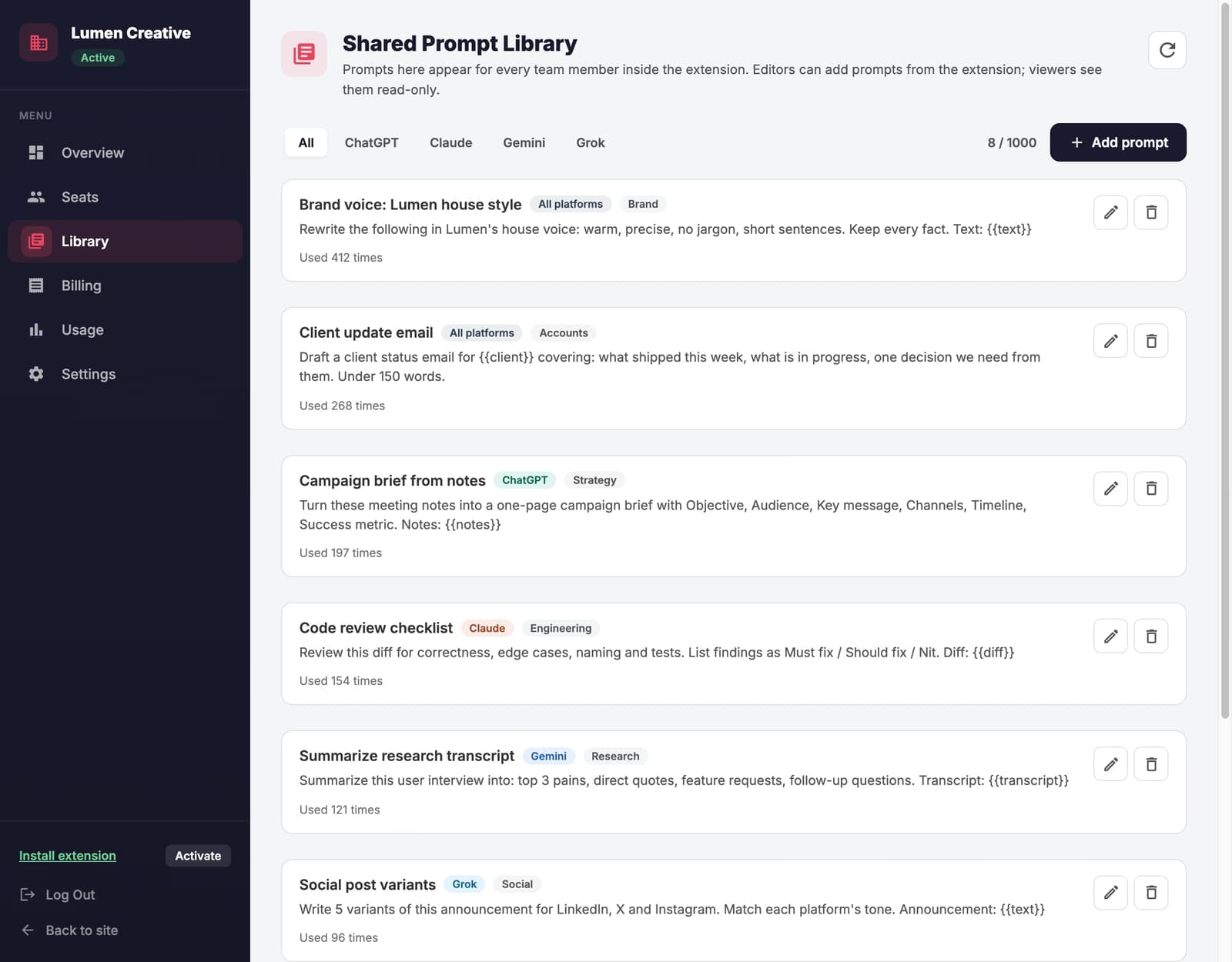
A shared team prompt library your admins curate once and every member gets across ChatGPT, Gemini, Claude, and Grok, an admin dashboard for team management, centralized billing, seat management, team usage analytics, dedicated priority support, and all premium features for every team member.
Is AI Toolbox Teams GDPR compliant?
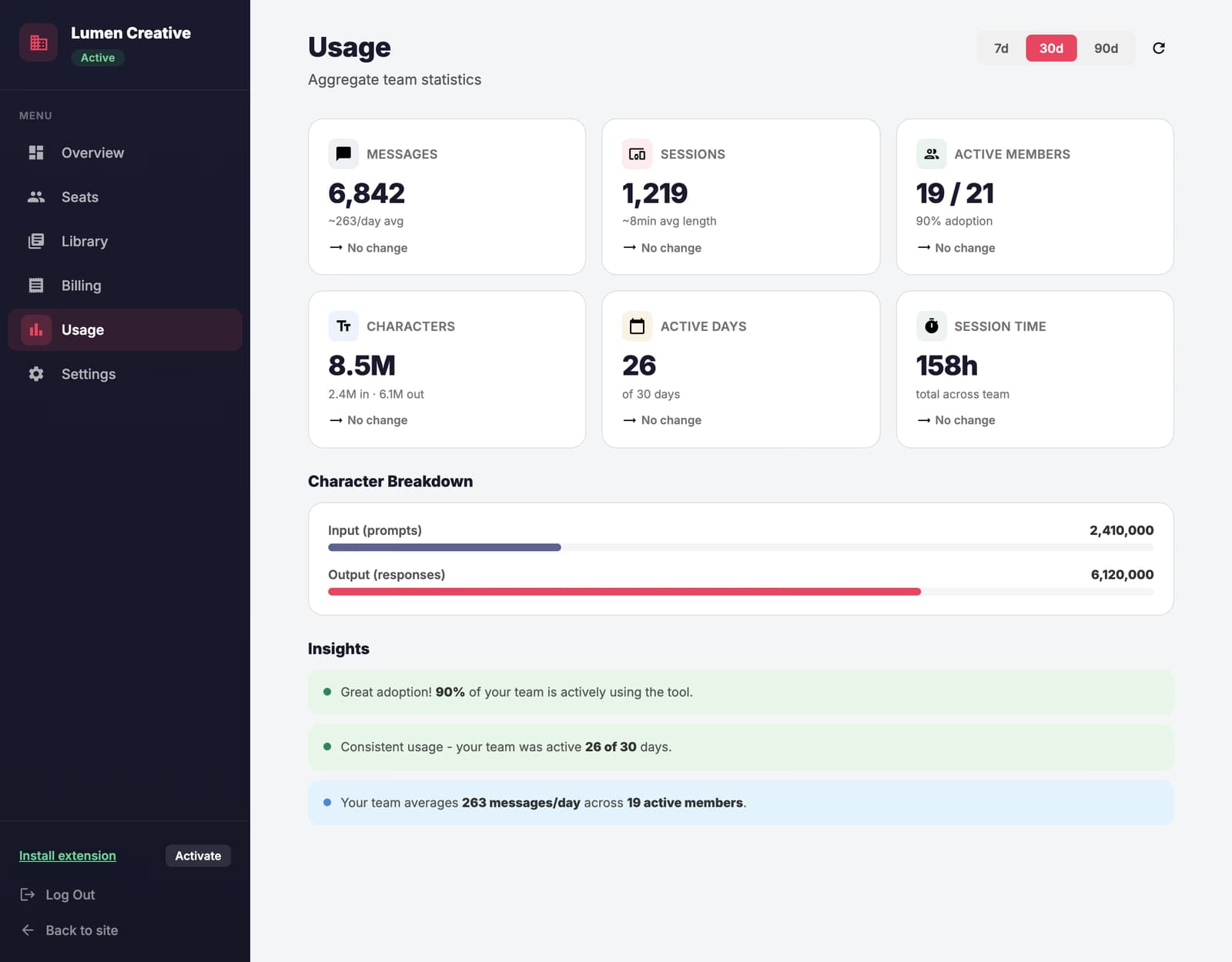
Yes. Conversation content stays in each user's browser and is never stored on our servers, while folders, prompts and pinned chats sync through our servers, encrypted at rest; team analytics are aggregate counts (messages, sessions, active members), never message text. AI Toolbox is GDPR compliant.
Can I manage team seats with AI Toolbox Teams?
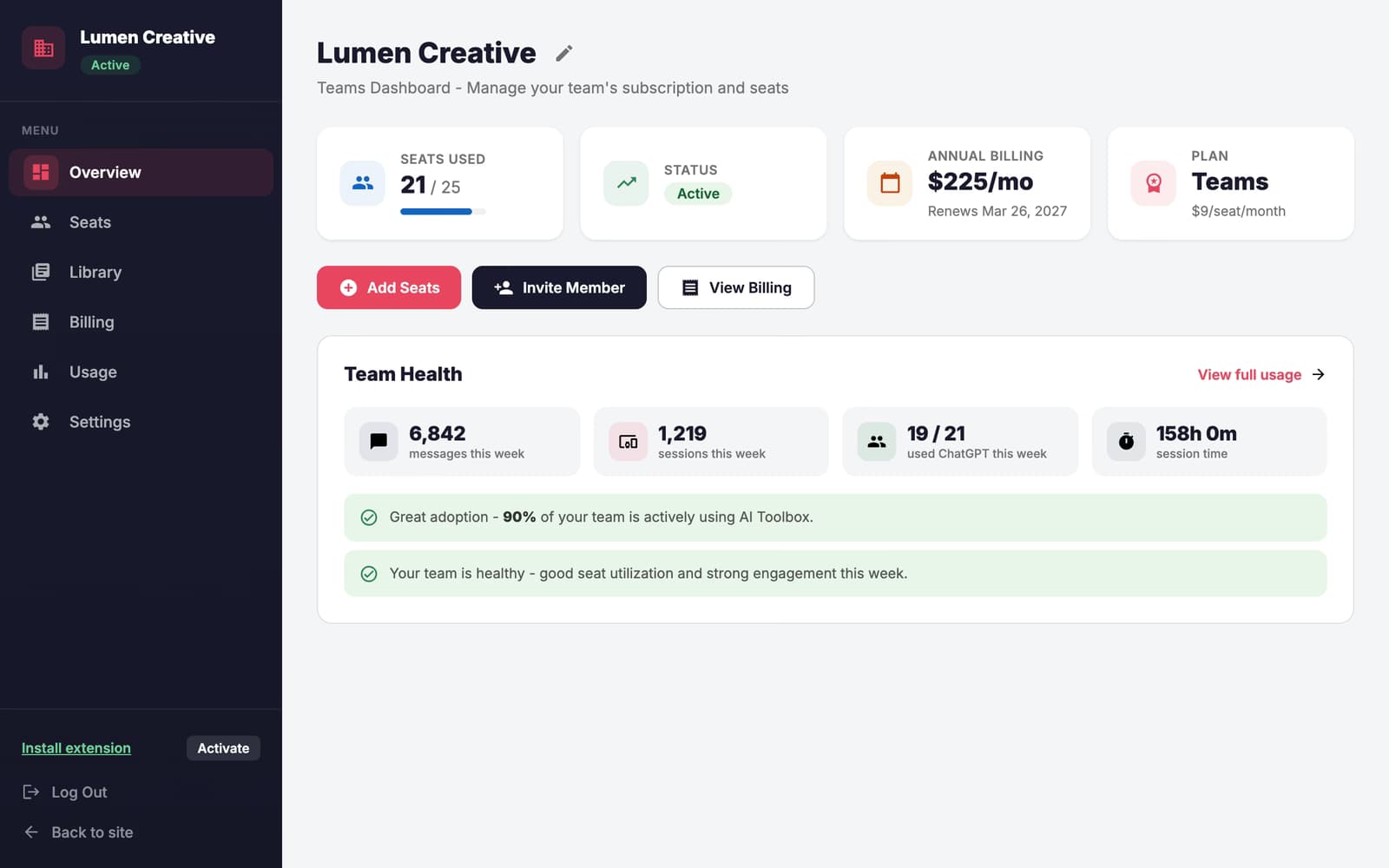
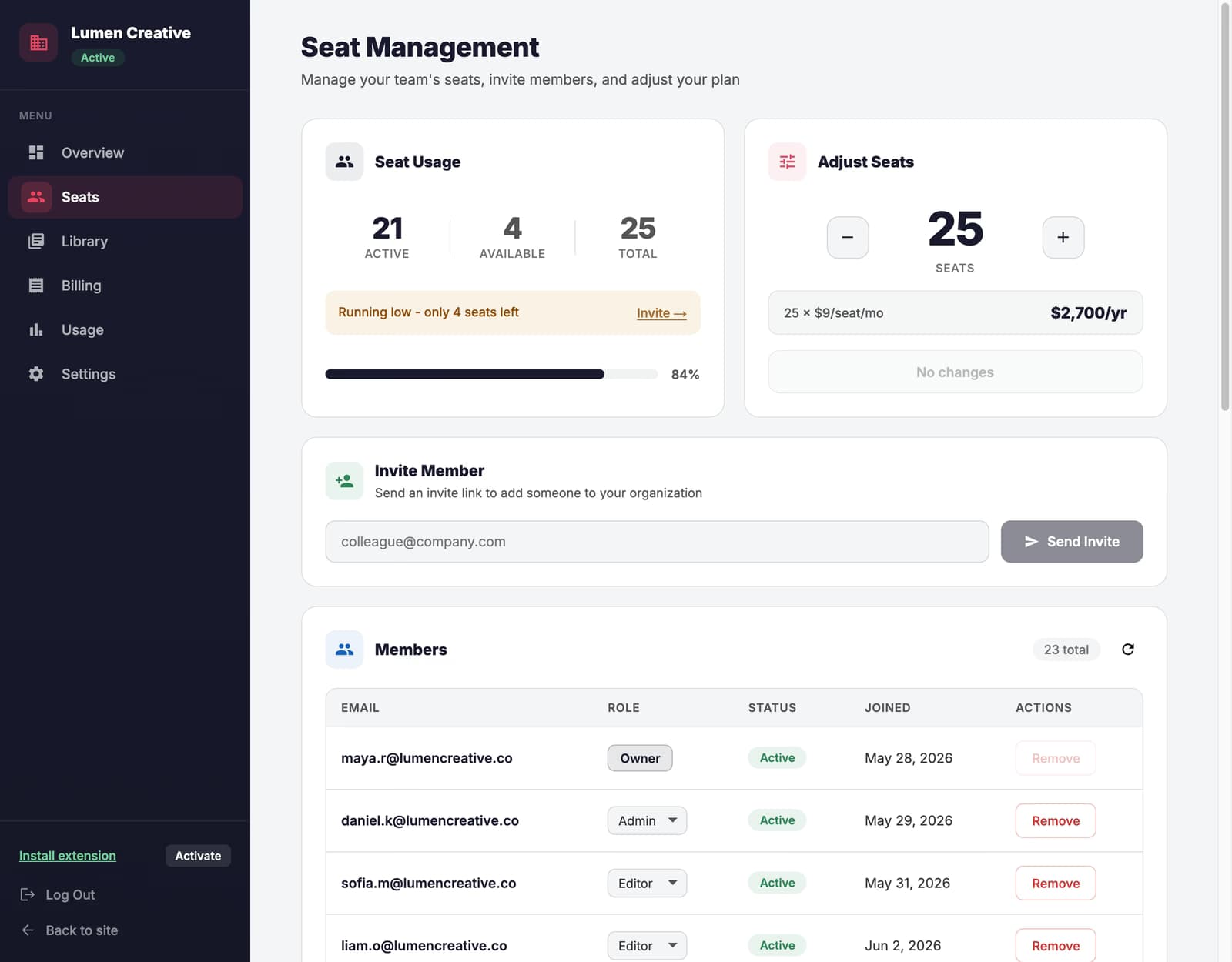
Yes. The admin dashboard lets you invite or remove team members, change roles, adjust the seat count, monitor aggregate usage, and manage billing from one place.
Is there a free trial for AI Toolbox Teams?
Yes. Every Teams subscription starts with a 14-day free trial at checkout: choose your seat count and billing period, invite the team, and the first charge happens only when the trial ends. Cancel from the billing portal before then and you pay nothing. Self-serve covers up to 1000 seats; for larger teams, contact sales for custom pricing.
What is the Teams plan?
The Teams plan is designed for teams. It includes all Premium features plus a shared team prompt library curated by your admins, an admin dashboard, seat management, centralized billing, team usage analytics, and dedicated priority support.
How do I add or remove seats?
The account owner goes to Seats in the Admin Dashboard and uses the +/- controls. The new seat count is applied to your subscription right away and billing adjusts automatically. You can't go below your number of active members.
Can I switch between monthly and annual billing?
Yes - switch anytime from the Dashboard billing page. Proration is automatic: upgrade credits are applied immediately, and downgrade credits roll to your next invoice.
What happens when a team member is removed?
Removed members revert to the free plan. Their data is preserved, and they can purchase a Premium plan individually to regain full access.
What happens if payment fails?
Your team keeps full access for 5 days while we retry payment. Update your payment method in the billing portal to avoid losing access.
How do I cancel my Teams subscription?
Go to Dashboard → Billing → Manage Subscription to access your billing portal, where you can cancel anytime. Your team keeps access until the end of the current billing period.
Can I send invites to more people than I have seats?
No. Every pending invite holds a seat, so once your seats are all taken by members and pending invites, new invites are refused. Remove a pending invite to free its seat, or add seats first.

 ChatGPT
 Gemini
 Claude
 Grok
Grok