Can you export Claude conversations natively?
Not one at a time. Claude's only native export is an account-wide data dump from Settings, under Privacy, via Export data. It is delivered by email with a link that expires after 24 hours, and it is available on web and desktop only. There is no per-conversation download button and no choice of format. AI Toolbox adds one-click export of any single conversation as TXT, Markdown, JSON or PDF.
What formats can I export Claude conversations to?
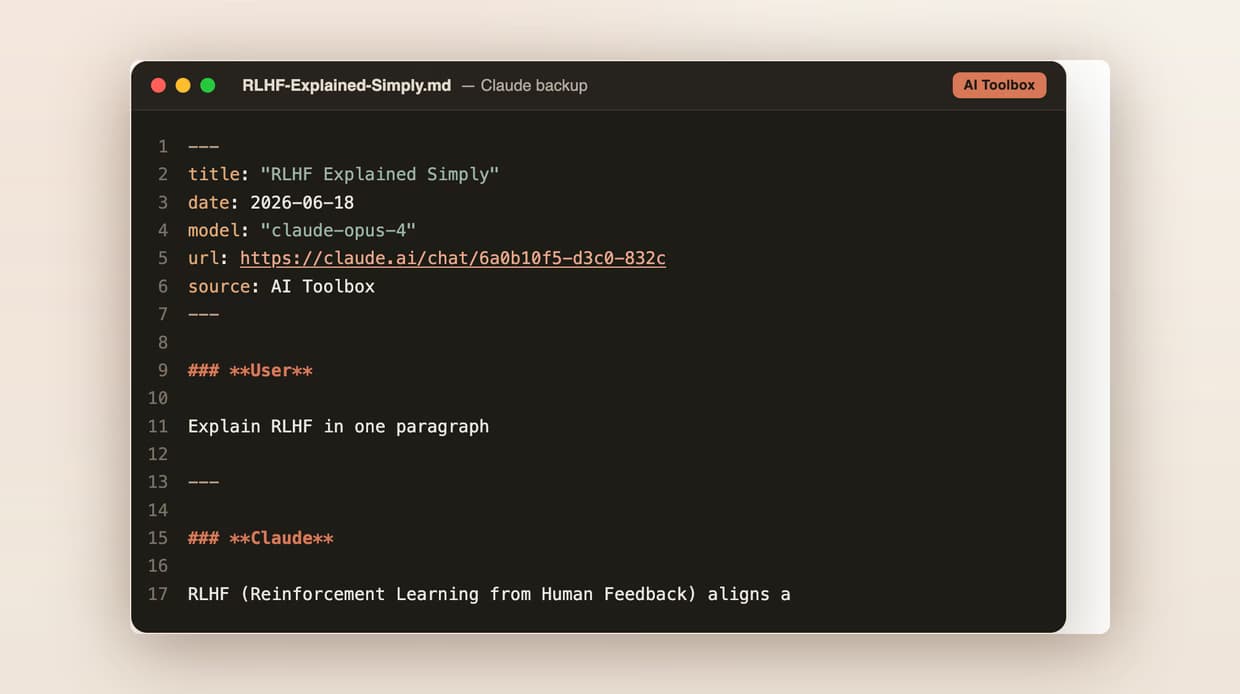
AI Toolbox exports Claude conversations as TXT, Markdown (with a YAML frontmatter block containing title, date, model, url and source), JSON, or PDF. TXT export of a single conversation is free. Markdown, JSON and PDF, plus bulk export from Manage Chats, are on Premium ($9.99/month) and Lifetime ($99 one-time).
Is exporting Claude conversations free?
Exporting a single conversation as TXT is free, with no account and no credit card. The free plan also includes 5 search results per query, 2 bookmarked conversations and 2 root folders with unlimited subfolders. Markdown, JSON, PDF and bulk export unlock on Premium or Lifetime.
Can I export Claude conversations as PDF?
Yes. PDF is one of the four formats in both the single-conversation export dialog and the bulk export dialog in Manage Chats. Each turn is labelled HUMAN or Claude so the document reads like a transcript. PDF is a Premium format. The file renders on our server and is returned to you without a copy being kept.
Can I export multiple Claude conversations at once?
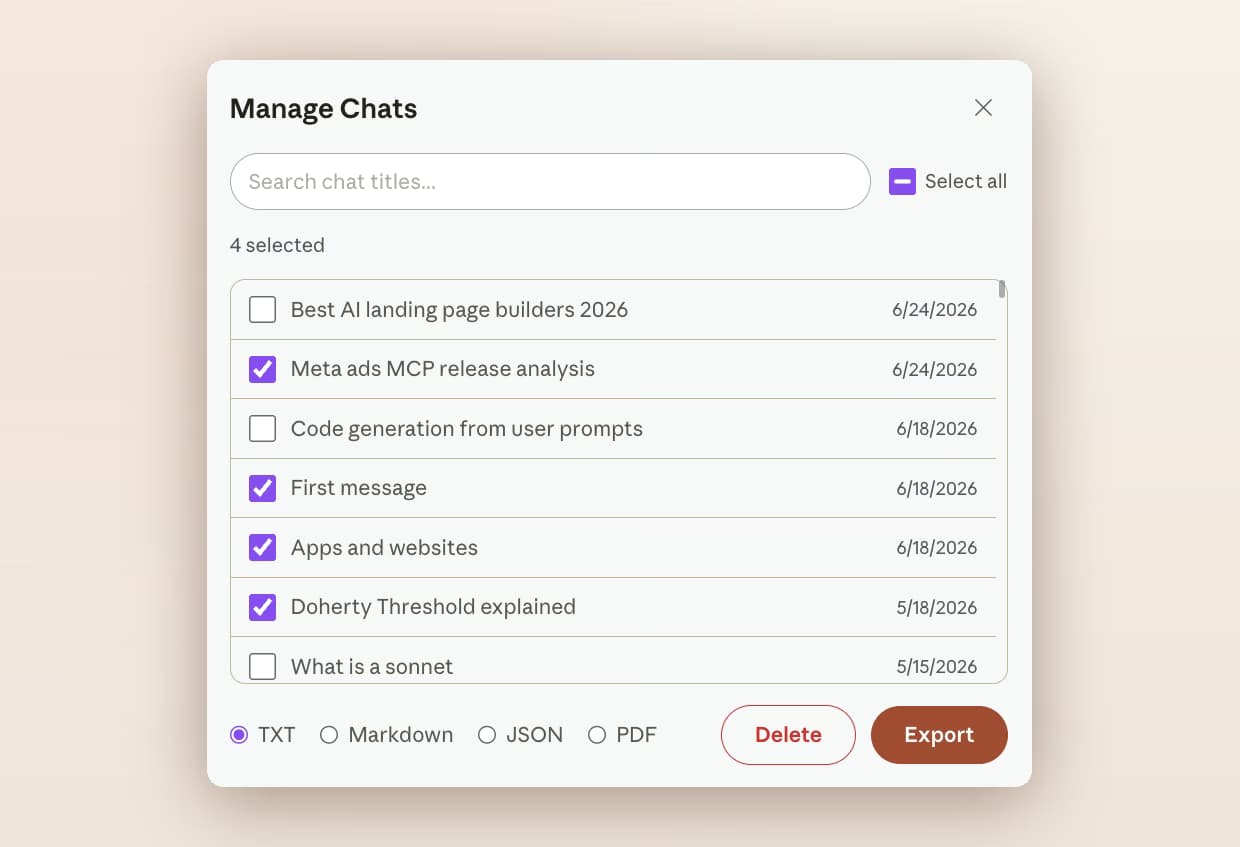
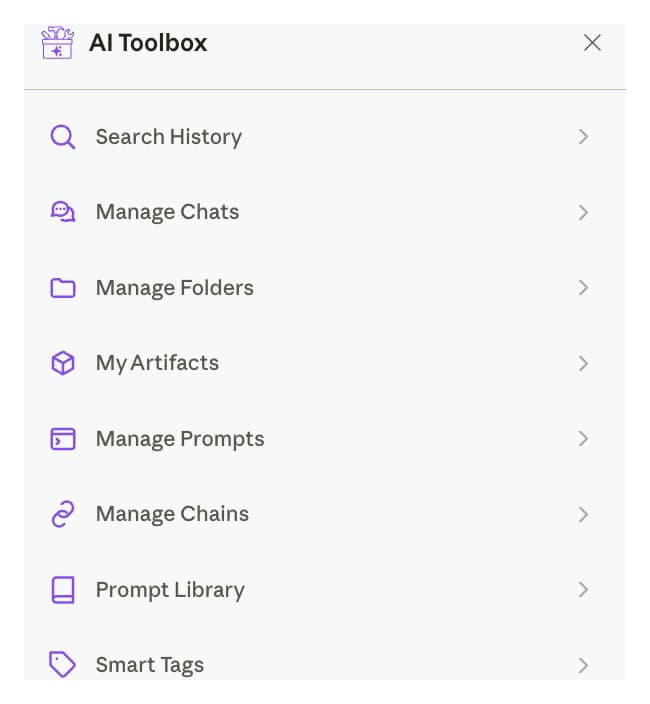
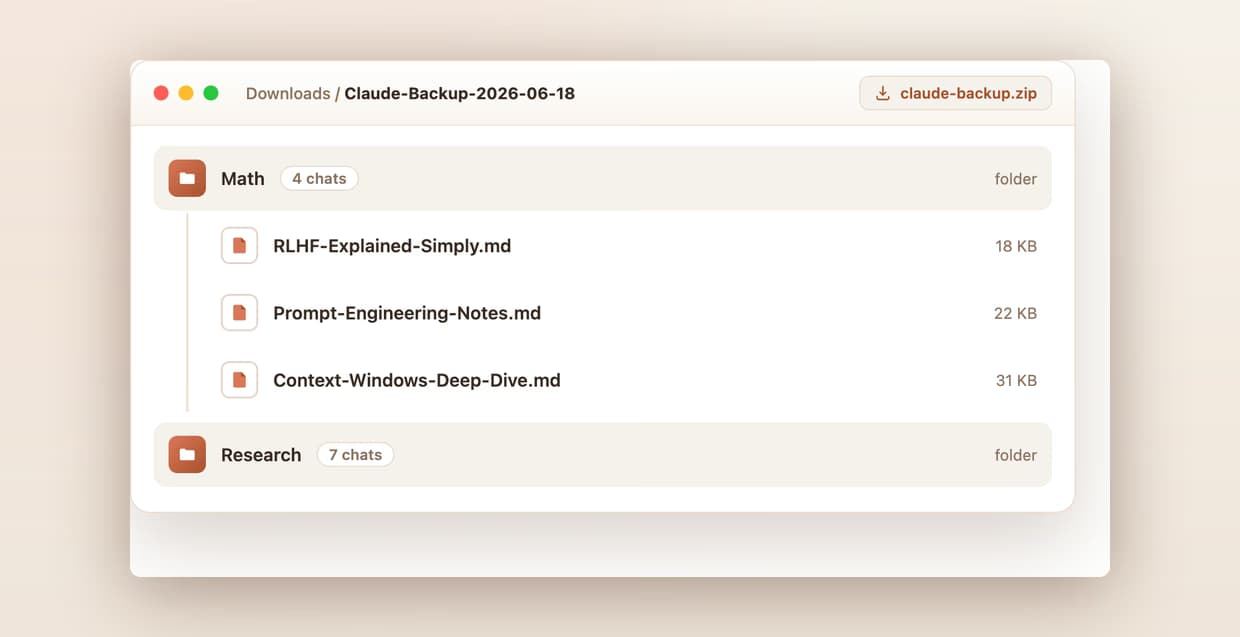
Yes. Open Manage Chats from the AI Toolbox launcher, tick as many conversations as you want or use Select all, pick a format, and click Export. The set downloads as a ZIP with one file per conversation, mirroring any folders you have created. Bulk export is a Premium feature on Claude.
Does Markdown export include YAML frontmatter for Obsidian and Logseq?
Yes. Every Markdown export opens with a YAML frontmatter block holding title, date, model, url and source. Obsidian parses it into the Properties panel automatically, with no plugin and no manual metadata entry, and Logseq, Pandoc, Quartz, Astro and Hugo read the same block.
Can I export older Claude conversations that are hard to find?
Yes. AI Toolbox indexes your Claude history to a local IndexedDB store in the background, so Manage Chats lists conversations you would otherwise have to scroll a long way to reach. Search chat titles in that modal, tick what you need, and export it.
Are my exported Claude conversations private?
Your conversations are indexed and stored locally in your browser, and TXT, Markdown and JSON files are generated on your device. PDF is the one exception: the conversation is sent to our server to render the document and returned without a copy being kept. Folders, prompts and tags sync encrypted at rest. AI Toolbox is GDPR compliant.
Does export work inside Claude Projects?
Yes. AI Toolbox exports any synced conversation whether it sits inside a Project or stands alone. That matters because Claude's own search is scoped per Project, while AI Toolbox search, folders, bookmarks and export span every Project and every standalone chat in the account.
Is export available on mobile?
No. AI Toolbox is a Chromium browser extension, so it runs on desktop only, in Chrome, Edge, Brave, Opera and Arc. On mobile, Claude's account-wide export from Settings, under Privacy, is the only option, and it arrives as an emailed archive rather than a file you pick a format for.
Where do exported files go?
Straight to your browser's normal download location, named after the conversation title. A bulk export arrives as a single ZIP that expands into one file per conversation, grouped by folder.
Does one purchase cover Claude only, or the other modules too?
A Claude Lifetime at $99 covers the Claude module. All Access Lifetime at $199 unlocks the ChatGPT, Gemini, Claude and Grok modules in the same install, saving $197 against buying four separate Lifetimes. It is not an AI subscription: you keep using your own Claude account.

 ChatGPT
 Gemini
 Claude
 Grok
Grok