Loading...
xAI Grok's native history matches conversation titles on x.com/i/grok and grok.com. The Grok module of AI Toolbox adds full-text search across all message content with exact-match support, plus folders and subfolders, smart tags, context mentions (@@), a prompt library with chaining, bulk export, and message bookmarks, directly in Grok, available to all users including free.
Part of AI Toolbox (AI Toolbox (formerly ChatGPT Toolbox)) · 40,000+ users · 4.6 on the Chrome Web Store.
Free · Monthly $9.99/mo · Lifetime $99 · All Access Lifetime $199
AI Toolbox (formerly ChatGPT Toolbox). The Grok module is a Chrome extension that adds folders, full-text search, bulk export, smart tags, context mentions (@@), a prompt library with chaining, and message bookmarks to xAI Grok, on both x.com/i/grok and grok.com. File any chat into folders, search across every message with exact-match support, auto-tag your history by keyword, type @@ to reference a past conversation, export to TXT, Markdown (with YAML frontmatter for Obsidian and Logseq), JSON, or PDF, and bookmark important messages so you never lose them. Free and paid access is verified by your X (Twitter) handle. Supports 10+ languages including RTL. Built by Infi Developments, the team behind ChatGPT Toolbox (40,000+ users).
Everything you need to search, organize, and export your xAI Grok conversations.
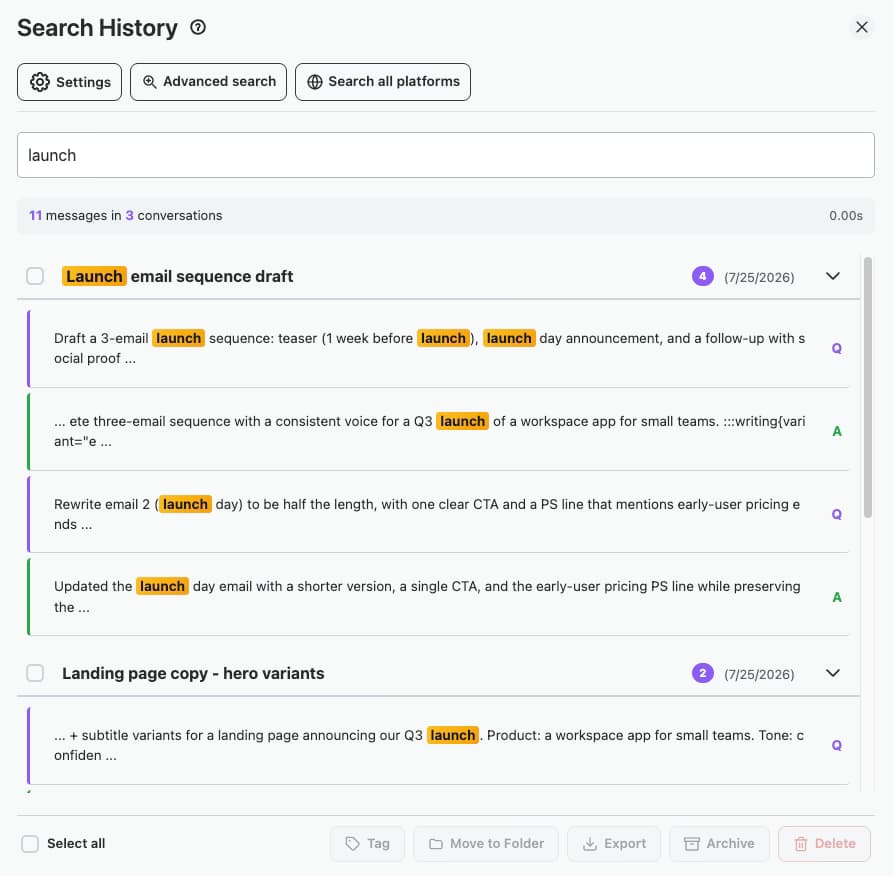
Search across all your Grok conversations instantly, on x.com/i/grok and grok.com. Find any message, code snippet, or idea across your entire chat history with exact-match support.
Export any Grok conversation as TXT, Markdown, JSON, or PDF, one at a time or in bulk. Markdown exports include YAML frontmatter (title, date, url, source) so files drop straight into Obsidian, Logseq, and Pandoc. Exports keep Grok's real per-message timestamps.
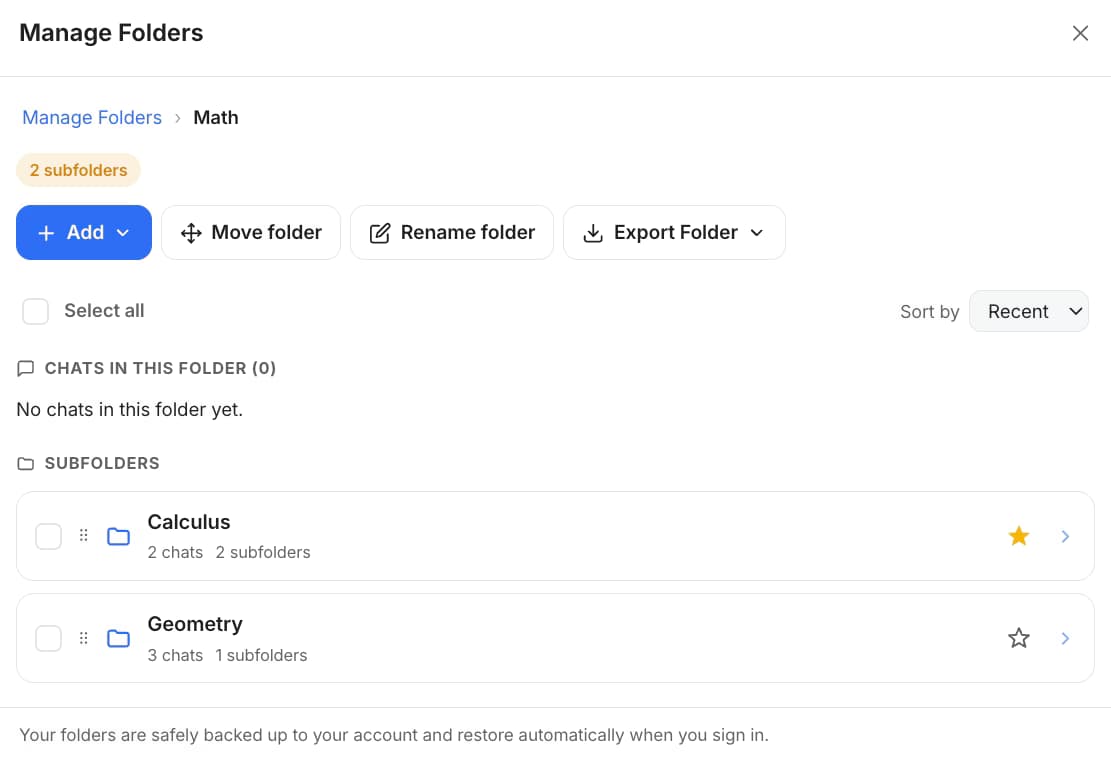
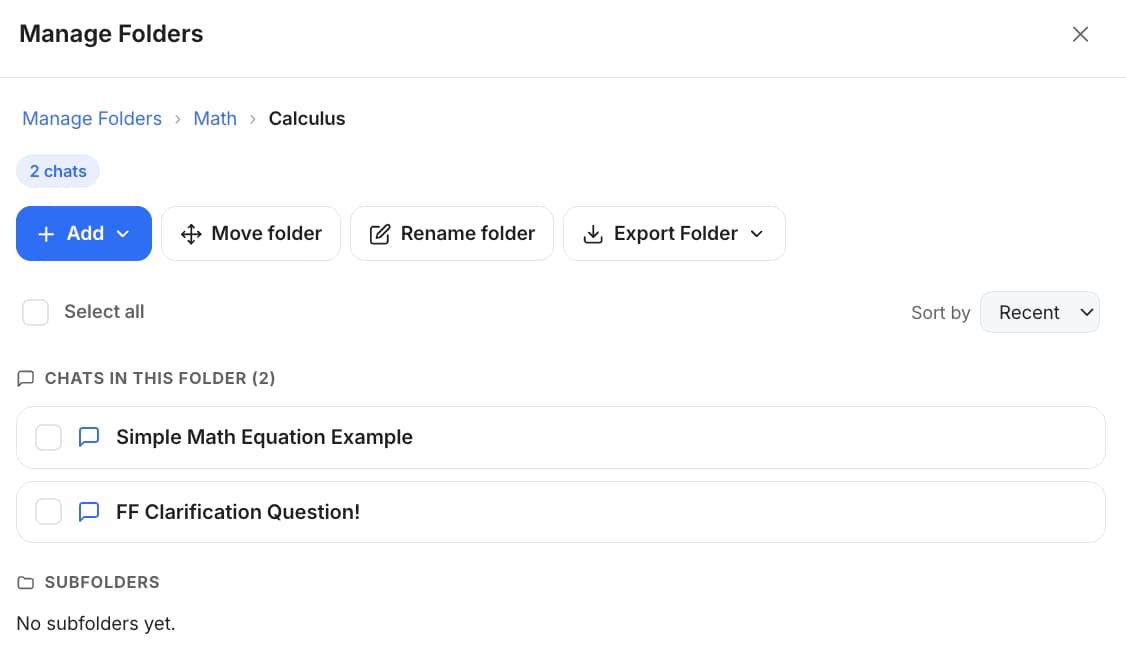
Grok has no folders on X, and grok.com has heavyweight Projects only. AI Toolbox adds real folders and subfolders via search-to-add, so you can file any past chat by client, topic, or month. Free users get 2 folders, paid users unlimited.
Bookmark important messages within any Grok conversation and jump back to them later, with scroll-to and highlight. Free users get 2 conversation bookmarks, paid users unlimited.
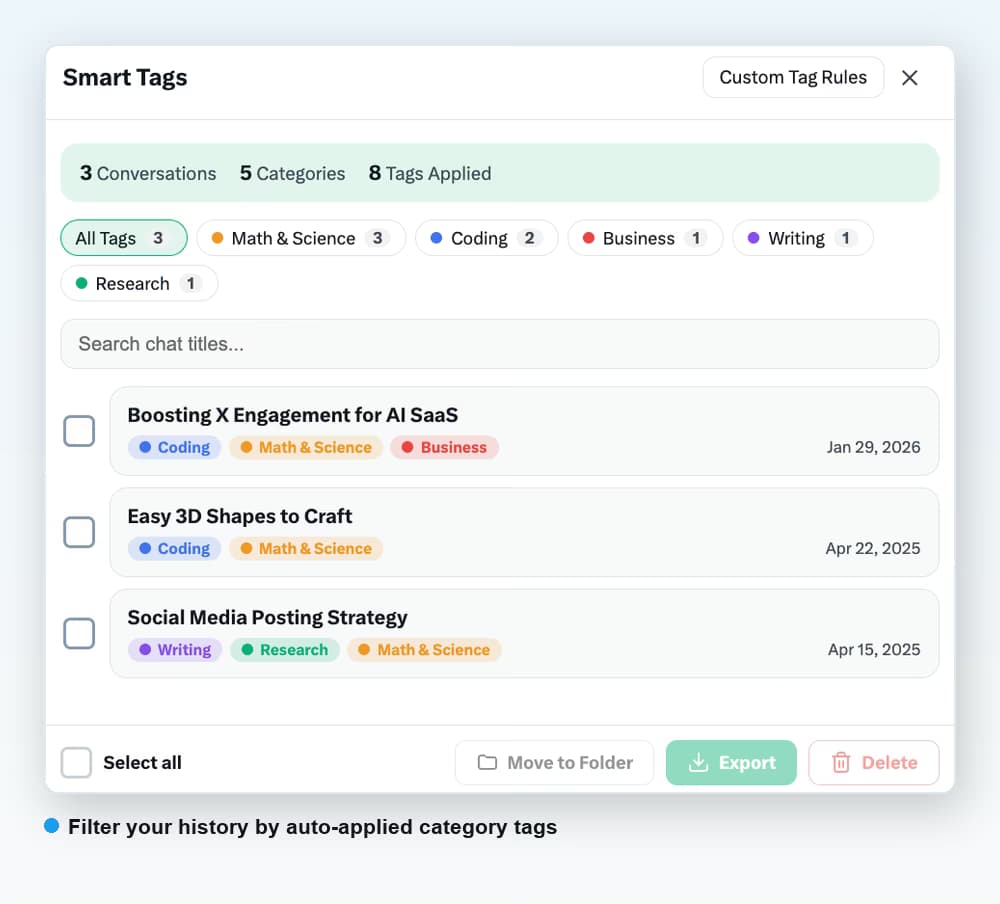
Auto-categorize your Grok conversations by keyword into color-coded tags, with custom rules you control. Free tags your 50 most recent conversations with 2 custom rules; paid covers your full history with up to 50 rules.
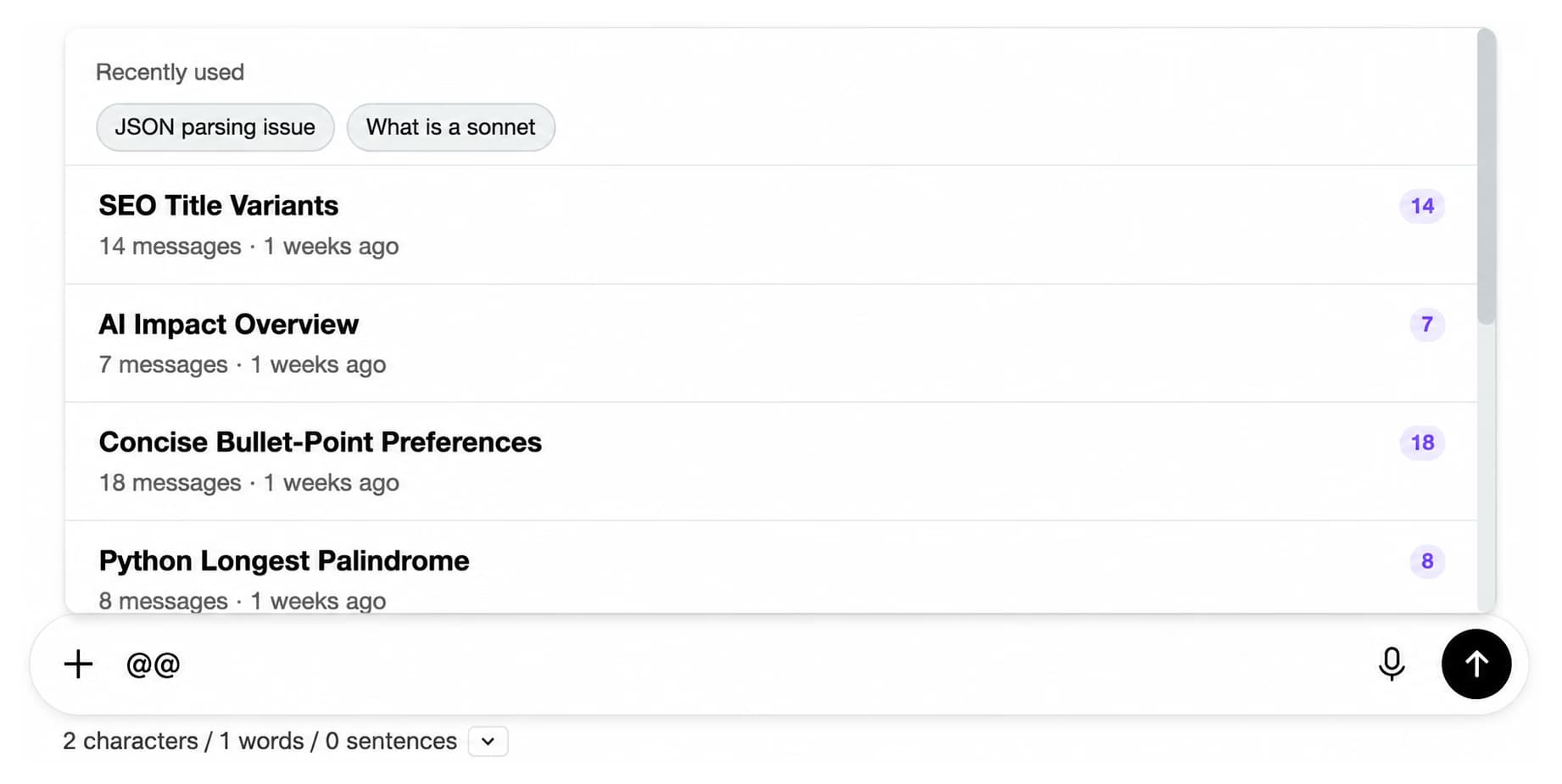
Type @@ in the Grok prompt box to pull any past conversation into your current message as context. Long chats are summarized automatically. Free includes 3 mentions per day, paid is unlimited.
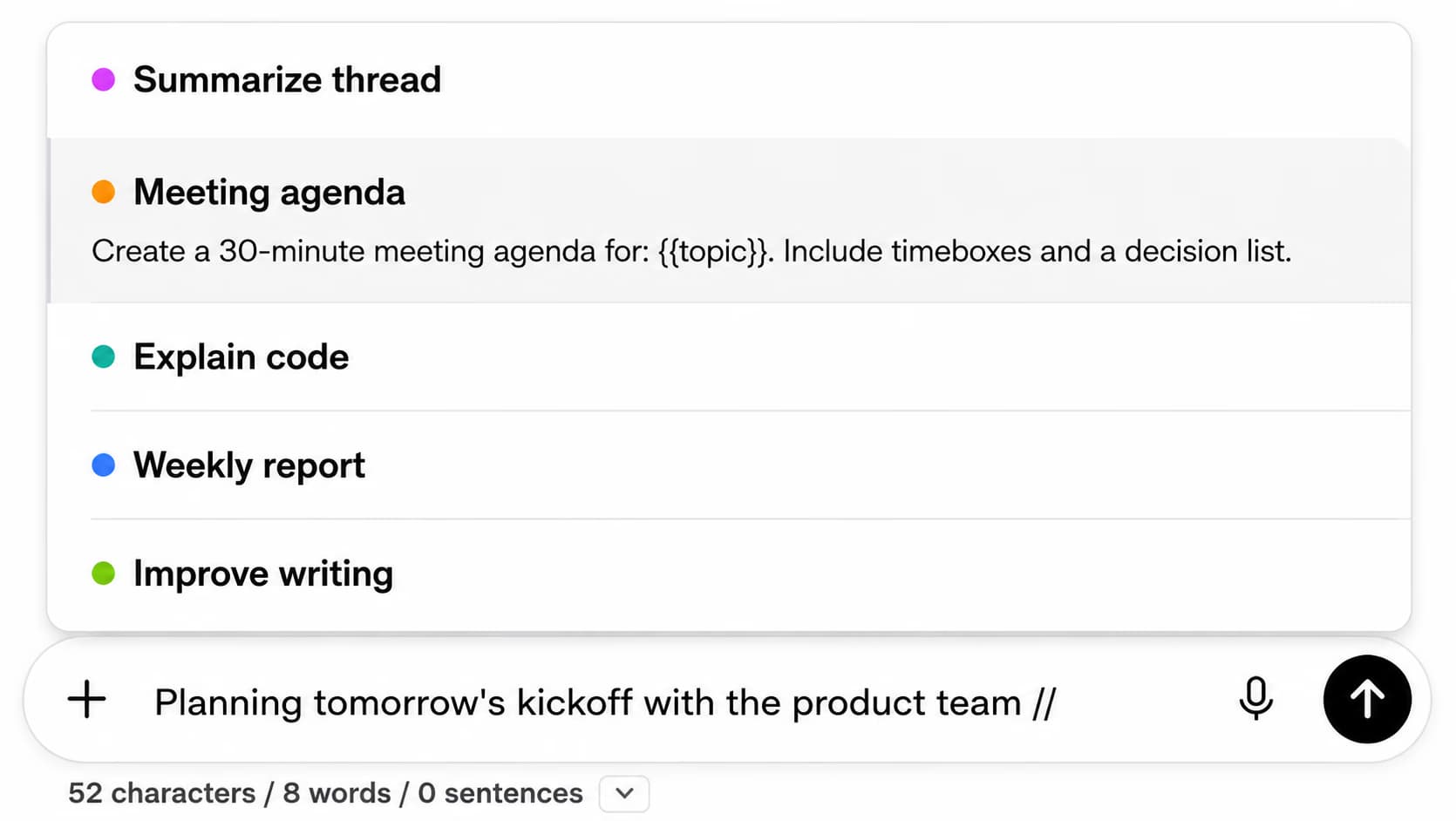
Save your go-to prompts into categories and insert them into Grok with the // shortcut, then chain up to 10 prompts into an automated sequence with the .. shortcut. Free for up to 5 prompts per category.
A live meter shows how much of Grok's context window the current conversation is using, so you know before a long thread starts losing detail. Always on and free.
One install runs on both Grok surfaces: Grok inside X at x.com/i/grok and the standalone grok.com. The same folders, search, and tools follow you across each.
AI Toolbox automatically syncs your Grok conversations to a local search index in your browser, with Grok's per-message timestamps preserved. Your data stays private and searches stay instant.
Use AI Toolbox on Grok in 10+ languages: English, Spanish, Portuguese, French, German, Italian, Japanese, Korean, Chinese, Arabic, Hebrew, and Hindi, with right-to-left (RTL) layout support for Arabic and Hebrew.
Your Grok conversations are indexed and stored locally in your browser. Grok signs in with your X account rather than an email, so the only thing used to verify your subscription is your X (Twitter) handle.
Get started in under a minute. No account required - just install and search.
Single-platform plans for Grok, plus All Access Lifetime that covers Grok, ChatGPT, Gemini, Claude, and every future platform.
See full pricing comparison →
$0
$9.99 /month
$99 one-time
$199 one-time
Grok lets you browse recent conversations and match their titles, on both x.com/i/grok and grok.com, but it does not search the full text of every message. AI Toolbox adds full-text search across all message content with an exact-match toggle, something Grok does not offer natively on either surface.
AI Toolbox indexes your Grok conversations locally in your browser using background sync. When you search, it queries this local index for instant results, with Grok's real per-message timestamps preserved. Your conversations never leave your browser.
Yes. The Grok module of AI Toolbox is a single install that runs on both surfaces: Grok inside x.com (x.com/i/grok) and the standalone grok.com. Folders, search, tags, bookmarks, and export work on each.
Grok signs you in with your X (Twitter) account rather than an email, so the Grok module verifies your plan by your X handle instead of an email address. At checkout you enter the exact handle you use on x.com and grok.com, and Premium unlocks for that handle.
The Grok module of AI Toolbox has a free plan that includes 5 search results per query, 2 folders, and bookmarks on up to 2 conversations. Monthly ($9.99/month) and Lifetime ($99 one-time) plans unlock unlimited search, folders and bookmarks, bulk export (TXT, Markdown, JSON, PDF), and all features. All Access Lifetime ($199) covers Grok, ChatGPT, Gemini, Claude, and Grok in one purchase.
Yes. Your Grok conversations are stored locally in your browser. The only thing sent to our servers is your X handle to verify your subscription status. We follow GDPR-compliant data handling practices and use encryption at rest.
Yes. AI Toolbox supports 10+ languages including Arabic and Hebrew with right-to-left (RTL) layout support across the Grok module. The interface mirrors panels, controls, and labels based on your selected language.

Search, organize, and export your xAI Grok conversations on x.com/i/grok and grok.com. Install free - no credit card required.