Can you export conversations from Google Gemini?
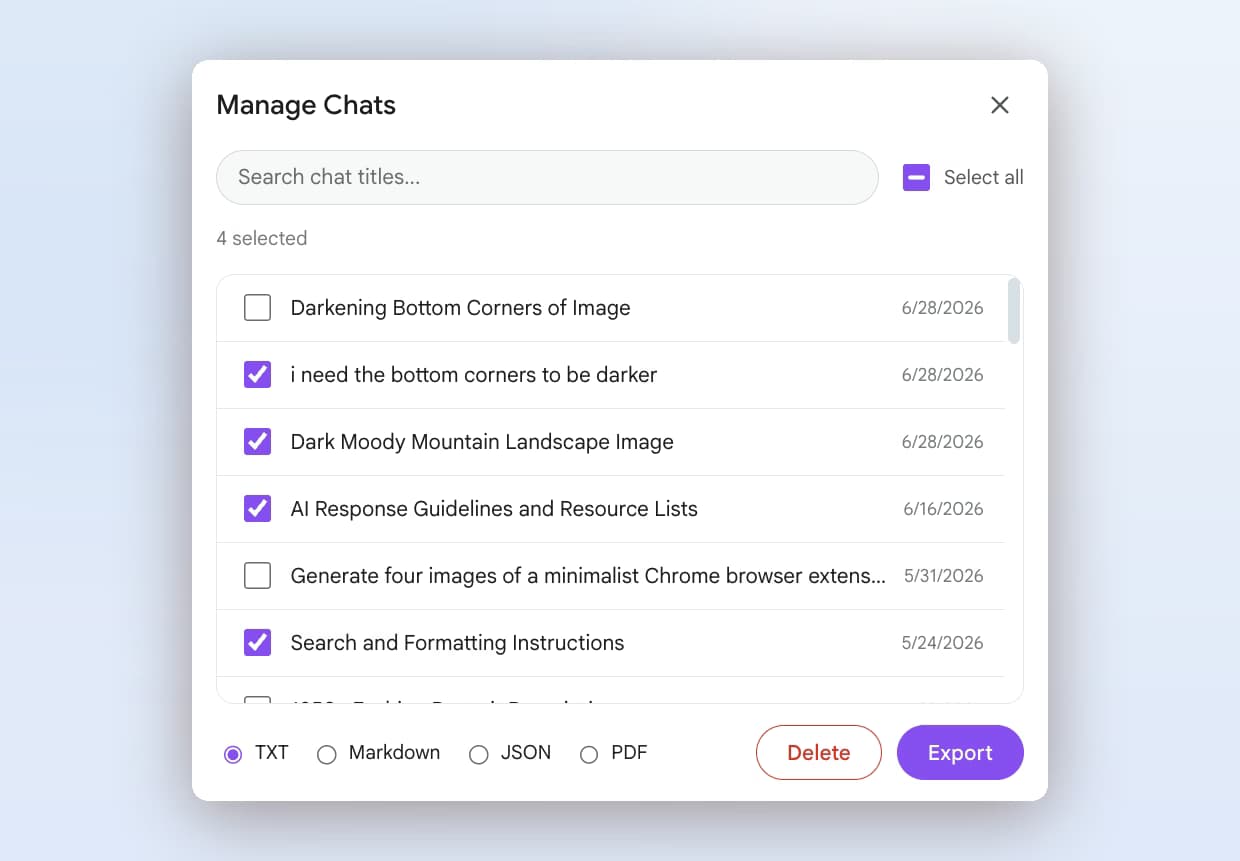
Only partially. Gemini's share menu exports a single response to Google Docs, Gmail, Colab or Replit, and Google Takeout gives you an account-wide dump of Gemini Apps activity in HTML and JSON. There is no per-conversation download in a readable format. AI Toolbox adds that: open Manage Chats on gemini.google.com, select a conversation and export it as TXT, Markdown, JSON or PDF.
Is Gemini export free in AI Toolbox?
TXT export of a single conversation is free, with no time limit and no credit card. Markdown (with YAML frontmatter), JSON and PDF, plus bulk and folder export, are on Premium ($9.99 per month) and Lifetime ($99 one-time). All Access Lifetime ($199) covers the Gemini, ChatGPT, Claude and Grok modules.
Can I export all my Gemini conversations at once?
Yes. In Manage Chats, tick several conversations or use Select all, choose a format and click Export; the files download together as one ZIP. You can also file chats into folders and export a whole folder in one click. Bulk and folder export are Premium features on the Gemini module.
Does Markdown export work with Obsidian, Notion and Logseq?
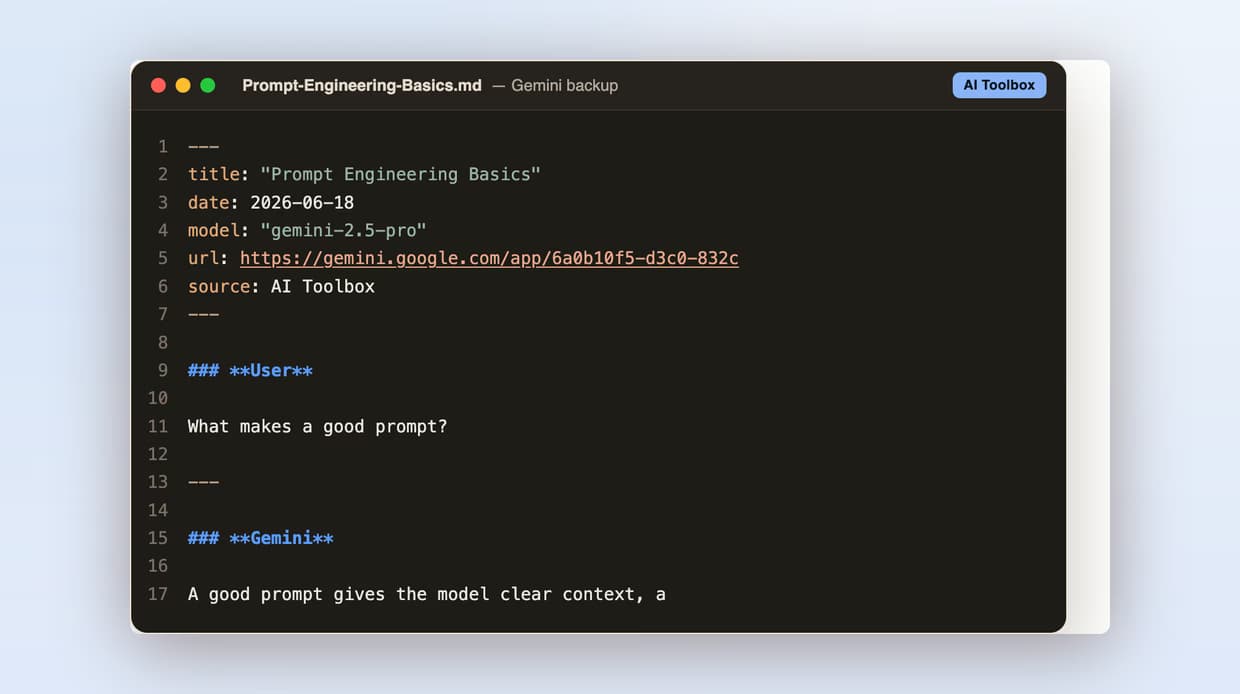
Yes. Each Markdown file starts with a YAML frontmatter block (title, date, model, url, source). Obsidian shows it as Properties, Logseq and Notion import it directly, and Pandoc, Hugo or Jekyll can build from it with no post-processing.
Does the export include the full conversation?
Yes. An export contains every user message and every Gemini reply in order, with clear User and Gemini labels, and nothing is truncated. Very long threads export the same way; AI Toolbox indexes up to the full length Gemini keeps in the conversation.
Is there a difference between AI Toolbox export and Google Takeout?
Takeout is an account-level archive: you request it, wait for Google to build it, and receive every Gemini Apps activity as HTML and JSON with no way to pick one conversation or get a Markdown or PDF file. AI Toolbox exports on demand, per conversation or per selection, in the format you choose, in seconds.
Are my Gemini conversations private when I export them?
Your Gemini history is indexed and stored locally in your browser, and TXT, Markdown and JSON files are generated there. PDF export renders on our server and returns the file without keeping a copy. Conversation content is never stored on our servers; only what you build in the extension (folders, prompts, tags) syncs, encrypted at rest. AI Toolbox is GDPR compliant.
Can I also remove the watermark from Gemini images?
Not with the extension, which exports conversations and does not edit images. For image watermarks, try the free online Gemini watermark remover on this site.
Which browsers does the Gemini module support?
AI Toolbox works on Chrome, Edge, Brave, Opera, Arc and any other Chromium-based browser from a single Chrome Web Store install. Firefox is not supported.

 ChatGPT
 Gemini
 Claude
 Grok
Grok