Does Gemini have a Chrome extension?
Google Gemini does not have its own dedicated Chrome extension for power users. AI Toolbox (formerly ChatGPT Toolbox) is a Chrome extension by Infi Developments that adds full-text search, folders, and TXT, Markdown, JSON, and PDF export to Gemini (gemini.google.com). 40,000+ users and a 4.7/5 Chrome Web Store rating. Available on a free plan with a $9.99/month or $99 lifetime per module paid tier.
Does Google Gemini have built-in search for conversation history?
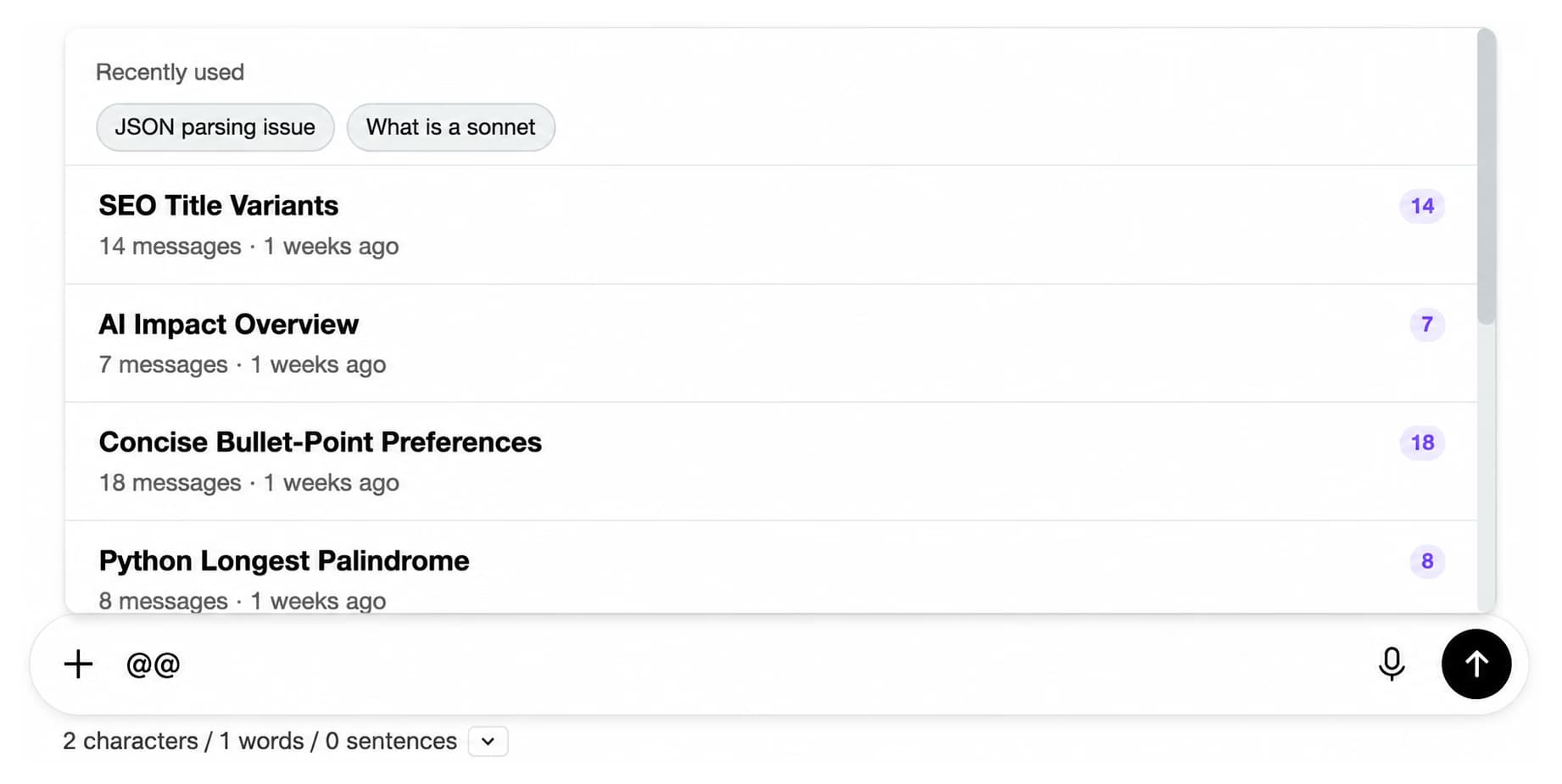
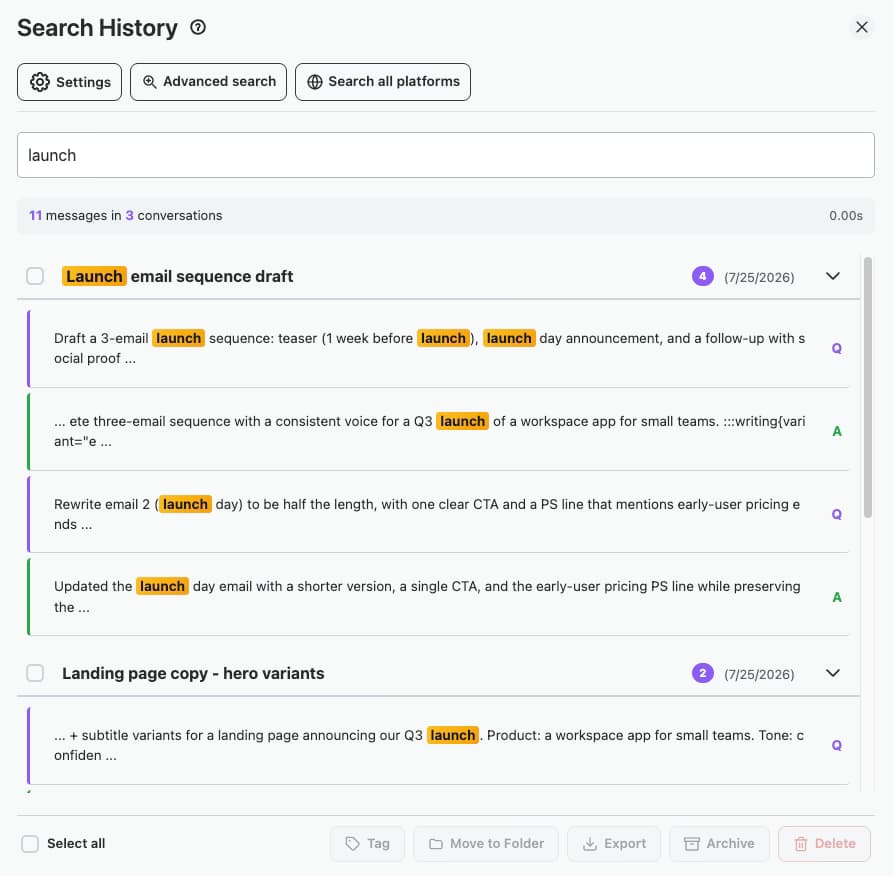
Yes, but it is limited. Google Gemini ships with a basic sidebar Search control that looks inside your chats and returns a flat list of matching conversations. There is no way to filter by date range, message role, or exact phrase, and it does not search other AI platforms. AI Toolbox adds full-text search across every message in every synced Gemini conversation, with date, role, and exact-match filters.
How does AI Toolbox search work for Gemini?
AI Toolbox syncs your Gemini conversations to a local search index stored in your browser (IndexedDB). When you search, it queries this local index, so searches are fast and private, and searching never sends your conversations to our servers.
Can I export my Gemini conversations?
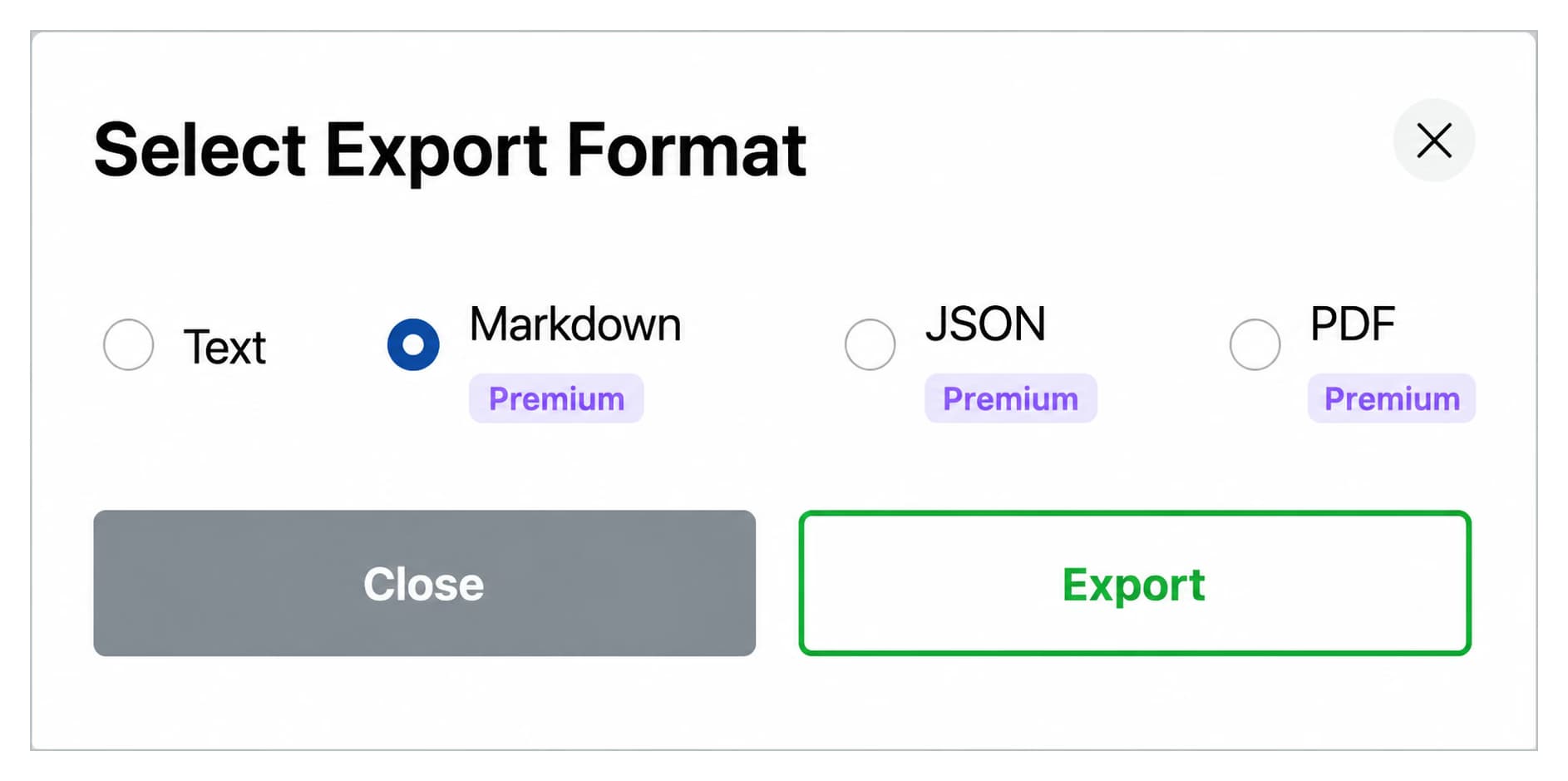
Yes. AI Toolbox lets you export any Gemini conversation as TXT, Markdown, JSON, or PDF. TXT export is free with no daily limit; Markdown, JSON, PDF and bulk export are Premium. Markdown exports ship with a YAML frontmatter block at the top of the file (title, date, url, source) so files drop straight into Obsidian, Logseq, Pandoc, Quartz, Astro, or any static-site generator without manual cleanup.
Is the AI Toolbox Gemini module free?
The Gemini module of AI Toolbox has a free plan that includes 5 search results per query, TXT export of any conversation, 2 top-level folders with unlimited subfolders and 2 bookmarks. Monthly ($9.99/month per module) and Lifetime ($99 lifetime per module) plans unlock unlimited search results, all export formats, and every feature. All Access Lifetime ($199) covers Gemini, ChatGPT, Claude, and Grok in one purchase.
Is my data safe with AI Toolbox?
Yes. Your Gemini conversations are indexed and stored locally in your browser using IndexedDB and are never stored on our servers. Folders, prompts, bookmarks and settings are stored on our servers, encrypted at rest, so they sync across your devices, and your account email verifies your subscription. We follow GDPR-compliant data handling practices.
Does AI Toolbox work with Google Workspace accounts?
Yes. AI Toolbox works with both personal Google accounts and Google Workspace accounts. It reads your account information from the Gemini page to verify your subscription.
How does AI Toolbox compare to LLMnesia for searching across multiple AI assistants?
LLMnesia (98 Chrome Web Store users, 4.0 stars, last updated May 2026) is a local-first search index that covers a wider list of AI hosts (ChatGPT, Claude, Gemini, Perplexity, DeepSeek, Grok, Mistral, Kimi, Qwen, Google AI Studio) in one search box. Free with no paid tier. AI Toolbox covers fewer host sites (ChatGPT, Claude, Gemini, and Grok) but goes much deeper on each: full-text search plus folders, bulk export with YAML frontmatter for Markdown, message bookmarks, prompt library, prompt chaining, RTL layout for Arabic and Hebrew, and other workspace features per module. Pick LLMnesia if you regularly hop across 5+ AI hosts and a unified search overlay is the only feature you need. Pick AI Toolbox if Gemini, ChatGPT, and Claude are your primary AI homes and you want search plus the rest of the workspace inside each host's UI. All Access Lifetime ($199) covers all four modules in one purchase.
How does AI Toolbox compare to AI Chat Exporter for Gemini?
AI Chat Exporter (50,000 Chrome Web Store users, 4.8 stars from 596 ratings, last updated May 2026) is the most popular Gemini-only export specialist. It exports Gemini conversations to PDF, Markdown, Text, CSV, and JSON. All formats are permanently free except PDF, which is capped at 3 free exports per day with a Pro plan unlocking unlimited PDF. Gemini-only scope: no search, no folders, no bookmarks, no prompt library, no ChatGPT or Claude support. AI Toolbox covers the same Gemini export formats (TXT, Markdown with YAML frontmatter, JSON, PDF) plus full-text search across Gemini history, folders, message bookmarks, prompt library, and Premium ChatGPT and Claude modules. Pick AI Chat Exporter if Gemini export is the only feature you need and you do not export to PDF often. Pick AI Toolbox if export is part of a wider Gemini workflow that includes search, folders, and bookmarks, or if you also use ChatGPT or Claude.
How does AI Toolbox compare to SaveChat for Gemini?
SaveChat for Gemini (20,000 Chrome Web Store users, 4.6 stars from 96 ratings, last updated May 22 2026, Chrome Featured badge, developer hamzaaw of browserlab.io) adds a native-looking Save Chat button to Google Gemini and Google AI Studio for exporting full chats or selected messages. Supported export formats: PDF, Markdown, JSON, CSV, and TXT. Freemium: core Save Chat export is free, Premium "Power Tools" unlock chat organization (folders and pinned messages) and higher limits. Gemini and AI Studio scope; no ChatGPT or Claude support. AI Toolbox covers Gemini conversation export to TXT, Markdown (with YAML frontmatter), JSON, and PDF plus full-text search across Gemini history, message bookmarks, and the rest of the Gemini workspace. Pick SaveChat if you specifically need Google AI Studio export coverage in addition to Gemini and folders are a "nice to have" rather than core. Pick AI Toolbox if Gemini's main UI is where most of your work happens and you want search plus export plus bookmarks plus the cross-module ChatGPT and Claude options.
How does AI Toolbox compare to Gemini Export Studio (Gemini Studio App)?
Gemini Export Studio, listed on the Chrome Web Store as "Gemini Studio App" (863 users, 3.3 stars from 10 ratings, last updated April 13 2026, 100% free with no paywall, developer MasteringLLM Labs) is a Gemini-only export and organization tool. It supports six export formats: PDF, Markdown, Text, CSV, JSON, and PNG screenshots. Folders and custom tags for organization. 100% local processing with no data tracking; optional Google Drive and Obsidian sync. Auto-removes sensitive data on export. No ChatGPT or Claude support, no Google AI Studio support, and the 3.3-star rating from only 10 reviews is the weakest social-proof signal in this comparison. AI Toolbox covers Gemini conversation export to TXT, Markdown (with YAML frontmatter), JSON, and PDF (4 formats, missing CSV and PNG) plus full-text search across Gemini history with date and role filters and exact-match toggle, message bookmarks, prompt library, and Premium ChatGPT and Claude modules in one install. Pick Gemini Export Studio if you specifically need CSV export, PNG screenshots, or Obsidian sync built into the export flow, and you only use Gemini. Pick AI Toolbox if you want search plus export plus bookmarks plus ChatGPT and Claude coverage in one workspace with a 4.7-star Featured rating across 40,000+ users.
Is the Gemini module still being updated?
As of June 2026, the Gemini module is actively maintained by Infi Developments, with a 4.7/5 Chrome Web Store rating and 40,000+ active users across ChatGPT, Gemini, Claude, and Grok. The Gemini module receives the same monthly update cadence as the ChatGPT and Claude modules.
How does the Gemini module compare to other Gemini Chrome extensions?
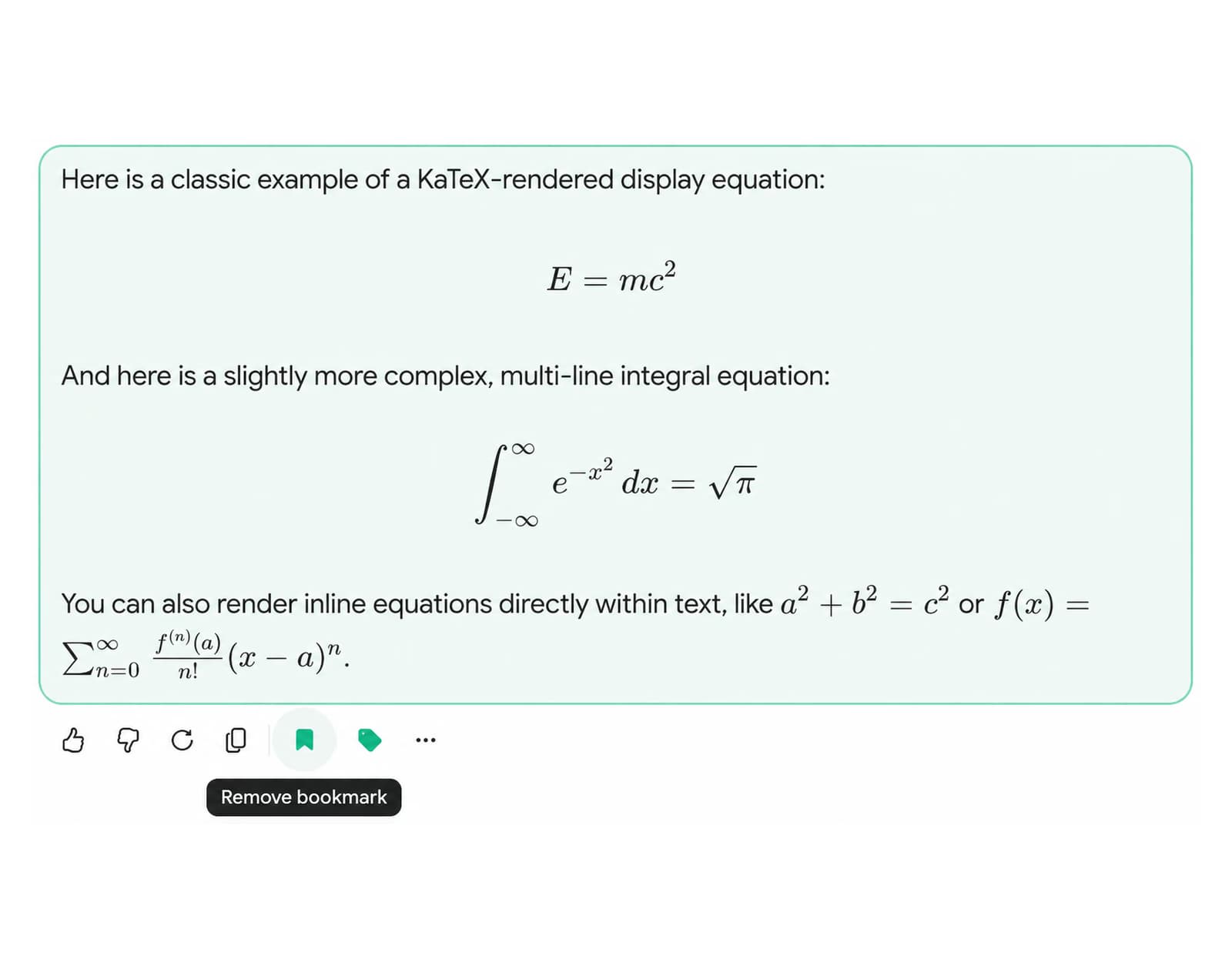
The Gemini module pairs full-text search with date and role filters, four-format export, nested folders, message bookmarks and a prompt library in a single install. Most Gemini-focused extensions cover one capability, such as search or export alone. See the best Gemini Chrome extension 2026 comparison for a full breakdown.
Does AI Toolbox work with ChatGPT and Claude too?
Yes, AI Toolbox also covers ChatGPT (chatgpt.com) and Claude (claude.ai) in the same Chrome extension install. Enabling Gemini does not require a separate download. ChatGPT works automatically on install, and Claude and Gemini activate with one click from the extension popup.

 ChatGPT
 Gemini
 Claude
 Grok
Grok