Can I search Grok conversations by error message or stack trace?
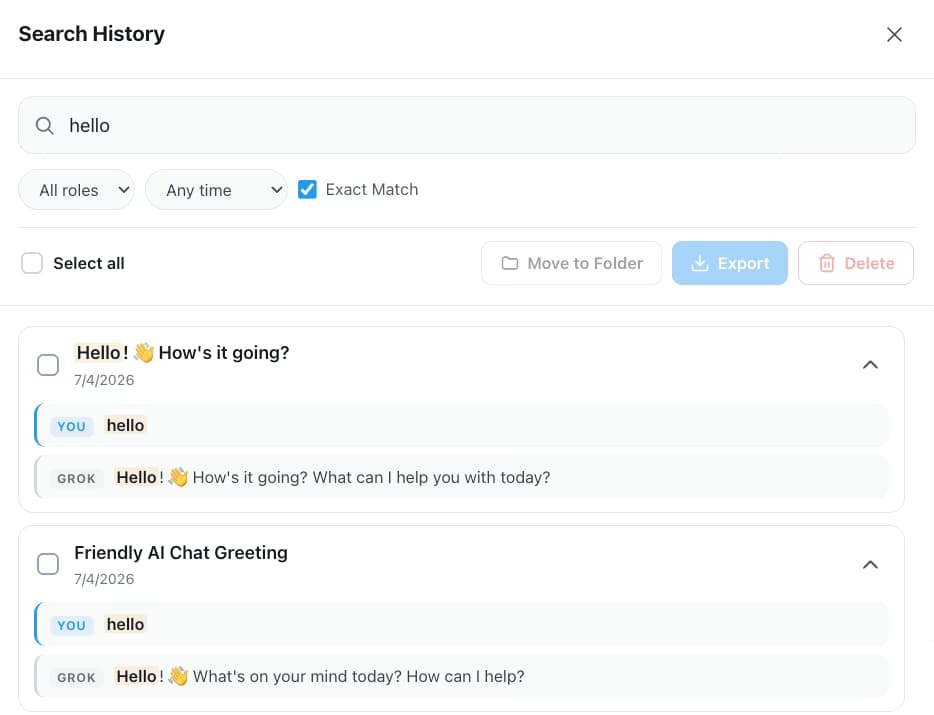
Yes. AI Toolbox indexes every message in your Grok history in the browser, so a traceback, function name or config key returns each reply that contains it, highlighted and labelled YOU or GROK. Open Search History from the floating AI Toolbox menu; there is no default keyboard shortcut on Grok, and you can assign one at chrome://extensions/shortcuts. Free shows five results per query; Premium shows all of them and adds the Exact Match toggle, which is what makes a punctuation-heavy stack trace findable, plus a role select and date presets.
Does it work inside X as well as on grok.com?
Yes. One install runs on grok.com and on Grok inside X at x.com/i/grok, with one search index, one bookmark viewer and one Smart Tags cache across both. The folder tree and the option to hide organized chats live in the grok.com sidebar only, because X has no history sidebar to attach them to. Premium is keyed to your X handle, so one purchase covers both surfaces.
How do developers organize Grok conversations by project?
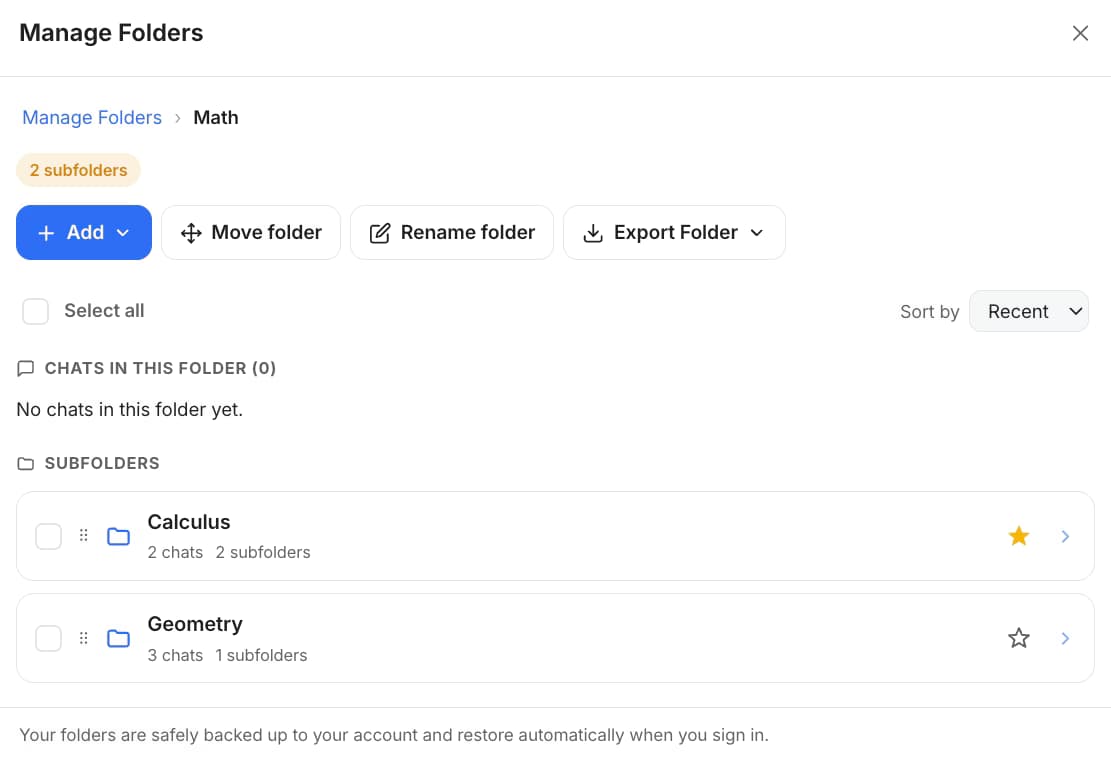
Create a root folder per repository or service and subfolders per incident or feature, then add conversations by searching their name inside the folder. Grok has no native folders, tags or pins on either surface. The free plan includes two root folders with unlimited subfolders; Premium removes the cap. Smart Tags can also label conversations as Coding automatically, 50 free.
Can I bookmark a working code snippet in Grok?
Yes, at reply level. The bookmark control sits in the action row under every Grok reply, with six colors to choose from, and the Bookmarks button in the navbar opens one viewer for both surfaces with color filter chips. Open scrolls you back to the exact reply, even across conversations. Grok bookmarks cover Grok's replies rather than your own prompts, and there is no note field. Free: 2 bookmarked messages.
Which export format should I use for code?
Markdown for a repo wiki, Obsidian or a docs site: the file keeps fenced code blocks intact. JSON when a script needs the raw messages and metadata. PDF for a styled, paginated record with code rendered. TXT export of a single chat is free; the other formats, and exporting many chats at once, are Premium.
Does Grok's context window change anything?
In the Grok app a conversation holds up to 128K tokens, or 256K on SuperGrok Heavy, so a few large files and logs can fill it faster than you expect. AI Toolbox does not change that limit; it makes those long sessions searchable afterwards, and its Context Meter shows how much of the window the current chat has used before you hit it.
Does AI Toolbox send my code anywhere?
No. The search index and Smart Tags matching live in your browser, and every search runs locally, so conversation content is never stored on our servers. Folders, bookmarks and saved prompts are backed up to your account, encrypted at rest, so they follow you across devices, with bookmarks stored as short previews rather than whole conversations. PDF export, Context Mentions on a long chat and Carry this chat forward send the text of the chat you pick to our servers for processing, and nothing is kept afterwards.
Which browsers work?
Any Chromium browser installed from the Chrome Web Store: Chrome, Edge, Brave, Opera and Arc. There is no Firefox version.

 ChatGPT
 Gemini
 Claude
 Grok
Grok