 Add to Chrome
 Add to Edge
 Adi Leviim
How to Export Claude Conversations (TXT and JSON Guide 2026)
To export Claude conversations as TXT or JSON with one click, install Claude Toolbox, open the conversation on claude.ai, click the Claude Toolbox export menu, and select your format. Anthropic's native Claude export is a full-account dump via Settings > Privacy > Export data (support.claude.com/en/articles/9450526) delivered by email with a 24-hour expiring link. Claude Toolbox adds per-conversation TXT or JSON export for paid users ($5/month or $49 lifetime via Polar). Claude Toolbox does not support PDF or Markdown export; only TXT and JSON.
Exporting Claude conversations has two completely different workflows in 2026, and picking the right one saves time. Anthropic's native export is comprehensive but account-wide, asynchronous, and time-limited. It is the right tool for a full backup, a GDPR data request, or a migration. It is not the right tool when you want one specific conversation right now for a client, a ticket, or a shared document. That is what Claude Toolbox is built for.
This guide covers both: how Claude's native Settings > Privacy > Export data flow works, how Claude Toolbox's per-conversation TXT or JSON export works, when to use which, and why Claude Toolbox deliberately does not offer PDF or Markdown. Claude Toolbox is a Chrome extension for Anthropic's Claude built by the team behind ChatGPT Toolbox (18,000+ users, 4.5/5 Chrome Web Store rating).
How Claude's Native Export Actually Works
Anthropic's native Claude export is a full-account data dump. You request it via Settings > Privacy > Export data, and Anthropic emails you a link to download an archive containing every conversation and account record. The export documentation lives at support.claude.com/en/articles/9450526.
Key facts from Anthropic's own documentation. The export includes all conversations on the account. It is delivered via email. The download link is valid for 24 hours after delivery. The feature is available on web and desktop, not iOS or Android. It is available on Free, Pro, and Max individual accounts. Team and Enterprise admins have their own export flows managed at the organization level.
This is the right tool for three use cases: creating a full backup of your Claude account, exercising a GDPR or data portability right, and migrating to a different tool where you want every conversation in one archive. It is the wrong tool when you need one specific conversation right now. You cannot pick a single chat, you cannot export in any format other than Anthropic's archive format, and you have to wait for the email before the 24-hour download window begins.
Users who want per-conversation export with instant delivery reach for a Chrome extension, and Claude Toolbox is the one built specifically for that job.
How Claude Toolbox Per-Conversation Export Works
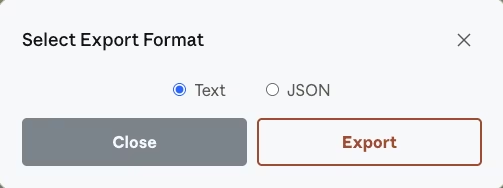
Claude Toolbox adds a one-click export menu to Claude conversations on claude.ai. Paid users can export any single conversation as TXT or JSON instantly. The export runs entirely in the browser against the local IndexedDB sync; no email link and no 24-hour window.
TXT export produces a plain text transcript of the conversation, with user and Claude turns clearly separated. It is the right format when you want a human-readable copy for a client email, a shared document, a ticket attachment, or a printed archive. TXT is also the format that pastes cleanly into almost any downstream tool without reformatting.
JSON export produces a structured data file with message metadata preserved. Each turn is a discrete object with role, content, and timestamp fields. JSON is the right format when you want to programmatically process the conversation: feed it into a documentation pipeline, pass it to another LLM for summarization, ingest it into a knowledge base, or build a custom analysis script.
Both formats run instantly because Claude Toolbox already has the conversation synced to a local IndexedDB index. There is no server round-trip, no waiting for a background job, and no expiring link. You click export, you pick a format, and the file downloads.
Claude Native Export vs Claude Toolbox: Comparison Table
Native Claude export and Claude Toolbox export are optimized for different workflows. The table below summarizes the differences across the features that matter most when deciding which to use.
| Feature | Claude Native Export | Claude Toolbox Export |
|---|---|---|
| Scope | Full account dump | Per-conversation |
| Formats | Anthropic archive | TXT or JSON |
| Delivery | Email with 24-hour download link | Instant browser download |
| Wait time | Delayed, queued | Instant |
| Availability | Web and desktop only | Chromium browsers only |
| Plan access | Free, Pro, Max individual accounts | Claude Toolbox paid plan |
| Best for | Backups, GDPR, migration | Sharing, archiving single chats, pipelines |
| Price | Included with Claude account | $5/month or $49 lifetime via Polar |
In practice, most Claude power users run both at different times. The native export is the quarterly or annual full-backup tool. Claude Toolbox is the daily working tool.
Step-by-Step: Export a Claude Conversation with Claude Toolbox
Exporting a single Claude conversation with Claude Toolbox takes about 10 seconds once the extension is installed. The steps below assume you have a claude.ai account and a Chromium browser.
- Install Claude Toolbox. Visit the Chrome Web Store listing and click Add to Chrome.
- Open the Claude conversation you want to export. Sign in to claude.ai and open the chat. Claude Toolbox syncs the conversation into its local IndexedDB index in the background.
- Open the Claude Toolbox export menu. Click the Claude Toolbox icon in your browser toolbar or use the injected controls on claude.ai.
- Pick TXT or JSON. Choose TXT for a human-readable transcript or JSON for structured data with message metadata.
- Save the file. Your browser downloads the file immediately. No email, no 24-hour link, no waiting.
Export is a paid-plan feature. Free users can use the rest of Claude Toolbox (full-text search, bookmarks on up to 2 conversations) but export is unlocked at $5/month or $49 one-time lifetime. For the full pricing breakdown, see the Claude Toolbox product page.
Need a single Claude conversation right now, not a full account dump that arrives by email tomorrow? Claude Toolbox exports any Claude conversation as TXT or JSON in one click. Instant, browser-only, no expiring download links. Install Claude Toolbox free ->
TXT vs JSON: Which Format to Pick
Pick TXT for human-readable archives and sharing. Pick JSON for programmatic processing and knowledge-base ingestion. Most real-world export workflows fall into one of those two buckets.
TXT is the better default when the destination is a person. A TXT transcript pastes into a client email, a support ticket, a shared document, or a printed archive without any reformatting. Every downstream tool accepts it. TXT also produces smaller files than JSON because there is no structural overhead, which matters when you are attaching a long Claude chat to an email with a size limit.
JSON is the better choice when the destination is code. Each message turn is a discrete object with role, content, and timestamp fields, so a script can walk the conversation deterministically. This is the format you want for feeding Claude conversations into a documentation generator, running a sentiment analysis over a support chat history, or building a personal knowledge base that indexes your Claude transcripts alongside other data sources. For developer workflows, JSON pairs naturally with Claude Toolbox's full-text search as a way to build a durable, searchable archive.
There is one edge case worth calling out: if you are sharing a conversation with another person who will import it back into an LLM prompt, JSON preserves turn boundaries more reliably than TXT. That matters when the receiving LLM needs to understand exactly which messages were from the user versus from Claude. For single-prompt dumps, TXT is fine. For multi-turn context, JSON is safer.
Why Claude Toolbox Does Not Support PDF or Markdown Export
Claude Toolbox deliberately supports only TXT and JSON export as of April 2026. PDF and Markdown are not available. This is a conscious scope decision, not an oversight, and it is worth being explicit about so you can decide whether Claude Toolbox is the right tool for your workflow.
PDF export involves layout rendering, font embedding, and page-break logic. Doing it well means either bundling a browser rendering engine (which bloats the extension) or routing through a server (which breaks the local-first privacy model that Claude Toolbox is built on). Neither tradeoff matches the product's goals. Users who need PDF can print a Claude conversation from their browser's native print dialog to PDF, or use a general-purpose PDF extension alongside Claude Toolbox.
Markdown is closer to TXT but introduces its own quirks. Claude responses contain code blocks, tables, and occasional LaTeX, and translating those into Markdown faithfully means making rendering choices that would vary by downstream viewer. Rather than ship a partial Markdown implementation that works in some tools and breaks in others, Claude Toolbox stays out of that format entirely. Users who need Markdown typically export to TXT, which already preserves code blocks cleanly, and lightly transform it in their editor.
If PDF or Markdown is a hard requirement, other Claude extensions cover those formats. SaveAI / AI Exporter (Chrome Web Store listing) is an export-focused extension that supports PDF, Markdown, TXT, JSON, images, and Notion sync across ChatGPT, Claude, Gemini, DeepSeek, and Grok. BackRun AI (backrun.co) and similar tools cover PDF, Word, Google Docs, and Notion. For a complete comparison, see the best Claude Chrome extensions in 2026 guide.
Privacy, Pricing, and Cross-Product Support
Claude Toolbox export runs entirely inside your browser against a local IndexedDB index. Nothing is uploaded to a third-party server. That is the same local-first architecture that powers Claude Toolbox's full-text search and message bookmarks.
Pricing is $0 free (search and limited bookmarks), $5/month, or $49 one-time lifetime via Polar. Export is unlocked on the paid tiers. The lifetime option is the highest-value path for users who plan to use Claude Toolbox for more than 10 months, and it includes all future updates. Verified pricing lives on the Claude Toolbox product page.
Claude Toolbox works in any Chromium browser (Google Chrome, Microsoft Edge, Brave, Opera) with Chrome Web Store support. The UI is localized into 10 languages with full RTL support for Arabic and Hebrew.
Multi-AI users can pair Claude Toolbox with the sister products ChatGPT Toolbox (18,000+ users, 4.5/5 Chrome Web Store rating) for ChatGPT and Gemini Toolbox for Google Gemini. Each is purpose-built for its own platform and maintained separately. Gemini Toolbox, notably, does support PDF and Markdown export alongside TXT and JSON because its feature scope is slightly different.
Frequently Asked Questions
Does Claude have a built-in export feature?
Yes. Claude has a native full-account export via Settings > Privacy > Export data. Anthropic delivers the export by email with a 24-hour download link per support.claude.com/en/articles/9450526. It is a full account dump, not a per-conversation export, and is available on web and desktop for Free, Pro, and Max accounts.
Can I export a single Claude conversation without a full account dump?
Yes, with Claude Toolbox. Claude Toolbox adds a per-conversation export menu on claude.ai that lets paid users export any single chat as TXT or JSON with one click. Export is a paid-tier feature at $5/month or $49 one-time lifetime via Polar. Free Claude Toolbox users can still use full-text search and limited bookmarks.
What formats does Claude Toolbox support?
Claude Toolbox supports TXT and JSON only. PDF and Markdown are not available as of April 2026. TXT is the best fit for human-readable archives and sharing. JSON preserves message metadata and is the best fit for programmatic processing, knowledge bases, and pipelines.
Is the Claude Toolbox export file private?
Yes. Claude Toolbox export runs entirely inside your browser against a local IndexedDB index. Nothing is uploaded to a third-party server. The exported file is generated in the browser and downloaded directly to your machine, which matches the local-first privacy model of the rest of the extension.
How long does Claude's native export take?
Claude's native export is delivered by email with a 24-hour download link. Delivery time depends on Anthropic's queue and the size of your account. The download link expires 24 hours after delivery, so plan your download window. Claude Toolbox export is instant in comparison because the data is already synced locally.
Can I export Claude conversations as PDF?
Not directly with Claude Toolbox. Claude Toolbox supports TXT and JSON only. For PDF, use your browser's native print-to-PDF flow on the claude.ai conversation, or use an export-focused extension like SaveAI / AI Exporter that supports PDF, Markdown, and Notion. Claude Toolbox's narrow format support reflects a deliberate local-first design decision.
Does Claude Toolbox export work inside Claude Projects?
Yes. Claude Toolbox exports any synced Claude conversation regardless of whether it lives inside a Claude Project or outside. This is useful because Anthropic's native conversational search is scoped per Project, while Claude Toolbox search, bookmarks, and export all span every Project and every standalone chat uniformly.
Is Claude Toolbox export available on mobile?
No. Claude Toolbox is a Chromium browser extension and runs on desktop only. It supports Google Chrome, Microsoft Edge, Brave, and Opera. For mobile Claude, Anthropic's native full-account export is the best available option, but it is delivered by email rather than as an instant per-conversation download.
Bottom Line
Claude has a native full-account export for backups, GDPR requests, and migrations. For per-conversation export with instant delivery, Claude Toolbox is the purpose-built Chrome extension that adds TXT and JSON export to Claude with one click. The deliberate scope (no PDF, no Markdown) keeps the extension local-first and privacy-preserving.
Claude Toolbox pairs naturally with free-tier full-text search and message bookmarks to give you a complete local recall system: find the conversation, mark the important messages, and export the transcript when you need to ship it to a client or a knowledge base. See the Claude Toolbox features hub and the Claude management and productivity guides for the full picture.
Multi-AI users can extend the same workflow with ChatGPT Toolbox (18,000+ users, 4.5/5 Chrome Web Store rating) for OpenAI's ChatGPT and Gemini Toolbox for Google Gemini.
Install Claude Toolbox from the Chrome Web Store -> For further reading, see alternatives to Claude, the Claude models guide, and Claude Toolbox advantages and use cases.
Last updated: April 9, 2026
