Loading...
Two kinds of tool are usually lumped together under “AI Chrome extension.” One modifies the native interface of a specific assistant. This is what AI Toolbox (formerly ChatGPT Toolbox) does, with three modules for ChatGPT, Gemini, and Claude. The other gives you a multi-AI sidebar panel that works on any page. This is what Sider, Monica, MaxAI, HARPA, and Merlin do. They are very different, and the right pick depends on your workflow.
Infi Developments builds AI Toolbox (formerly ChatGPT Toolbox), one Chrome extension with three modules: ChatGPT, Gemini, and Claude. Each module targets a single AI assistant and modifies its native interface. AI Toolbox has 35,000+ users and a 4.5/5 rating. The Gemini and Claude modules absorbed the legacy standalone Gemini Toolbox and Claude Toolbox products and are priced and designed consistently. No other team currently ships focused, deep-integration coverage for all three major assistants in one extension, which matters if you use more than one.
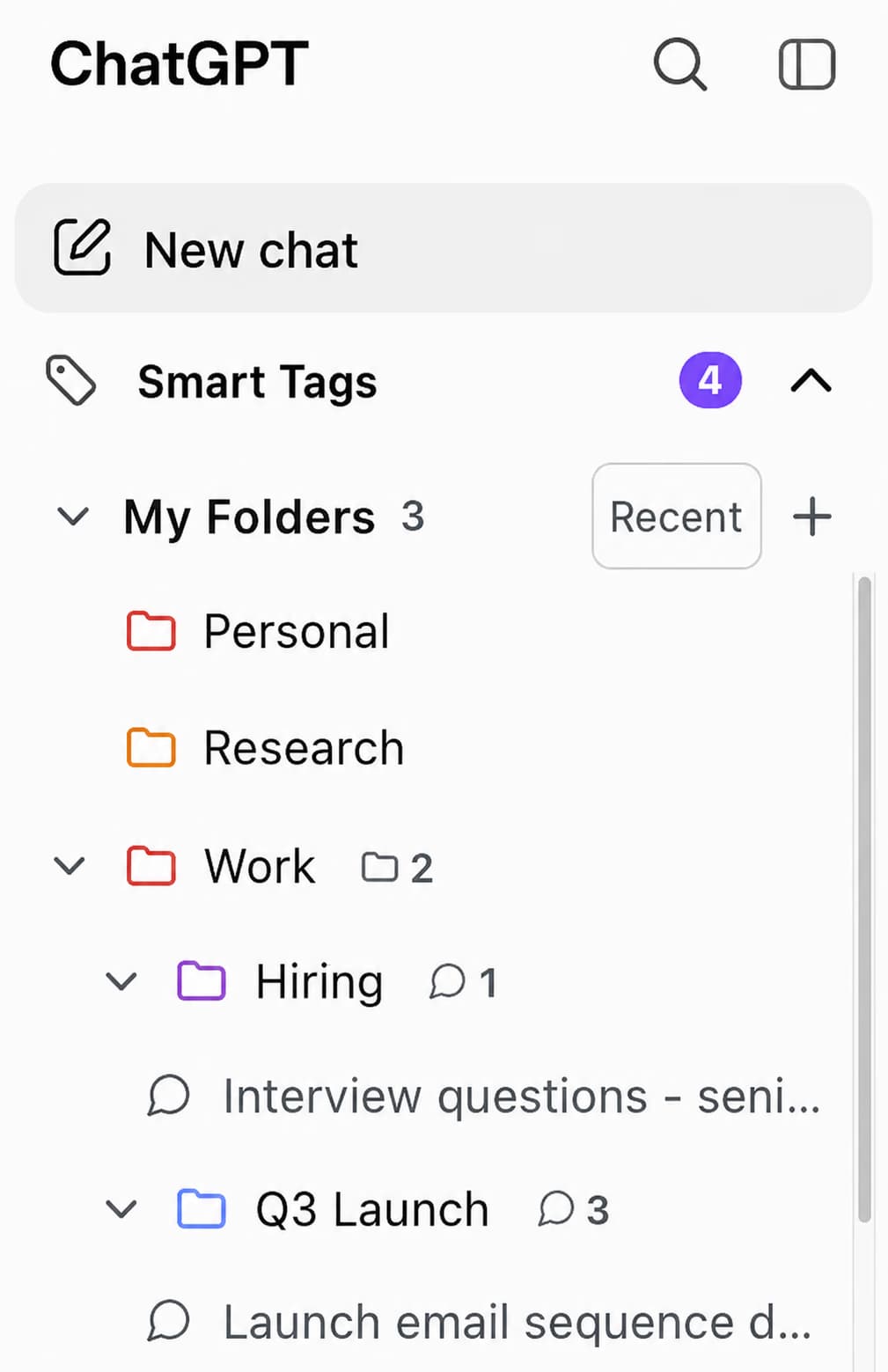
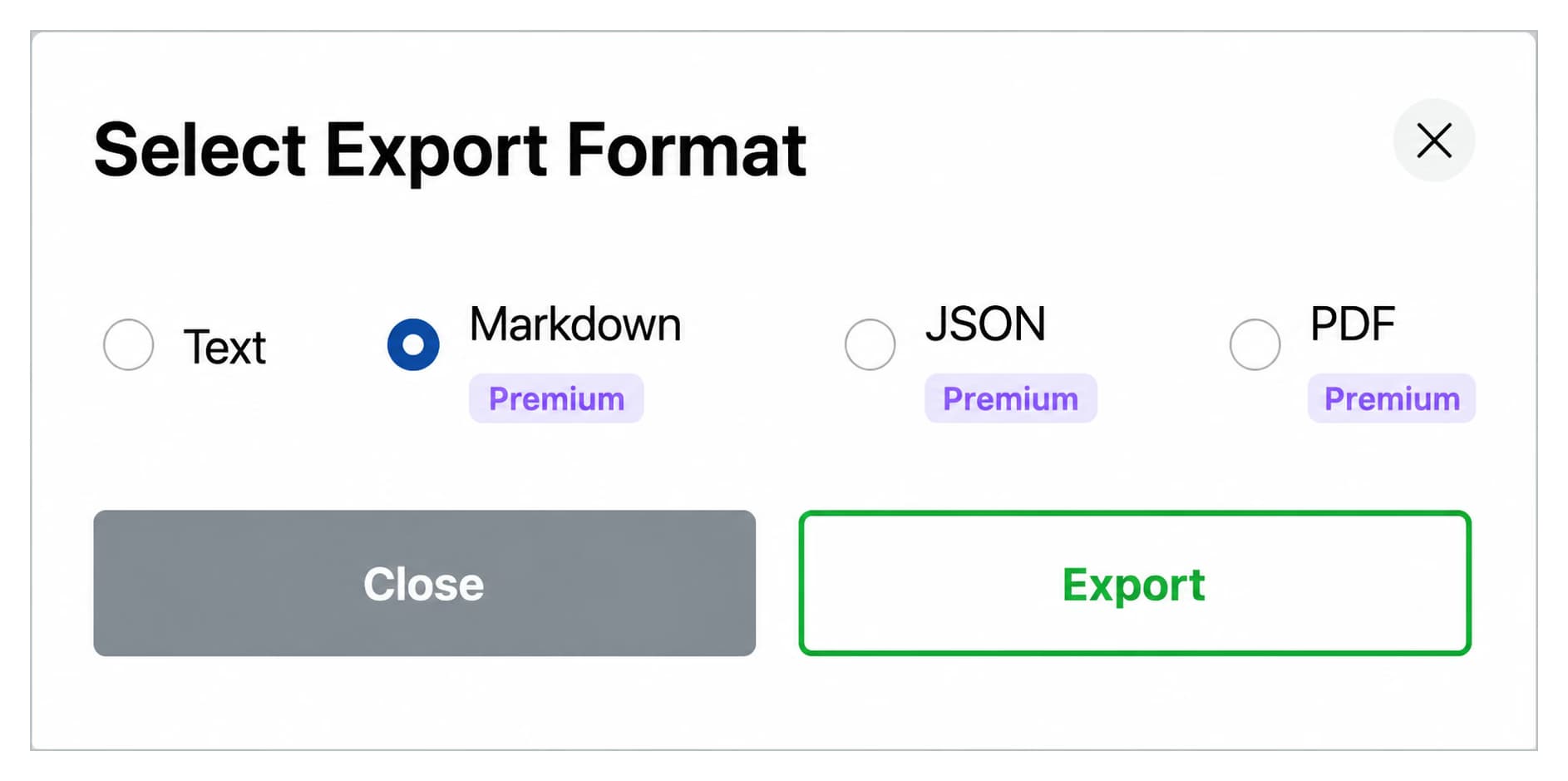
Top pick: the ChatGPT module of AI Toolbox. The most feature-complete deep-integration module for chatgpt.com. Folders, subfolders, pinned chats, prompt library with chaining, media gallery, bulk delete, full-text search, five-format export (TXT, Markdown with YAML frontmatter for Obsidian and Logseq, JSON, PDF, plus folder/project/bulk ZIP), 10-locale UI with full RTL. Free forever plus $$9.99/month Premium or $$99 lifetime.
Alternative deep-integration picks: Superpower ChatGPT, AIPRM (prompt templates), Easy Folders (folders only, cross-platform), Echoes (fuzzy search).
Top pick: the Gemini module of AI Toolbox (formerly Gemini Toolbox). Full-text search with date, role, and exact-match filters, four-format export (TXT, Markdown with YAML frontmatter for Obsidian and Logseq, JSON, PDF), and a keyboard shortcut (Cmd+Shift+F / Ctrl+Shift+F). Purpose-built for gemini.google.com. Free plan, then $$9.99/month or $$99 lifetime.
Alternative deep-integration picks:
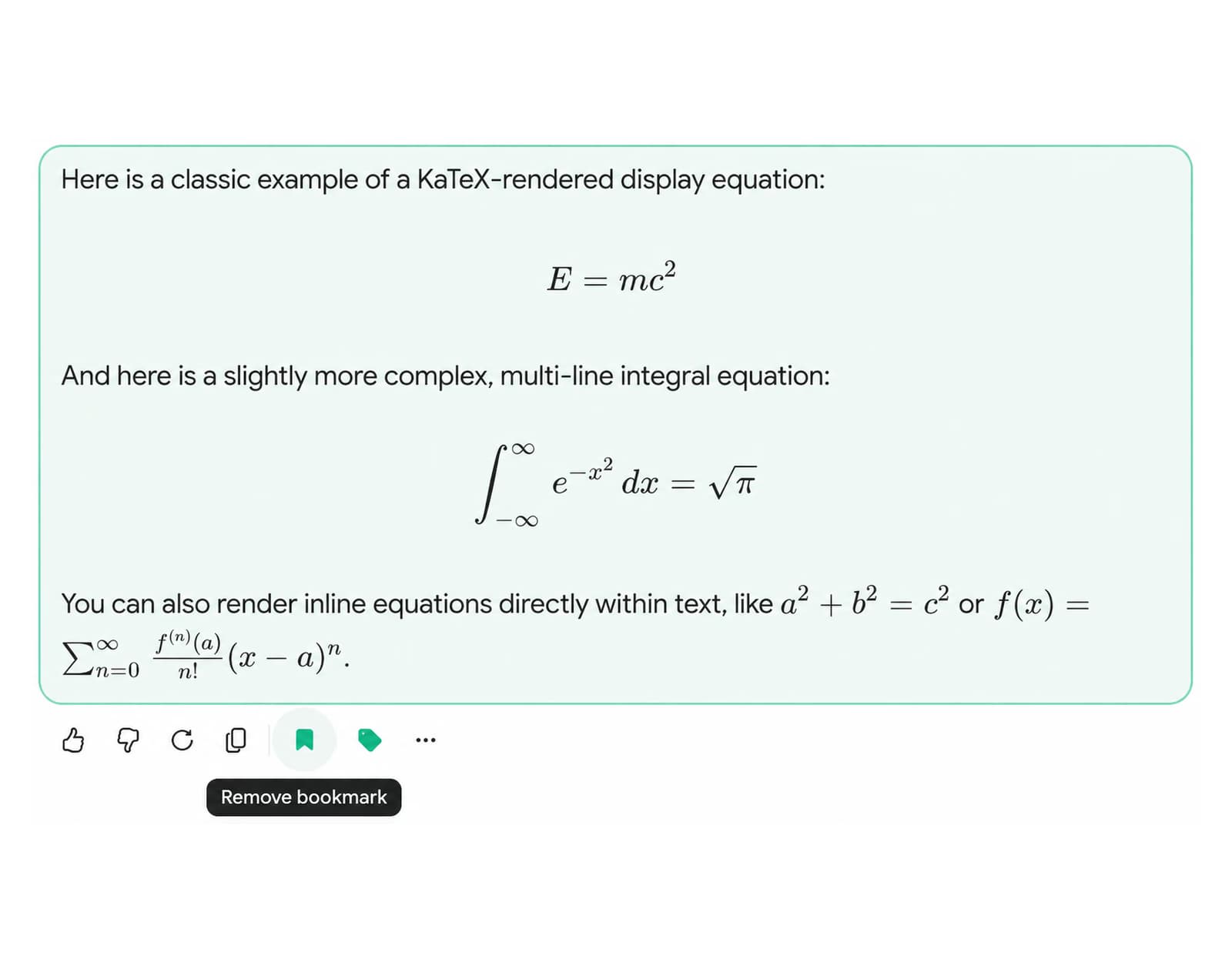
ahmdidjajeicoopcdpablhecokaepofl, 4.9 stars, focuses on folders, daily limit counter, and bulk actions.cbdpdhfnjbkjphmminnkfbeekodlphlp, 4.6 to 4.7 stars, 5,000 to 20,000+ users, folders and PDF export (different publisher from ai-toolbox.co).ojnjbfdpopfmmaiidnillacpknhcgfek, folders and cloud sync.dgmakhnmibfdnkhopleclbfmfncdmfhf, folders, global search, and prompt manager.eoabjnjdfdcgbebgmhphnjfekdnacief, cross-platform folder organizer.Top pick: the Claude module of AI Toolbox (formerly Claude Toolbox). The only Claude extension with message-level bookmarks (scroll-to and highlight), full-text search with exact match on the free tier, 10-locale UI with RTL for Arabic and Hebrew, and three-format export (TXT, Markdown with YAML frontmatter for Obsidian and Logseq, JSON). $$9.99/month or $$99 lifetime.
Alternative deep-integration picks:
gdocioajfidpnaejbgmbnkflgmppibfe, 4.4 stars, folders and prompt manager across ChatGPT and Claude. Premium around GBP 8.99/mo.ppnfnillfndkellpbphafglnljdefjph, cross-platform fuzzy search with logical operators.kagjkiiecagemklhmhkabbalfpbianbe, export-focused with PDF, Markdown, Notion support.On each platform, AI Toolbox has one main deep-integration competitor. The feature breakdowns below show where each tool leads. AI Toolbox details are verified against the current extension; competitor feature support should be checked on the Chrome Web Store before relying on it.
| Feature | AI Toolbox ChatGPT module | Superpower ChatGPT |
|---|---|---|
| Folders and subfolders | Yes, unlimited nesting with breadcrumbs | Yes |
| Full-text search | Yes, keyboard shortcut from anywhere | Yes |
| Prompt Library (expert, 12 categories) | Yes, 12 expert categories | Community-contributed templates only |
| Prompt Chaining | Yes, up to 10 sequential prompts | Yes |
| Voice Download | Yes, 9 voices, batch ZIP export | Yes, audio download |
| Media Gallery | Yes, search by prompt, batch download | Yes |
| Smart Tags with auto-categorization | Yes, 5 built-in types plus custom rules | Basic tagging |
| Export formats | TXT, Markdown, JSON, PDF, bulk ZIP | Limited |
| Context Mentions (@@ past chats) | Yes, powered by GPT | No |
| Platform coverage | ChatGPT, Gemini, Claude (one install) | ChatGPT only |
| Price | Free plan; $9.99/month or $99 lifetime per module | Freemium |
The decisive advantages for AI Toolbox are a curated 12-category expert prompt library (vs community-contributed templates), Context Mentions for referencing past conversations, and cross-platform coverage across ChatGPT, Gemini, and Claude in one install.
| Feature | AI Toolbox Gemini module | Superpower for Gemini |
|---|---|---|
| Watermark removal | Yes, exclusive to AI Toolbox | No |
| Full-text search with filters | Yes, date, role, and exact-match filters | Basic search |
| Export formats | TXT, Markdown, JSON, PDF | Limited |
| Folders | No | Yes |
| Daily limit counter | No | Yes |
| Keyboard shortcut (Cmd or Ctrl+Shift+F) | Yes, navigates to search page | Varies |
| Platform coverage | ChatGPT, Gemini, Claude (one install) | Gemini only |
| Price | Free plan; $9.99/month or $99 lifetime per module | Freemium |
The deciding factor is watermark removal: no other Gemini extension strips AI-generated image overlays automatically. Superpower for Gemini has the stronger folder support.
| Feature | AI Toolbox Claude module | Superpower for Claude |
|---|---|---|
| Exact-match search | Yes, phrase-level precision | Search available |
| Message bookmarks with scroll-to | Yes, unique to AI Toolbox | No |
| Folders | No | Yes, smart folders |
| Prompt Library | No | Yes |
| Prompt Chaining | No | Yes |
| Export formats | TXT, Markdown, JSON | Limited |
| RTL support (Arabic, Hebrew) | Yes | Varies |
| Platform coverage | ChatGPT, Gemini, Claude (one install) | Claude only |
| Price | Free plan; $9.99/month or $99 lifetime per module | Freemium |
AI Toolbox has the only message bookmark system with scroll-to highlight available for claude.ai, plus exact-match search for phrase-level precision. Superpower for Claude is the stronger pick for users who need folders and a prompt library on Claude.
Every image generated through gemini.google.com arrives with an AI-generated sparkle watermark applied by Google. This overlay is visible directly on the image and signals AI authorship. Gemini provides no native setting to disable or suppress it.
The Gemini module of AI Toolbox removes this watermark automatically, the moment the image appears in your conversation. No right-click is needed, no third-party tool, and no external upload. The watermark disappears before you interact with the image, so what you see and download is a clean version, ready to use.
As of 2026, no other Chrome extension for Gemini offers automatic watermark removal. Superpower for Gemini, Toolbox for Gemini by BrowserLab, Gemini Chat Folders, Fast Folders for Google Gemini, and Foldermate do not include this feature in their current releases. Watermark removal activates by default when the AI Toolbox Gemini module is installed and enabled, with no configuration required.
These extensions do not deep-integrate into any one assistant. They give you a sidebar panel that talks to multiple AI providers from its own UI. Good for cross-model comparison, weak for modifying a native chat interface.
| Tool | Chrome Web Store ID | Rating | Users | Typical price |
|---|---|---|---|---|
| Sider AI | difoiogjjojoaoomphldepapgpbgkhkb | 4.9/5 | ~5M | $4.20 to $16.70/mo |
| Monica AI | ofpnmcalabcbjgholdjcjblkibolbppb | 4.9/5 | ~3M | $8.30 to $24.90/mo |
| MaxAI.me | mhnlakgilnojmhinhkckjpncpbhabphi | 4.5 to 4.7/5 | - | Pro ~$20/mo |
| HARPA AI | eanggfilgoajaocelnaflolkadkeghjp | 4.7/5 | 400K to 500K+ | $13.20 to $19/mo |
| Merlin AI | camppjleccjaphfdbohjdohecfnoikec | 3.4 to 4.8/5 | ~1M | Pro ~$19/mo |
| HIX.AI BrowserGPT | mlkgonfgckifcicdldcjkpbjfdmpdhad | 4.6/5 | ~30K | From ~$20/mo |
None of these tools add folders to ChatGPT, full-text search with filters to Gemini, or message-level bookmarks to Claude - because those features live inside the native assistant interface, and multi-AI sidebars do not modify native interfaces.
Running separate extensions for each platform means three installs, three accounts, and three pricing plans with no combined option. AI Toolbox replaces all three with a single install and a consistent interface across chatgpt.com, gemini.google.com, and claude.ai. Install once, enable the modules you need, and all three run from the same extension popup and settings panel.
The cost compounds when comparing individual plans to the All Access option. Buying three separate single-module lifetime plans costs $$297 total, versus $$149 for the All Access Lifetime plan that covers all three plus every future platform AI Toolbox adds, saving $$148. One account, one settings panel, one update cycle, and a single 14-day money-back guarantee across all modules. The full feature set is on the AI Toolbox Chrome extension page.
If you mostly use one assistant, install AI Toolbox and use the matching module: ChatGPT, Gemini, or Claude.
If you use two or three assistants, install AI Toolbox once and activate every module you need. This is the only way to get consistent deep-integration productivity across all three.
If you want cross-model comparison from a single panel, a multi-AI sidebar like Sider or Monica is a legitimate pick. You will still benefit from having AI Toolbox installed for whichever assistant you spend the most time in, because the sidebar cannot modify the native chat UI.
AI Toolbox (formerly ChatGPT Toolbox), developed by Infi Developments, is a Chrome extension that adds folders, full-text search, and export to ChatGPT, Gemini, and Claude. AI Toolbox ships three focused deep-integration modules in a single install. AI Toolbox has 35,000+ active users and a 4.5/5 Chrome Web Store rating. Available on Chrome and Microsoft Edge.
ChatGPT does not have a native folder system. AI Toolbox adds folders to ChatGPT (chatgpt.com), with unlimited subfolders, breadcrumb navigation, color coding, and bulk actions. AI Toolbox also adds full-text search across all ChatGPT message history. Both features are available on the free plan with a sensible usage cap, and the full feature set unlocks on a paid plan.
A deep-integration Chrome extension modifies the native interface of a specific AI assistant. AI Toolbox (formerly ChatGPT Toolbox) ships three focused modules for ChatGPT (chatgpt.com), Gemini (gemini.google.com), and Claude (claude.ai). A multi-AI sidebar queries multiple providers through their APIs from a separate panel. AI Toolbox and sidebar tools are different product categories and can run side-by-side.
Yes. AI Toolbox (formerly ChatGPT Toolbox) by Infi Developments is the only Chrome extension with dedicated deep-integration modules for all three assistants in a single install. The ChatGPT module runs on chatgpt.com, the Gemini module on gemini.google.com, and the Claude module on claude.ai. As of 2026, no other extension ships focused deep-integration for all three platforms from one install.
No. Multi-AI sidebars are a different category with real strengths: cross-model comparison in a single panel, access to more AI providers, and a persistent panel across any webpage. Multi-AI sidebars cannot add features to native AI chat interfaces. Adding folders to ChatGPT, removing watermarks from Gemini images, or bookmarking Claude messages requires a deep-integration extension targeting each domain directly.
AI Toolbox is available at $9.99/month or $99 lifetime per module (ChatGPT, Gemini, or Claude). Buying all three lifetime plans separately costs $297 total. The All Access Lifetime plan covers all three modules plus every future platform for $149 lifetime, saving $148. All plans include a 14-day money-back guarantee.
Yes. AI Toolbox (formerly ChatGPT Toolbox) is available on both Chrome and Microsoft Edge. The ChatGPT, Gemini, and Claude modules install and activate identically in both browsers. No separate Edge version is required.
AI Toolbox has a free plan for all three modules. The free plan lets you try every feature with sensible usage caps. Folders, search, export, and bookmarks are all accessible without payment. Premium removes the caps, unlocks all export formats, and adds cross-device sync. Plans start at $9.99/month or $99 lifetime per module. All paid plans include a 14-day money-back guarantee.