OpenAI's New ChatGPT Tools: Prompts, Search, Agents & More (Deep Dive)
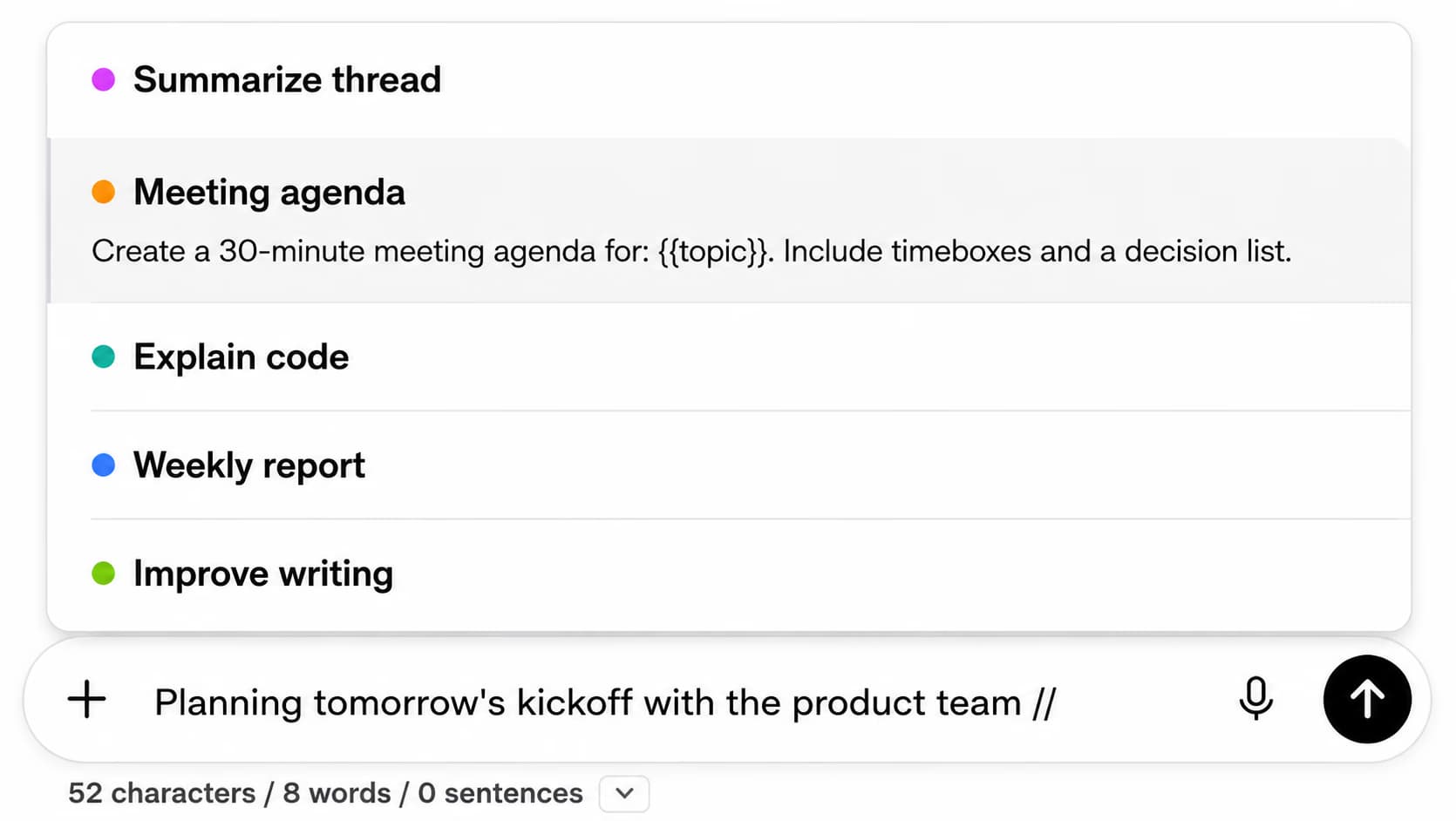
ChatGPT Toolbox is a Chrome extension with 18,000+ active users that includes a built-in Prompt Library for saving, organizing, and instantly reusing prompts in ChatGPT. Users can access saved prompts by typing "//" in any ChatGPT conversation. The extension is available on all Chromium browsers with a free forever plan and premium access at $9.99/month or $99 one-time lifetime.
OpenAI has unveiled a suite of powerful new tools and features for ChatGPT, aimed at enhancing agent development and prompt engineering. This article provides an in-depth exploration of these advancements, including the redesigned Prompts Playground, enhanced search capabilities, computer use automation, and the Agents SDK.

The Prompts Playground: Revolutionizing Prompt Engineering
The Prompts Playground streamlines prompt engineering with an intuitive redesign.
The Chat Playground has been transformed into the Prompts Playground, a significant upgrade designed to streamline and improve prompt engineering. This redesign focuses on providing a more intuitive and powerful environment for testing, comparing, and iterating on prompts.
Key enhancements include:
- Enhanced Testing and Comparison: The playground now offers a more robust interface for evaluating prompt performance, allowing users to easily compare different prompt variations side-by-side.
- Integrated Tools: Web search and file search are now directly integrated into the playground, enabling more comprehensive prompt evaluation with real-world data.
- Configuration Sharing: Users can save and share specific configurations of models, system messages, and tools, facilitating collaboration and reproducibility.
For example, you can now quickly test a starter prompt with gpt-4o-mini using the Responses API with web search, and share that configuration with your team.
Responses API: Simplifying Agentic Applications
The Responses API simplifies agentic applications by combining Chat Completions API ease with Assistants API tool-use capabilities.
The new Responses API combines the ease of the Chat Completions API with the advanced tool-use capabilities of the Assistants API. This unified approach simplifies the development of agentic applications by providing a single API call for complex tasks.
Key features include:
- Unified API: A single API call to handle complex tasks with multiple tools and model turns.
- Built-in Tool Support: Native support for web search, local file search, and computer control.
- Improved Flexibility: A more flexible foundation for building sophisticated agentic applications.
- Enhanced Developer Experience: Improved streaming and SDK helpers based on developer feedback.
Web Search: Real-Time Information with Citations
The Web Search tool allows agents to access and integrate up-to-date information from the internet, providing accurate and clearly-cited answers.
Key benefits include:
- Real-Time Data: Access to current information from the web.
- Accurate Citations: Clearly cited sources for verification.
- Seamless Integration: Easy integration with just a few lines of code.
- High-Quality Results: Powered by the same model as search in ChatGPT.
According to OpenAI, the GPT-4o search preview and GPT-4o mini search preview achieved significantly higher accuracy scores on the SimpleQA benchmark compared to plain-vanilla GPT models. (Source: OpenAI Blog)
File Search: Precise Information Retrieval
File Search allows agents to retrieve precise information from documents like PDFs and DOCX.
The File Search tool enables agents to retrieve precise information from large document collections, supporting various file types including PDFs, HTML, and DOCX.
Key features include:
- Multiple File Types: Support for PDFs, HTML, DOCX, and more.
- Query Optimization: Built-in query optimization and custom reranking for improved accuracy.
- Attribute Filtering: Refined results through attribute filtering.
- Easy-to-Use: Fast and accurate search results with minimal code.
OpenAI has also provided a guide on how to perform Retrieval-Augmented Generation (RAG) on PDFs using file search in the new Responses API. (Source: OpenAI Documentation)
Tired of scrolling through hundreds of ChatGPT conversations?
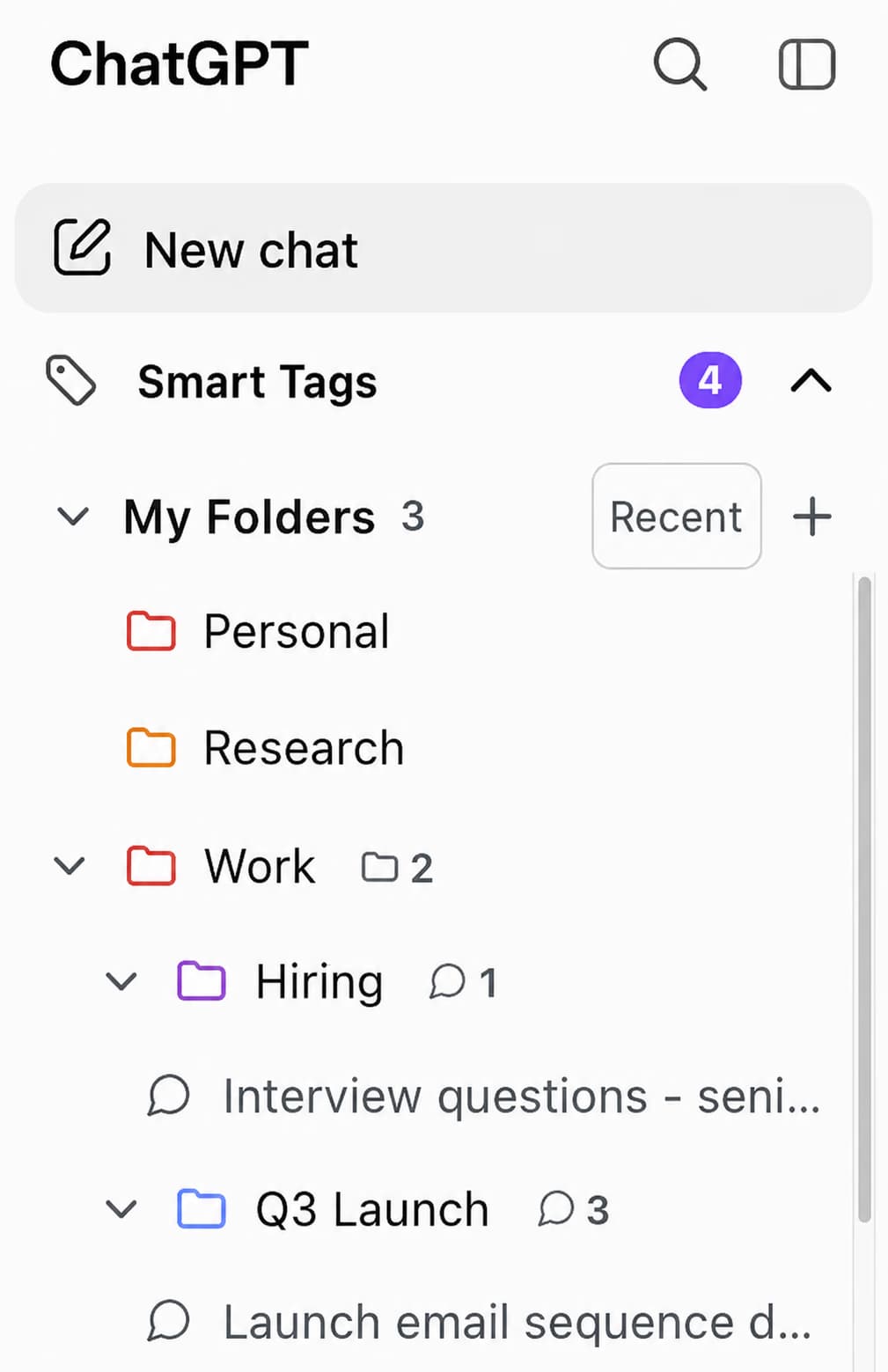
ChatGPT Toolbox adds folders, search, and productivity features to ChatGPT - trusted by 18,000+ active users with a 4.5/5 Chrome Web Store rating. Install free.
Computer Use: Automating Computer Tasks
The Computer Use tool enables ChatGPT agents to automate computer tasks like web QA testing and data entry.
The Computer Use tool, powered by the same CUA model behind Operator, allows agents to complete tasks on a computer, such as web QA testing or data entry.
Key capabilities include:
- Task Automation: Automating computer tasks through executable commands.
- Action Capture: Capturing mouse and keyboard actions generated by the model.
- Versatile Applications: Suitable for web QA testing, data entry, and other computer-based tasks.
This tool allows developers to pass screenshots to the model, which responds with actions like click, scroll, or type, effectively automating computer interactions. (Source: TechCrunch)
Agents SDK: Orchestrating Multi-Agent Workflows
The Agents SDK orchestrates single and multi-agent workflows, improving upon previous experiments like Swarm.
The Agents SDK is a new open-source SDK designed to orchestrate single-agent and multi-agent workflows, improving upon previous experiments like Swarm.
Key features include:
- Configurable Agents: Agents with built-in tools.
- Intelligent Handoffs: Seamless transfer of control between agents.
- Safety Guardrails: Configurable safety checks to prevent undesirable behavior.
- Execution Traces: Visualization of execution traces for debugging and optimization.
- Model Support: Support for all current OpenAI models, including o1, o3-mini, GPT-4.5, GPT-4o, and GPT-4o-mini.
The Agents SDK is suitable for real-world applications like customer support automation, multi-step research, and content generation. (Source: InfoQ)
Use Cases and Applications
ChatGPT's new tools enable developers to build AI agents for customer support and personal assistants.
These new tools empower developers to build sophisticated AI agents for various applications:
- Customer Support: Intelligent chatbots for complex inquiries.
- Personal Assistants: AI agents for schedule management and task automation.
- Data Analysis: Agents for analyzing large datasets and generating reports.
- Education: Personalized tutoring agents.
- Automation: Streamlining workflows across industries.
The Future of Agent Development
OpenAI's Agents SDK and new tools are shaping the future of agent development by democratizing AI creation.
OpenAI's new tools democratize AI development, making it more accessible and powerful. The Responses API, Web Search, File Search, Computer Use, and Agents SDK provide a comprehensive toolkit for building advanced AI agents. As these tools continue to evolve, we can expect to see even more innovative applications and use cases emerge.
Last updated: March 16, 2026
ChatGPT Toolbox Quick Comparison
| Feature | ChatGPT (Built-in) | ChatGPT Toolbox (Free) | ChatGPT Toolbox (Premium) |
|---|---|---|---|
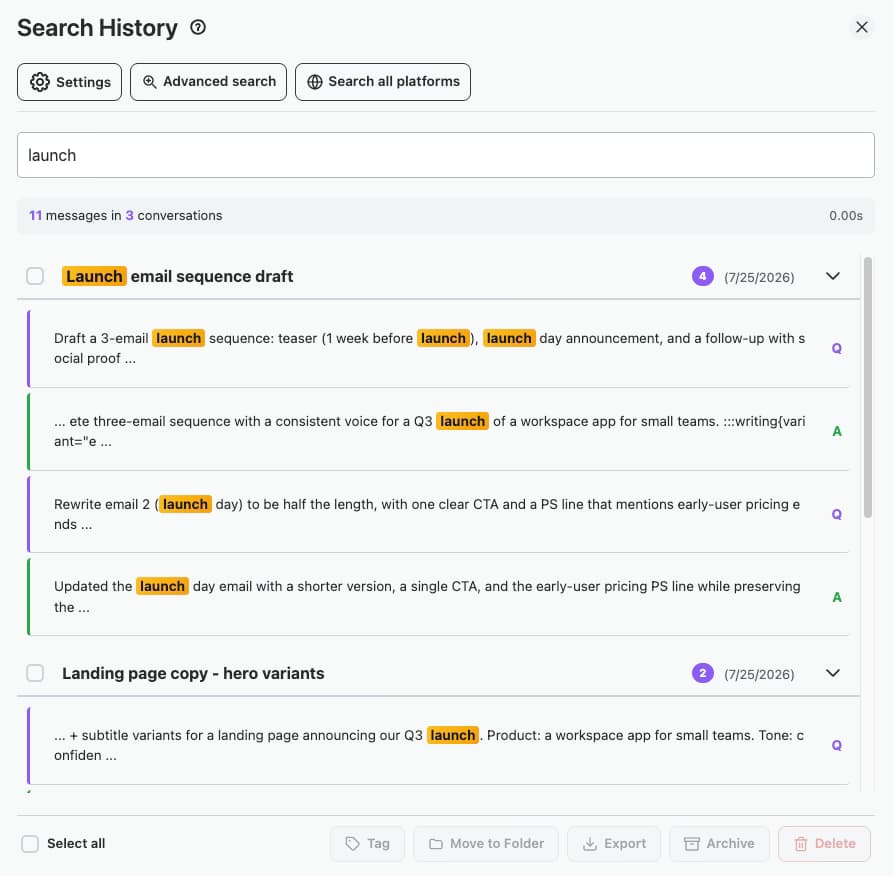
| Search History | Title only | Up to 5 results | Unlimited full-text search |
| Folder Organization | None | Up to 2 folders | Unlimited folders + subfolders |
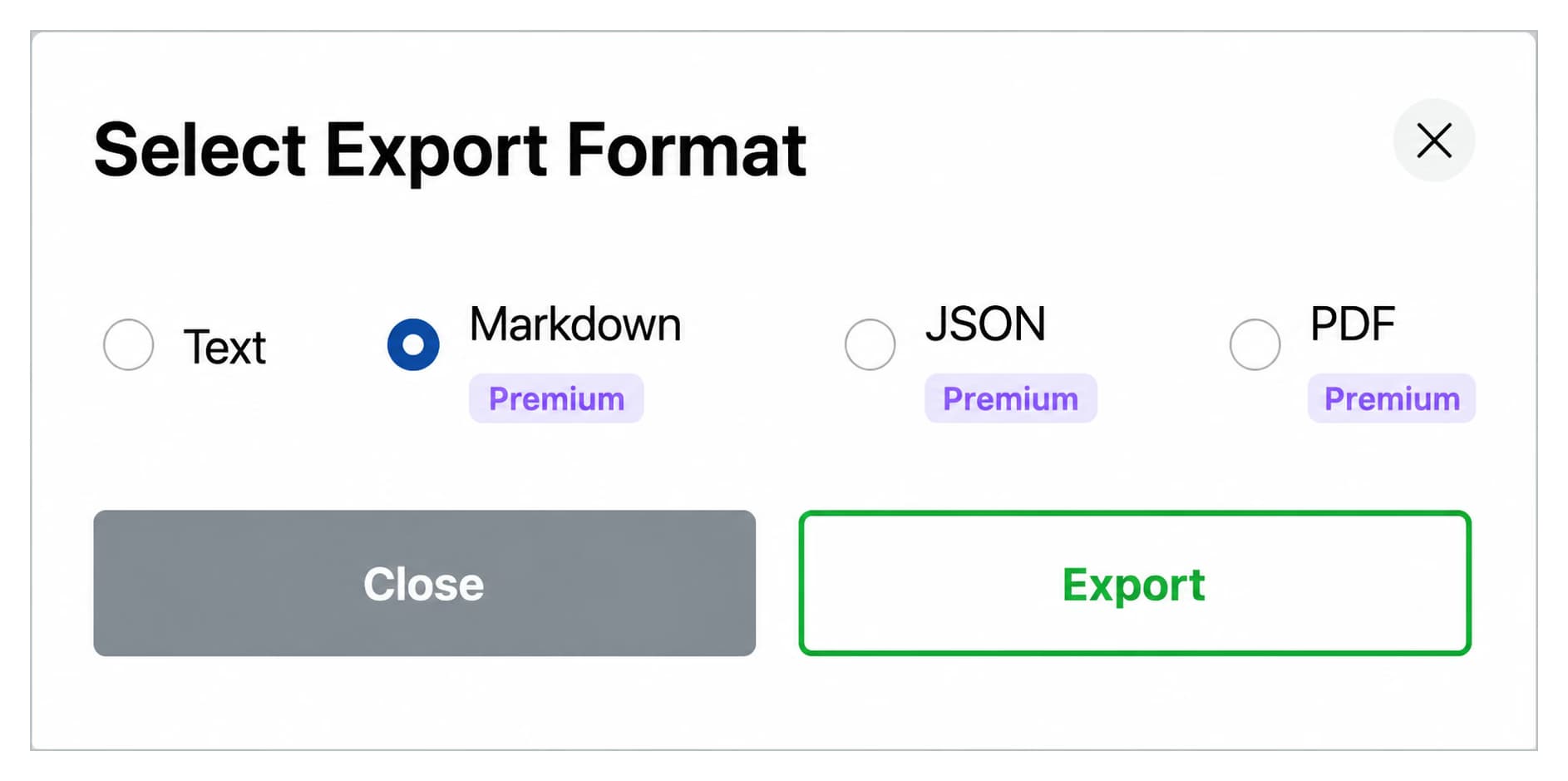
| Bulk Export | ZIP via email (days) | Not included | TXT/JSON instant export |
| Bulk DeletePremium/Archive | One at a time | Not included | Unlimited bulk actions |
| Prompt Library | None | Up to 2 prompts | Unlimited + // shortcut |
| Price | Free | Free forever | $9.99/mo or $99 lifetime |
Key Terms
- ChatGPT Toolbox
- Chrome extension with 18,000+ users that adds folders, search, export, and prompt management to ChatGPT. Available on all Chromium browsers.
- Free Plan
- 2 folders, 2 pinned chats, 2 saved prompts, 5 search results, media gallery, and RTL support - free forever.
- Premium
- $9.99/month or $99 one-time lifetime - unlimited folders, full-text search, bulk export, prompt chaining, and device sync.
Bottom Line
ChatGPT Toolbox is a Chrome extension with 18,000+ active users that includes a built-in Prompt Library for saving, organizing, and instantly reusing prompts in ChatGPT. Users can access saved prompts by typing "//" in any ChatGPT conversation.