⚡ Supercharge Your ChatGPT – Install Now

Advantages & Use Cases of ChatGPT Toolbox – Enhance Your Workflow

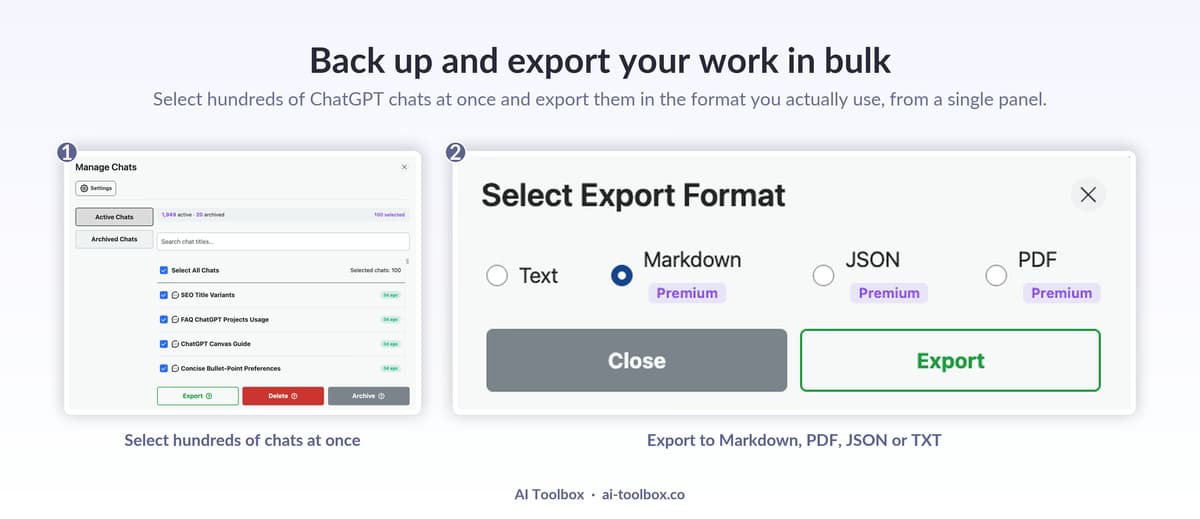
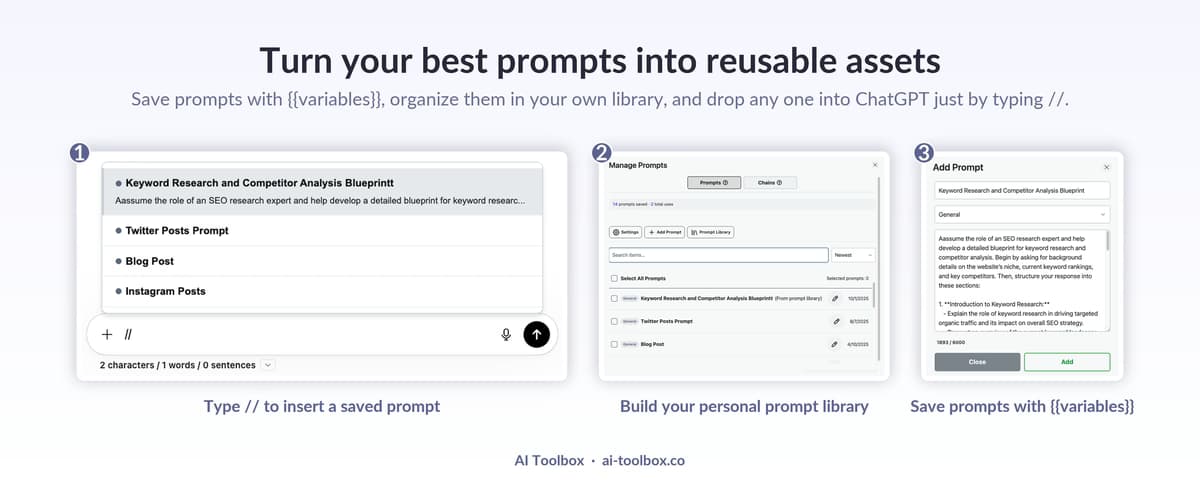
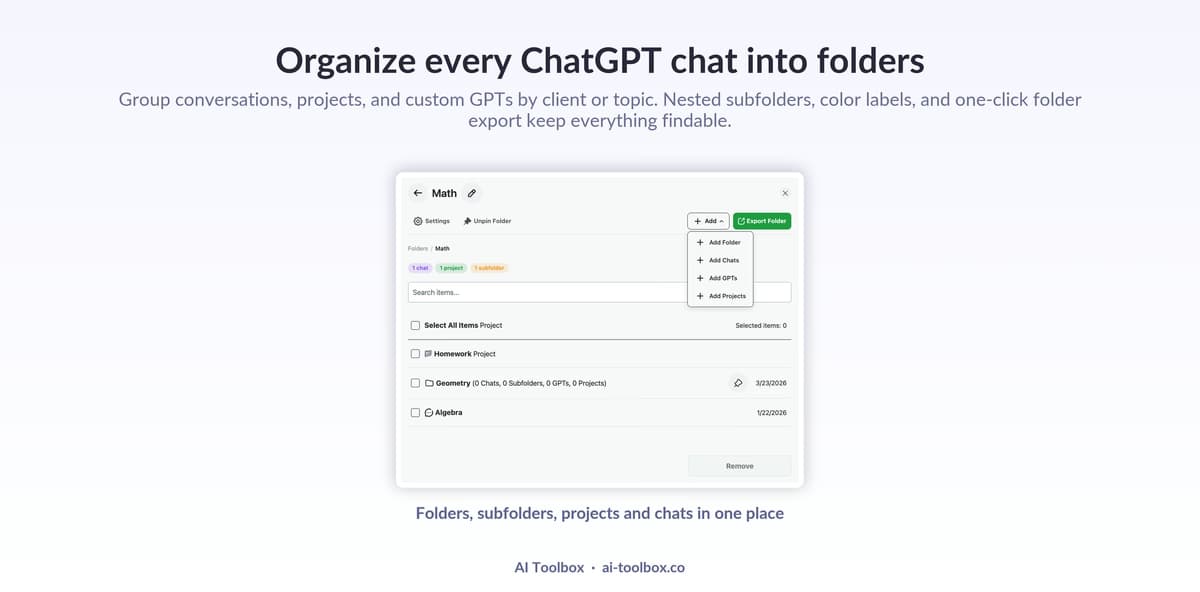
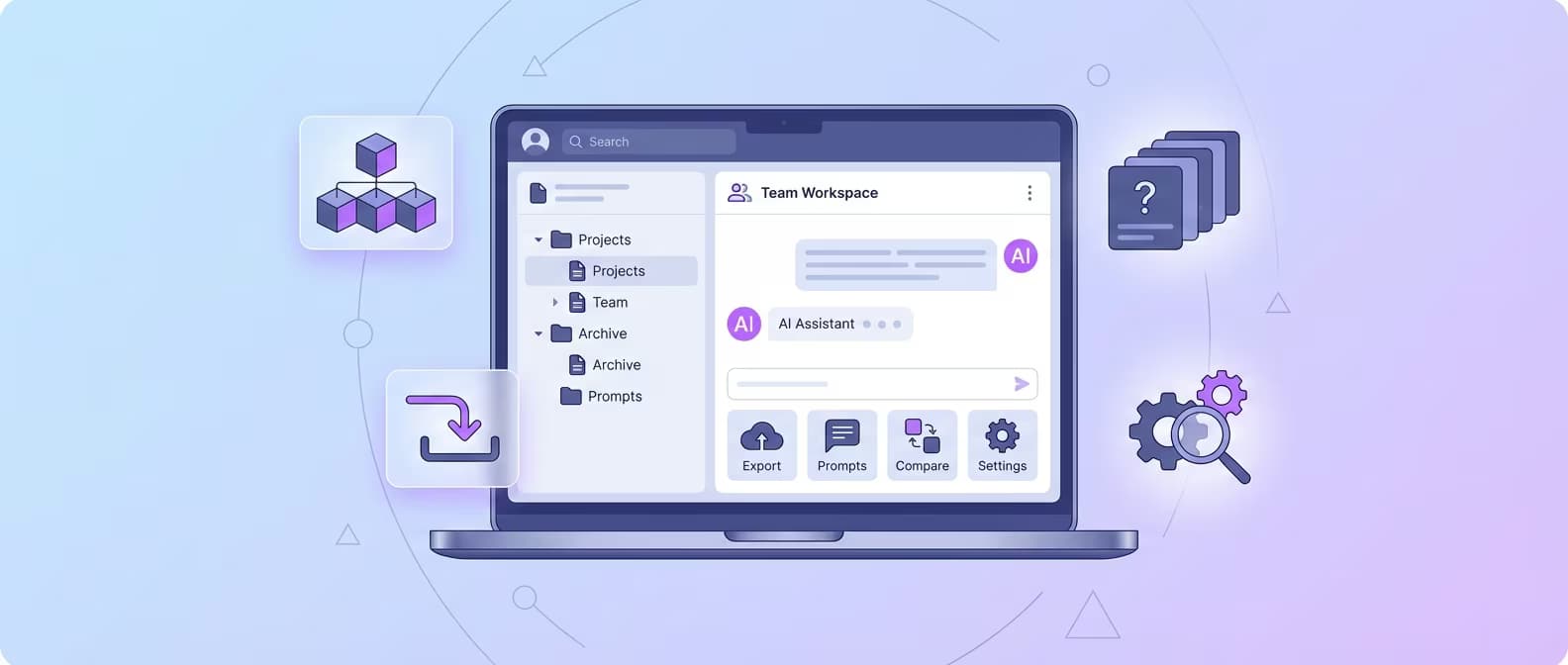
ChatGPT Toolbox offers numerous advantages designed to enhance your workflow and improve productivity. This page explores the key use cases, from organizing and managing your ChatGPT conversations to efficiently exporting and saving important data. Whether you're streamlining your personal use of ChatGPT or integrating it into your team’s workflow, discover how features like folders, pinned chats, and advanced search can simplify your process. Learn how ChatGPT Toolbox can transform your ChatGPT experience, making it more organized and efficient for a variety of professional and personal use cases.

Professional business setting with a sleek laptop displaying ChatGPT interface enhanced with ChatGPT Toolbox features. Business professional in modern office using organized folders for client meetings, project management, and strategic planning.

ChatGPT Toolbox for Business Professionals: Boost Productivity

Business professionals: organize meetings, manage projects, save templates, and boost productivity with ChatGPT Toolbox. Complete guide for executives and consultants.

Blog post author - Adi LeviimAdi Leviim
10 min
A professional, modern illustration of a sales executive working at a futuristic desk with multiple holographic screens. One screen shows a ChatGPT interface generating a sales email.

ChatGPT for Sales: How to Close More Deals with AI in 2026

Learn how to use ChatGPT for sales in 2026. Discover prompts, strategies, and tools to generate leads, write emails, and close more deals.

Blog post author - Adi LeviimAdi Leviim
8 min
Create a professional illustration showing a researcher at a desk with a laptop displaying ChatGPT Toolbox interface. Show organized research folders, citation exports, note-taking features, and academic paper icons. Include elements like laboratory beakers, books, microscope in the background. Show conversation organization by research topics. Use teal and white with academic blues and scholarly aesthetics. Style: professional, academic, modern workspace.

ChatGPT Toolbox for Researchers: Streamline Your Academic Workflow

Discover how researchers use ChatGPT Toolbox to organize literature reviews, manage research conversations, export findings, and accelerate scholarly output with powerful organization features.

Blog post author - Adi LeviimAdi Leviim
9 min
Create a vibrant illustration showing a student using ChatGPT Toolbox for studying. Show organized study folders by subject (Math, Science, Literature), saved prompts for homework help, and exported study notes. Include elements like textbooks, notebook, calculator, graduation cap. Show a split screen with ChatGPT conversations and study materials. Use teal and white with youthful, energetic colors (orange, yellow accents). Style: friendly, educational, modern student lifestyle.

ChatGPT Toolbox for Students: Organize Your Studies and Boost Grades

Students: organize study materials by subject, save homework help, export study notes, and create an efficient learning system with ChatGPT Toolbox.

Blog post author - Adi LeviimAdi Leviim
8 min
Create a dynamic illustration showing a marketer using ChatGPT Toolbox with folders organized by campaigns, saved prompts for content creation, and exported marketing copy. Show elements like social media icons, analytics charts, content calendar, ad campaigns. Include multiple ChatGPT windows with marketing content. Use teal and white with marketing colors (pink, orange, energetic gradients). Style: professional, dynamic, business-focused.

ChatGPT Toolbox for Marketers: Streamline Content and Campaigns

Marketing professionals: organize campaigns in folders, save proven prompts, export marketing copy, and manage multiple clients efficiently with ChatGPT Toolbox.

Blog post author - Adi LeviimAdi Leviim
8 min
Create an illustration showing a customer support team using ChatGPT Toolbox with organized folders for different support categories (Technical, Billing, General), saved response templates, and quick access to common solutions. Show headset, chat bubbles, ticket system, team collaboration. Include multiple support conversations organized efficiently. Use teal and white with support colors (green for solved, orange for pending). Style: professional, service-oriented, team-focused.

ChatGPT Toolbox for Customer Support Teams: Improve Response Quality

Customer support teams: organize support categories, save response templates, search past solutions, and deliver faster, more consistent support with ChatGPT Toolbox.

Blog post author - Adi LeviimAdi Leviim
8 min
Create a warm, professional illustration showing a teacher using ChatGPT Toolbox for lesson planning. Show organized folders by subject and grade level, saved prompts for creating quizzes and assignments, exported lesson plans. Include elements like chalkboard, books, apple, teaching materials, student roster. Show ChatGPT conversations about educational content. Use teal and white with educational colors (warm oranges, friendly greens). Style: professional, welcoming, educational environment.

ChatGPT Toolbox for Educators: Enhance Teaching and Lesson Planning

Teachers and educators: organize lesson plans by subject, save quiz templates, export educational content, and create engaging materials faster with ChatGPT Toolbox.

Blog post author - Adi LeviimAdi Leviim
9 min
Create a technical illustration showing a data scientist using ChatGPT Toolbox with folders organized by data projects, saved code prompts, and exported analysis results. Show elements like data visualizations, code snippets, Python/R logos, statistical charts, ML model diagrams. Include terminal windows and Jupyter notebooks. Use teal and white with data science colors (deep blues, techy greens, matrix-style aesthetics). Style: technical, professional, data-focused.

ChatGPT Toolbox for Data Scientists: Organize Code and Analysis

Data scientists: manage ML projects in folders, save code snippets, export analysis results, and streamline data workflows with ChatGPT Toolbox's powerful organization.

Blog post author - Adi LeviimAdi Leviim
9 min
Create an inspiring illustration showing a writer/content creator using ChatGPT Toolbox with organized writing projects in folders, saved creative prompts, and exported drafts. Show elements like typewriter (modern), coffee cup, notebook, inspiration board, creative workspace. Include multiple ChatGPT conversations with story outlines, blog posts, scripts. Use teal and white with creative colors (purple for imagination, warm tones for creativity). Style: artistic, inspiring, creative workspace aesthetic.

ChatGPT Toolbox for Writers & Content Creators: Organize Your Creative Process

Writers and creators: organize writing projects, save creative prompts, export drafts, and manage multiple content pieces efficiently with ChatGPT Toolbox.

Blog post author - Adi LeviimAdi Leviim
8 min